Create products
For general product setup, we refer to the standard Odoo documentation online.
Highlights of product creation
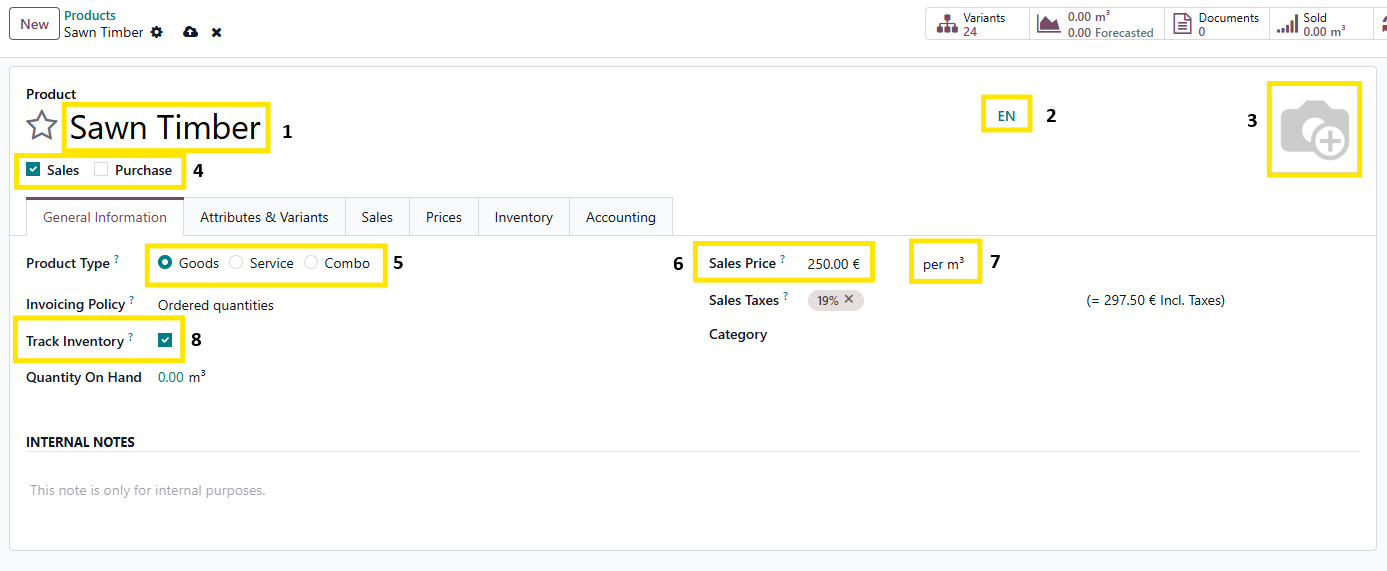
- Name of the product
- Indication of the language + button to go the translation screen
- Add of modify picture of the product
- Indicate whether the product is fit for purchase, sales or both.
- Specify the product type. More info on https://www.odoo.com/documentation/19.0/applications/inventory_and_mrp/inventory/product_management/configure/type.html
- Set a standard sales price
- Set the correct unit of measure
- Indicate whether the inventory needs to be held for this product.
On the accounting tab, the income and expense accounts can be set.
This can be set on product category, product and product variant.
Annex 1:
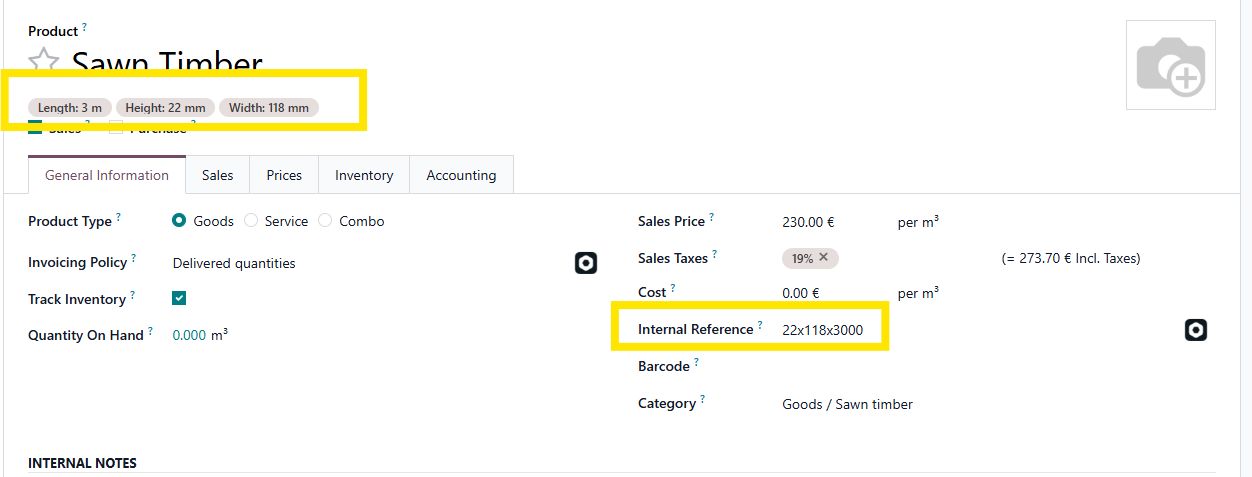
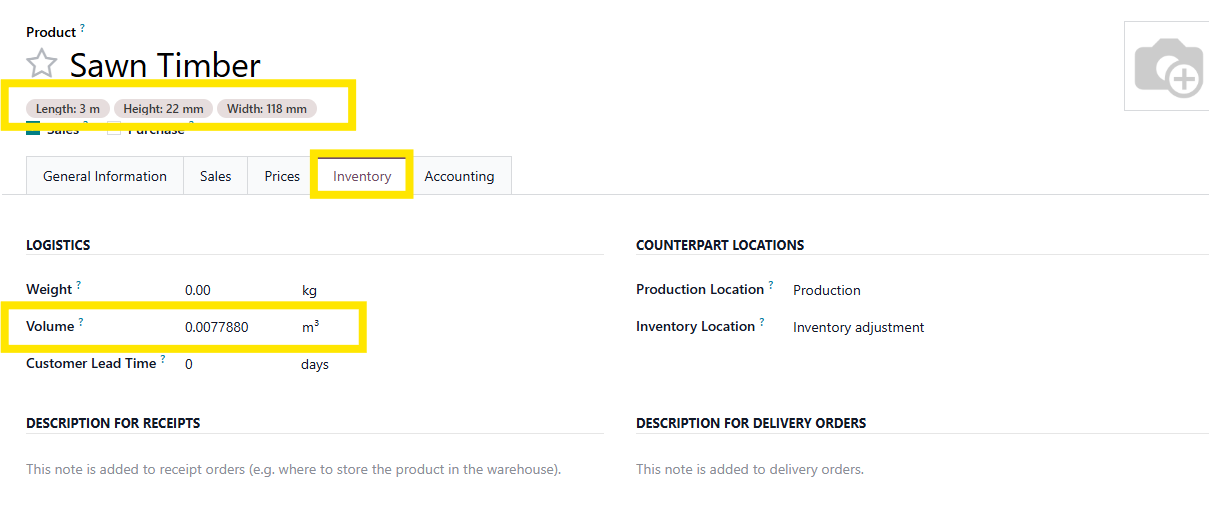
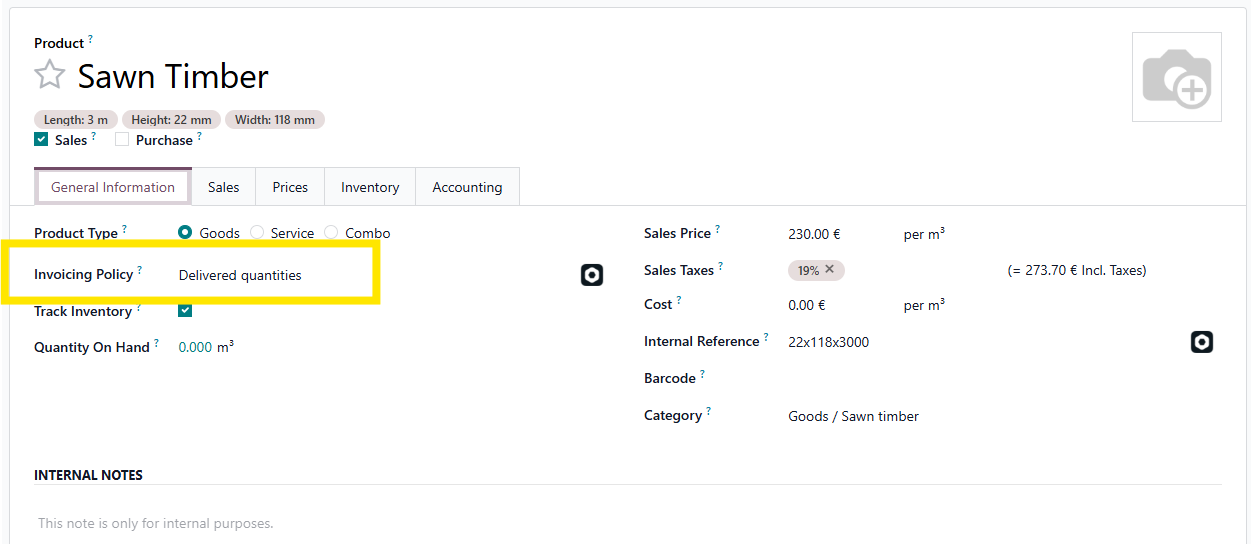
When creating product variants of sawn timber, also fill in:
- The Internal Reference in the format of HEIGHTxWIDTHxLENGTH
- The volume of 1 piece of finished product in m³.
- Invoicing policy should be on delivered quantities. This ensures that all that has been deli
1.
2.
3.
To prevent auto creation of to-do activities for upselling, implement the following automated action.
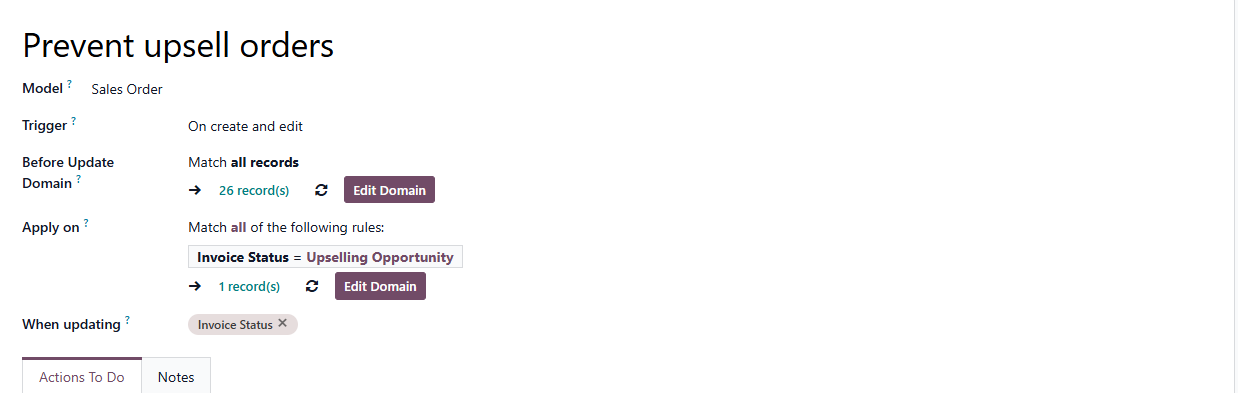
for order in records:
if order.invoice_status == 'upsell':
order.write({'invoice_status': 'to invoice'})