COC
Intro
One of the company values is COC which means the supply chain needs to be controlled.
This is done via due diligence and certification.
We need to be able to report on that due diligence and certification.
For this, we need to be able to have
100% of our vendors having signed our code of conduct
100% of our vendors need to have a statement of honor filled in and signed
95% of our purchased wood needs to come from certified vendors, either PEFC or FSC.
50% of purchased wood needs to be purchased with a certificate.
Requirements:
We need to be able to register COC information on vendors.
- When purchasing certified wood, we need to be able to indicate the percentage of wood that is certified.
- When purchasing certified wood, we need to be able to check if the vendor is certified for that kind of wood.
- We need to periodically check vendors on their certification validity and log that check.
- We need to be able to create a report with the balance of the certified wood per PEFC product category (sold - purchased)
- We need to create reports, indicating our due diligence KPI's and measures
Add Due Diligence to a vendor
When the contact is a company, the tab 'COC' is visible.
Here you can add the vendor's COC info and documents;
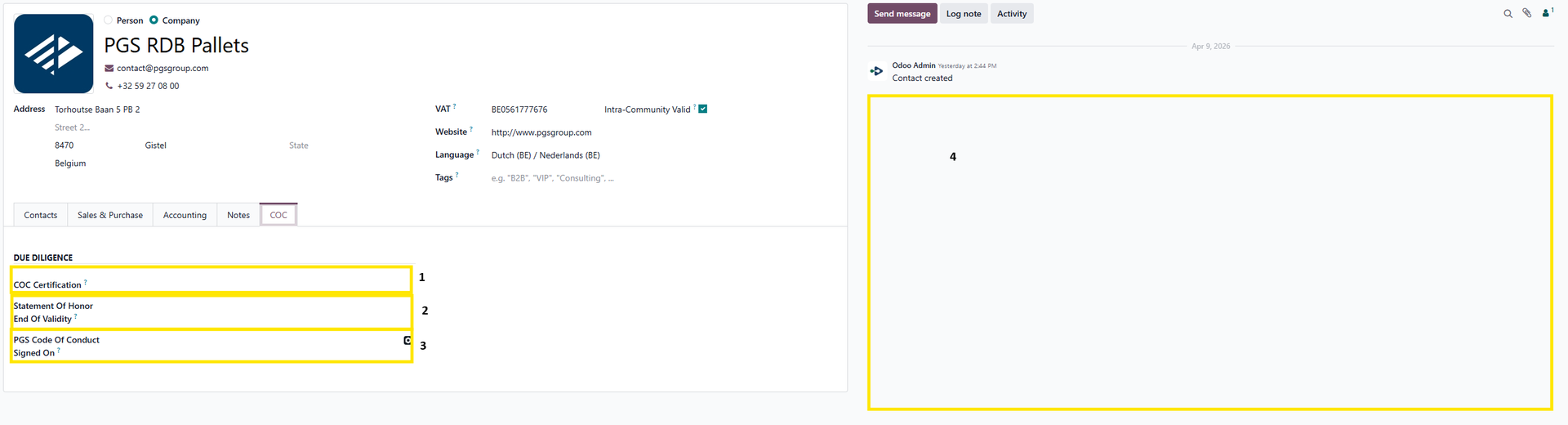
- If the vendor is certified, select the type of certification here
- Enter the expiry date of the vendor's statement of honor
- Ener the date when the PGS Code of conduct was signed by the vendor
Area where the appropriate documents can be added and viewed.
Certification of the vendor (if any)
Statement of honor
Signed PGS code of conduct
Register PEFC certificate
When PEFC is selected as COC Certification, an extra colum 'PEFC' becomes visible on the tab 'COC'.
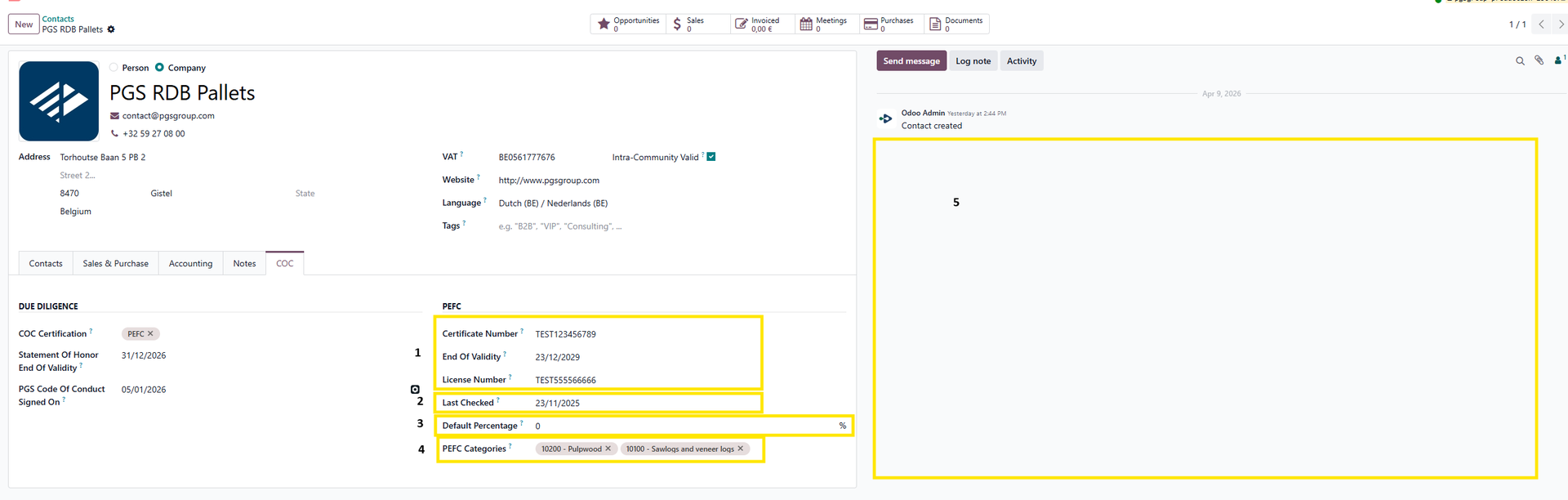
- Holds the information of the vendor's PEFC Certificate
- The validity needs to be checked periodically and it needs to be registered when the last check has happened.
- You can optionally add a default percentage on a vendor. This percentage will then standardly appear on a vendor bill when a product is added with a compatible PEFC Category.
- All PEFC Categories for which the vendor is certified.
- Area where the certification document can be added en viewed.
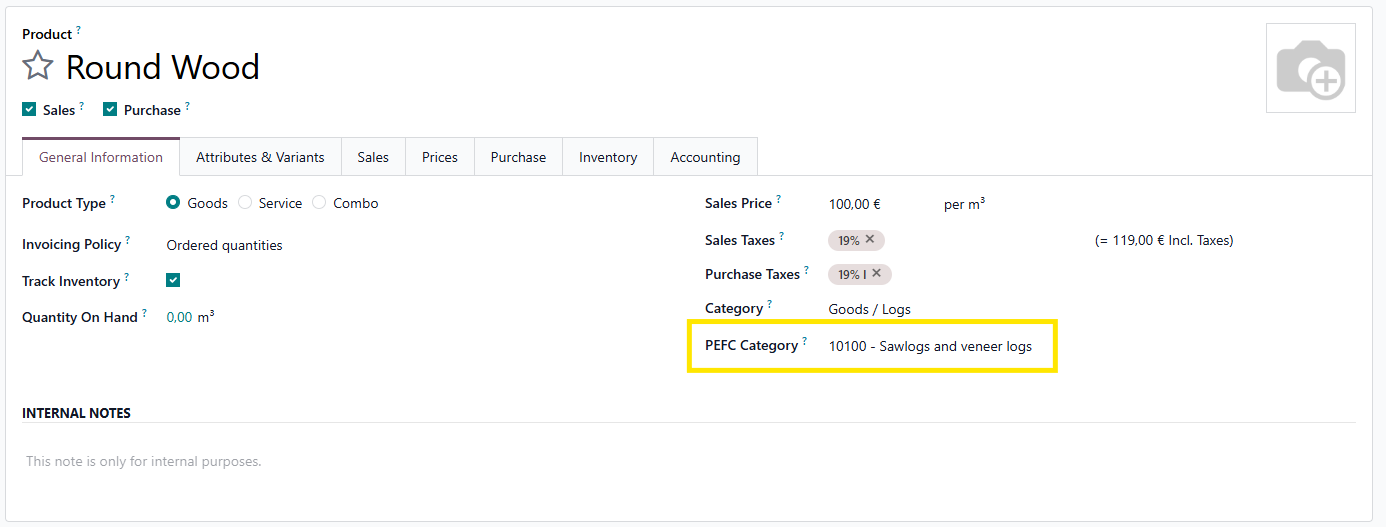
Add PEFC Category to product (template)
To able to verify the certification of the product, products need to be linked to the correct PEFC Category.
Registering a vendor bill with PEFC
When registering a vendor bill with PEFC, it is important to indicate the necesaary information.
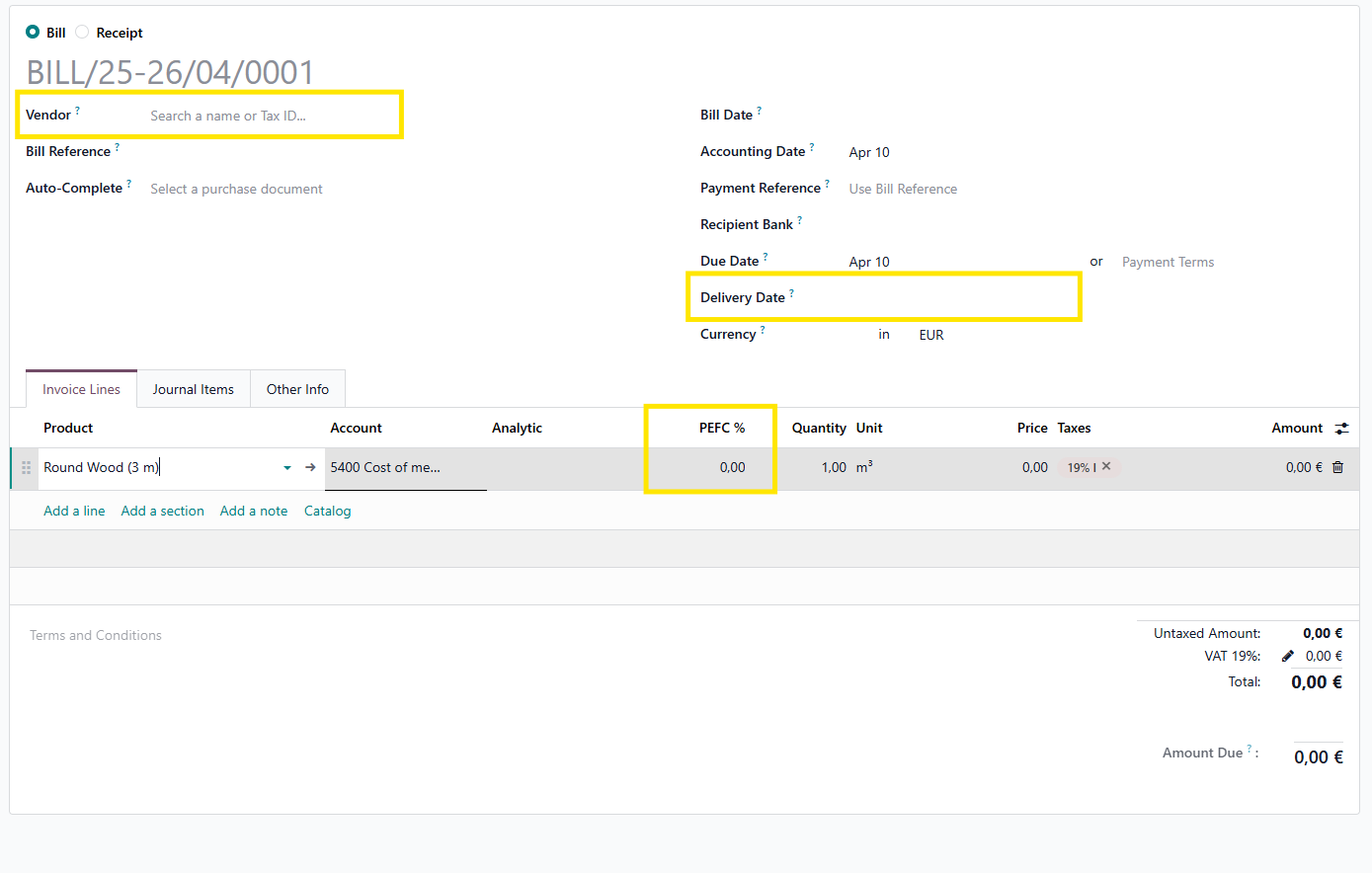
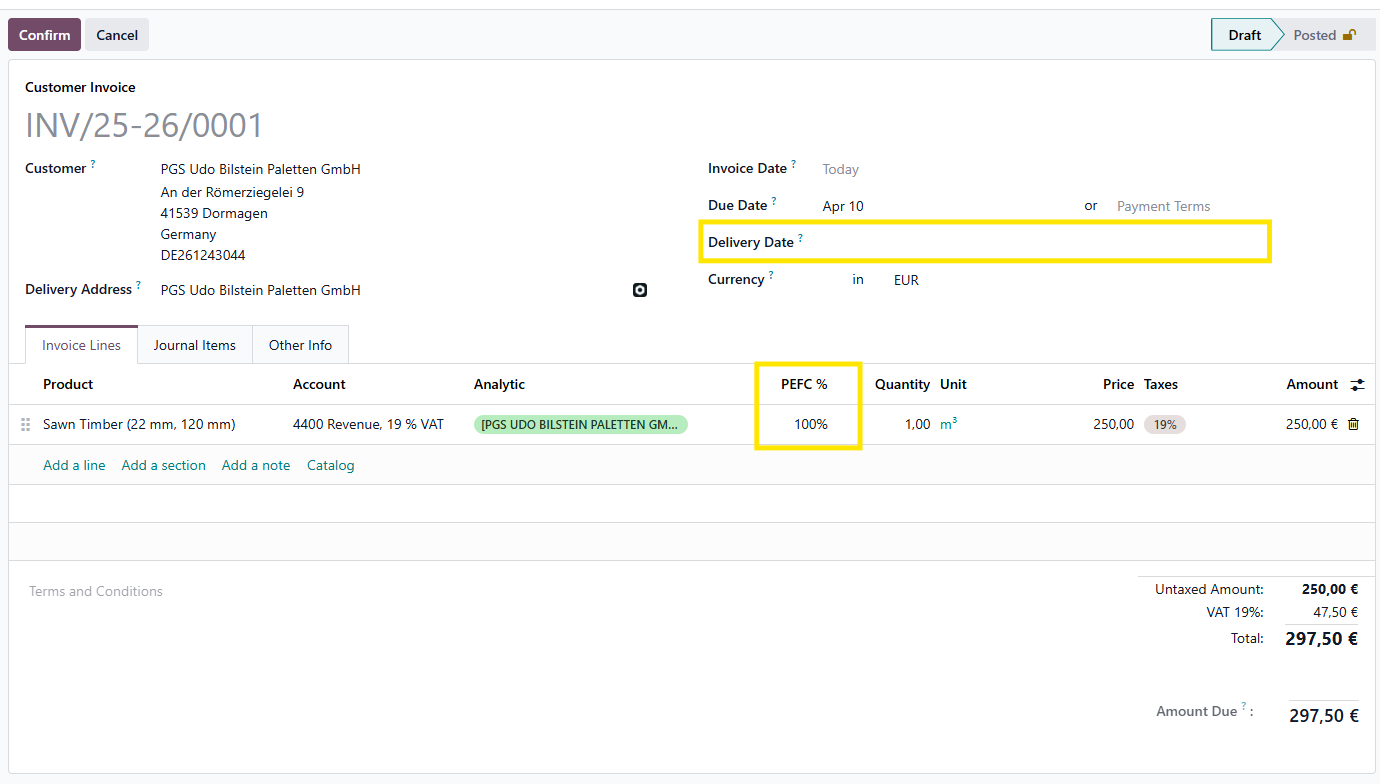
Mainly the vendor, delivery date and the PEFC percentage are most important.
These values can not be changed anymore, when an invoice is posted.
Registering a sales order with PEFC
When creating a sales order, on the product line, you will be able to add the PEFC percentage.
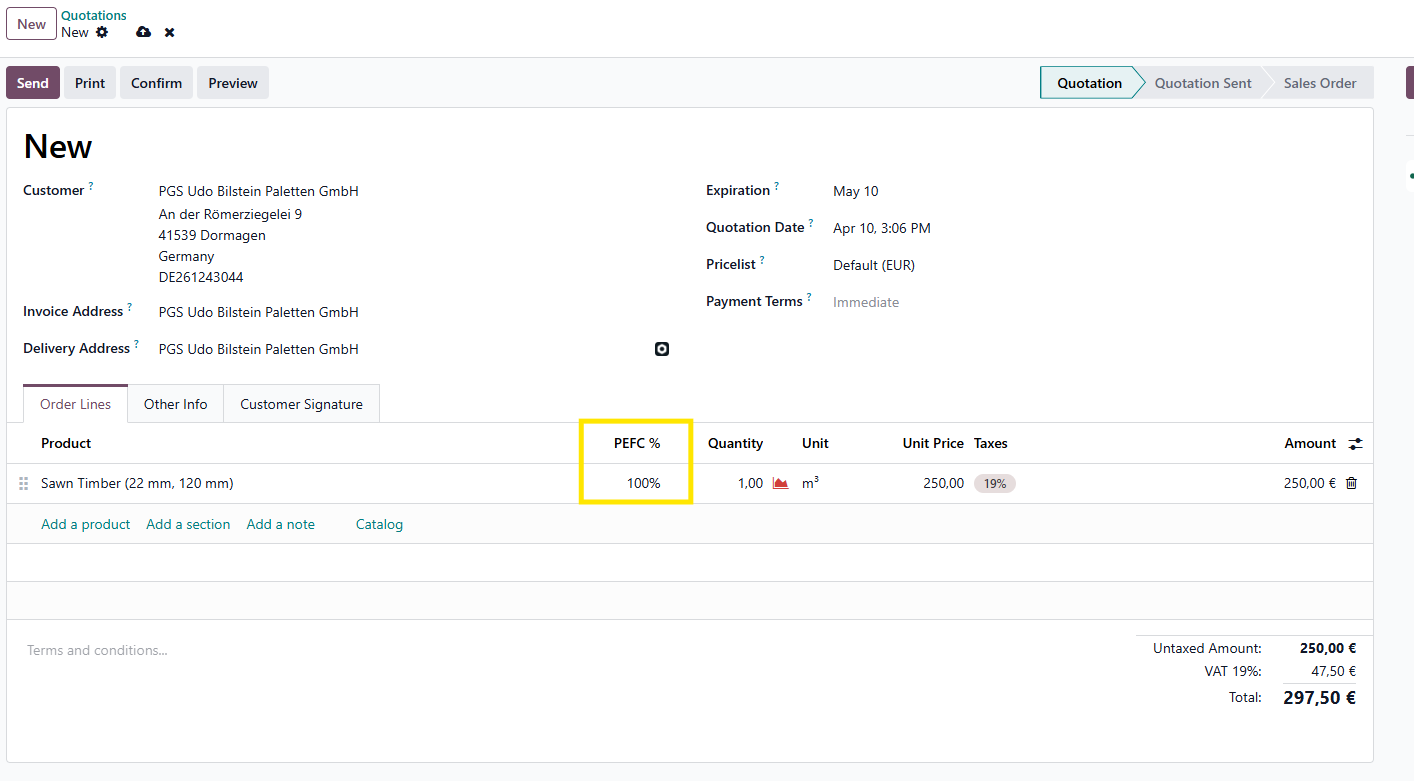
This percentage will later be taken over on the sales invoice line.
Also when updating the percentage later on, the percentage on the invoice line will be updated accordingly and vice versa.
Registering PEFC on the sales invoice
When an invoice is generated, you are able to select a PEFC percentage.
If a percentage was already entered on the linked sales order line, it will be copied over to the invoice line.
Also the delivery date is needed when PEFC is applied.