Create customer/supplier/contact/delivery address
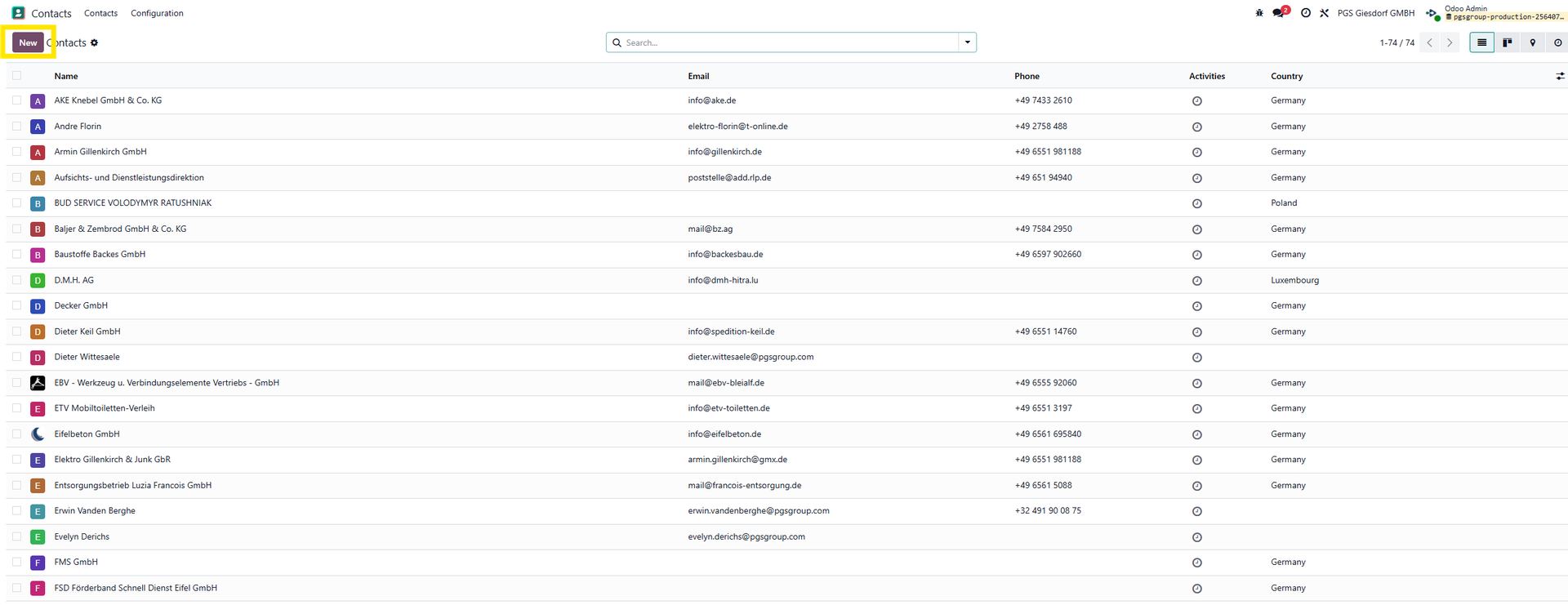
In the contacts Module, on the contacts overview, click the 'New' button.
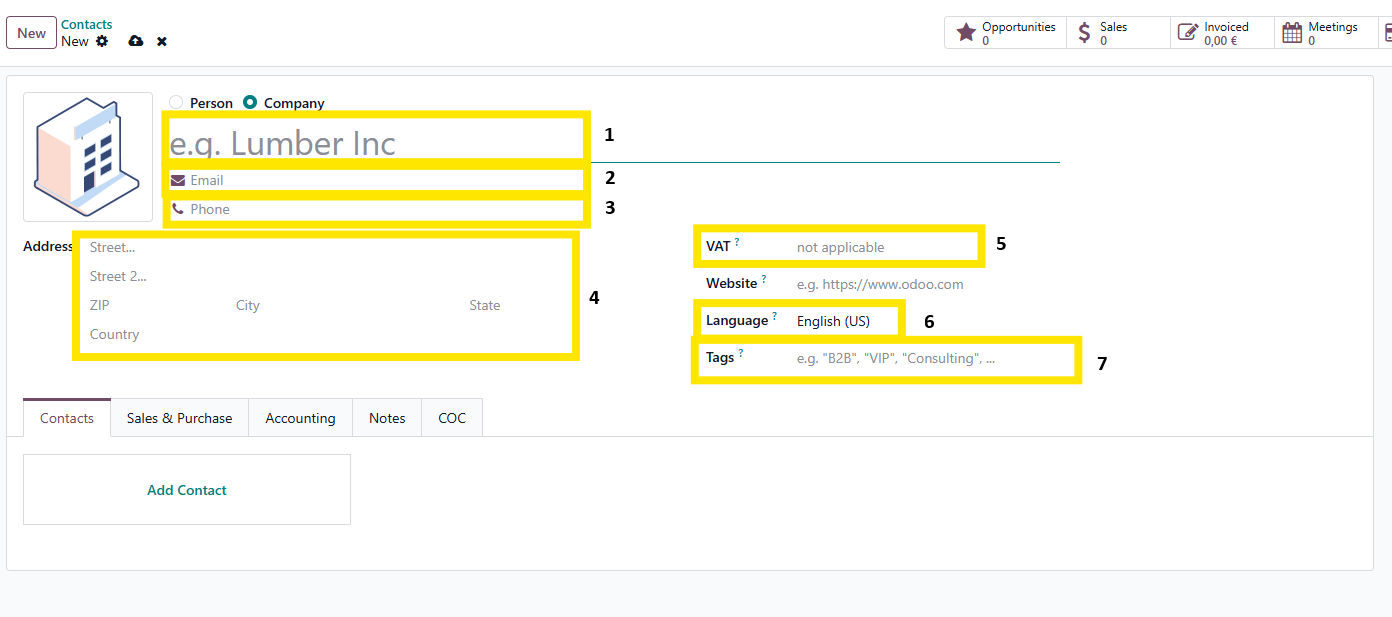
In the main form, some information can be filled.
- Name of the company (This is mandatory)
- Official e-mail address
- Official phone number
- Official address
- VAT number
- Language for all communications
- Tags for categorisation
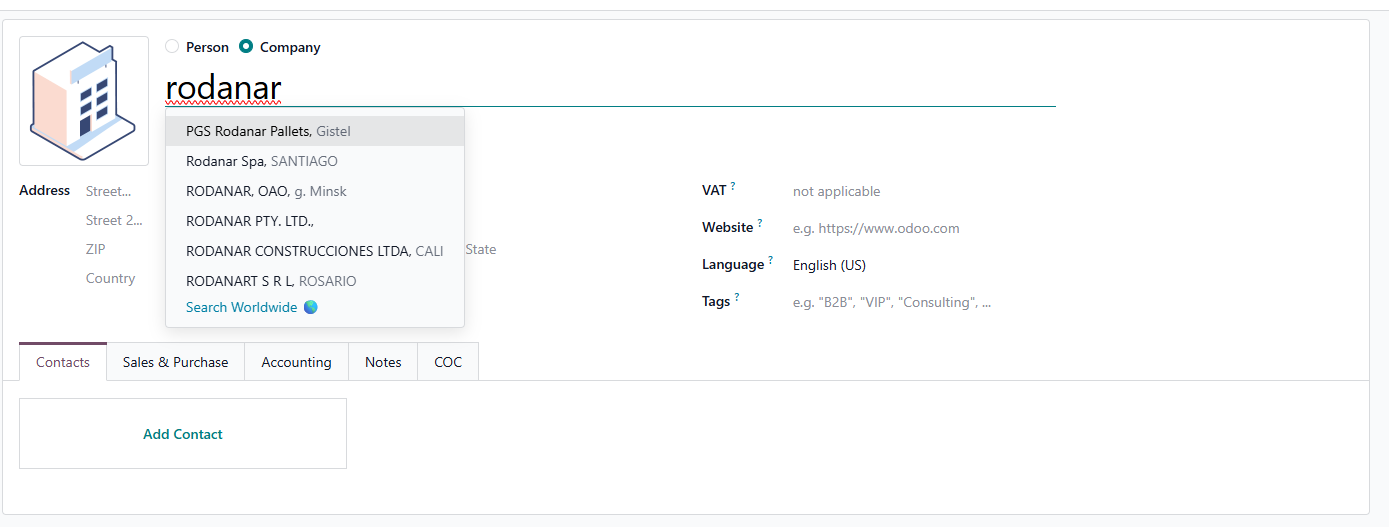
When typing the name of the company, Odoo will try to retrieve the company in question.
When selecting one of the suggestions, Odoo completes all known fields.
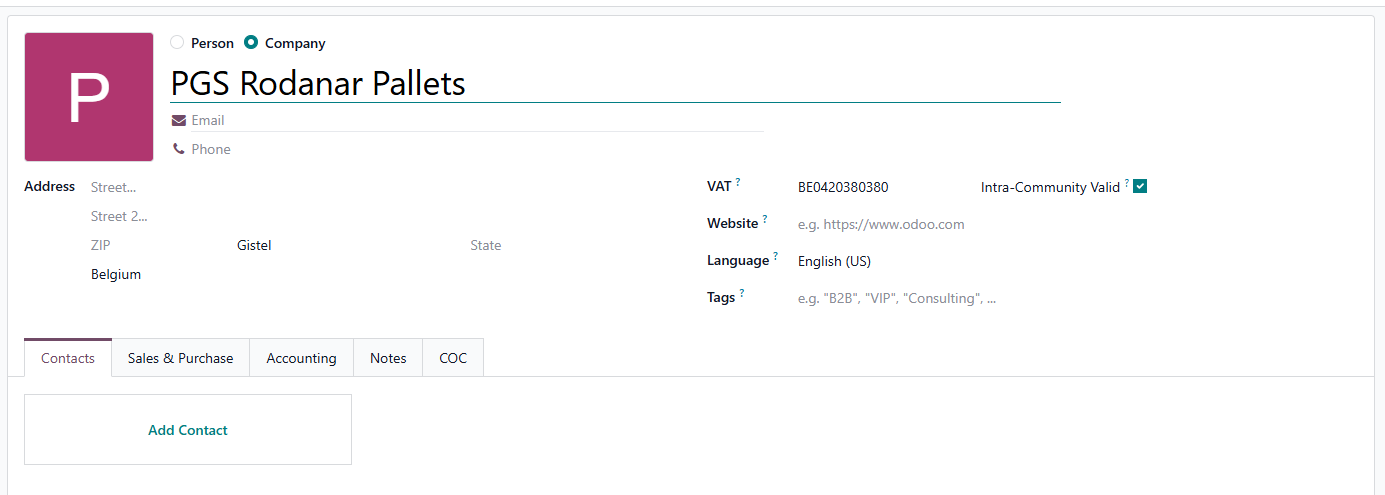
It is still needed to verify the auto fill and complete the information where necessary.
For FINANCE
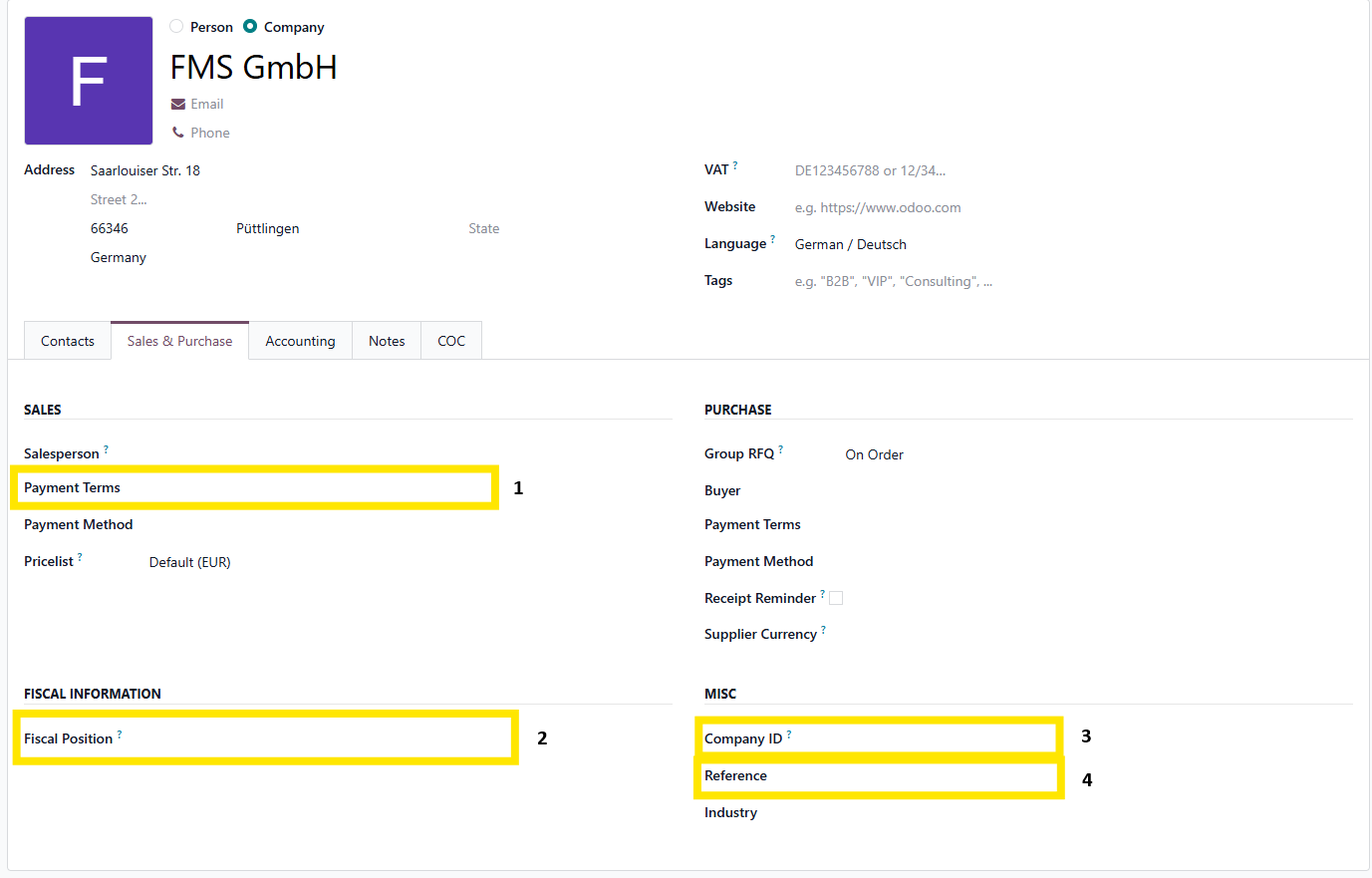
On the sales and purchase tab, we can add some extra information.
Mainly these 4 fields are important
- Payment terms
- Fiscal position
- Company ID - this field can be used for extra company identification (like Str nr)
- Reference - to be used for PGS internal number.
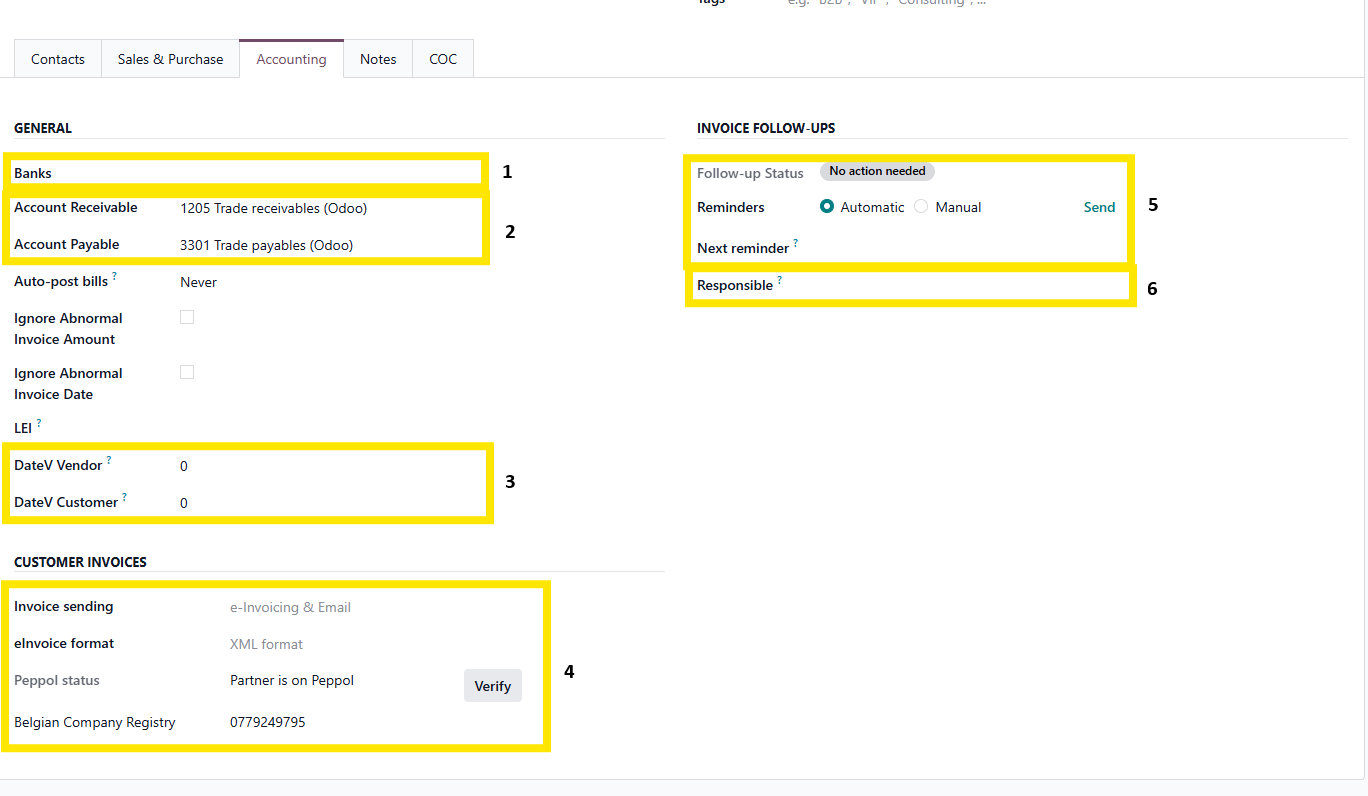
On the accounting tab, we can add accounting info on the contact.
- The bankaccount
- The AP/AR
- DateV information
- Customer invoice sending methods
- Set up follow up levels and reminders
- Responsible for the account