Sales flow
General Odoo docu on Sales quotations flow
https://www.odoo.com/documentation/19.0/applications/sales/sales/sales_quotations.html
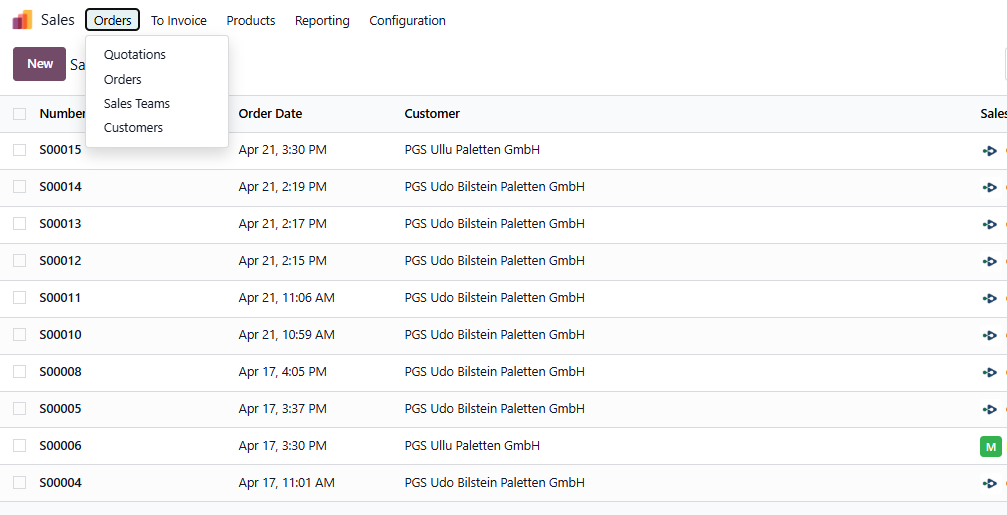
In the Sales App go to the Menu "Orders"
To create a quotation, go to either overview, "Quotations" or "Orders"
In both instances, click the button "New" to create a new quotation.
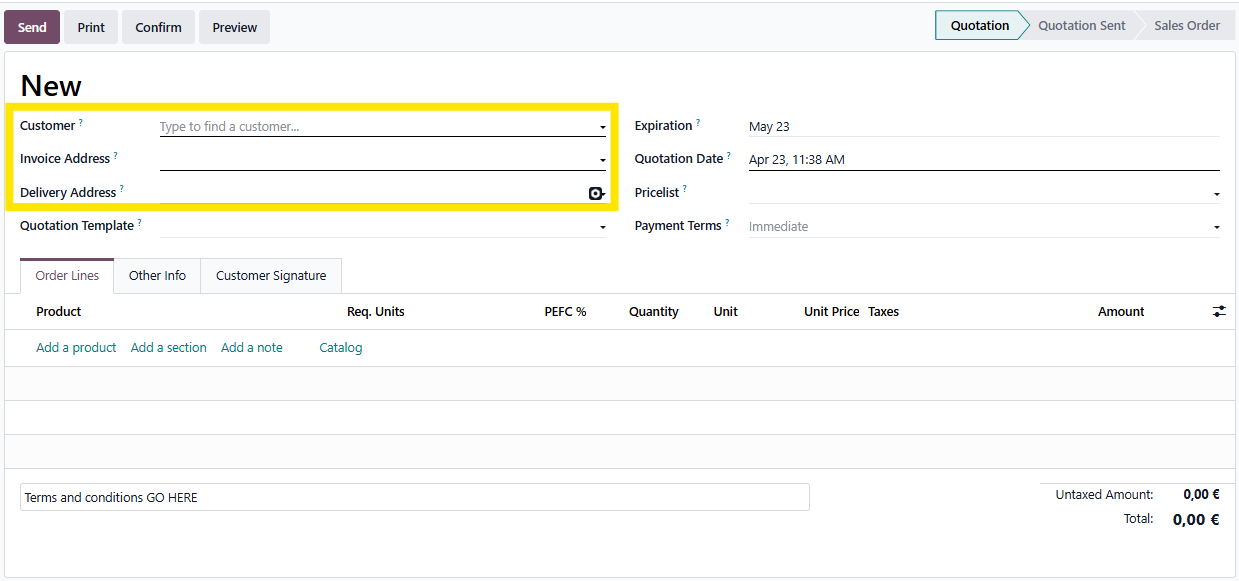
Start of with selecting the correct customer, as well as any address variations.
Odoo will retrieve possible invoice or delivery addresses. If not present, Odoo will select the main address automatically.
This can of course be changed at any moment.
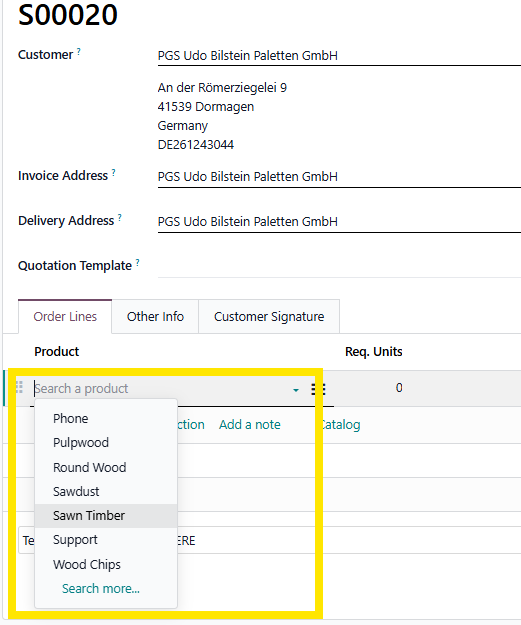
Next select the different products, by clicking "Add a product" and selecting the applicable product.
In case, the products consists of multiple variants, please select the correct values.
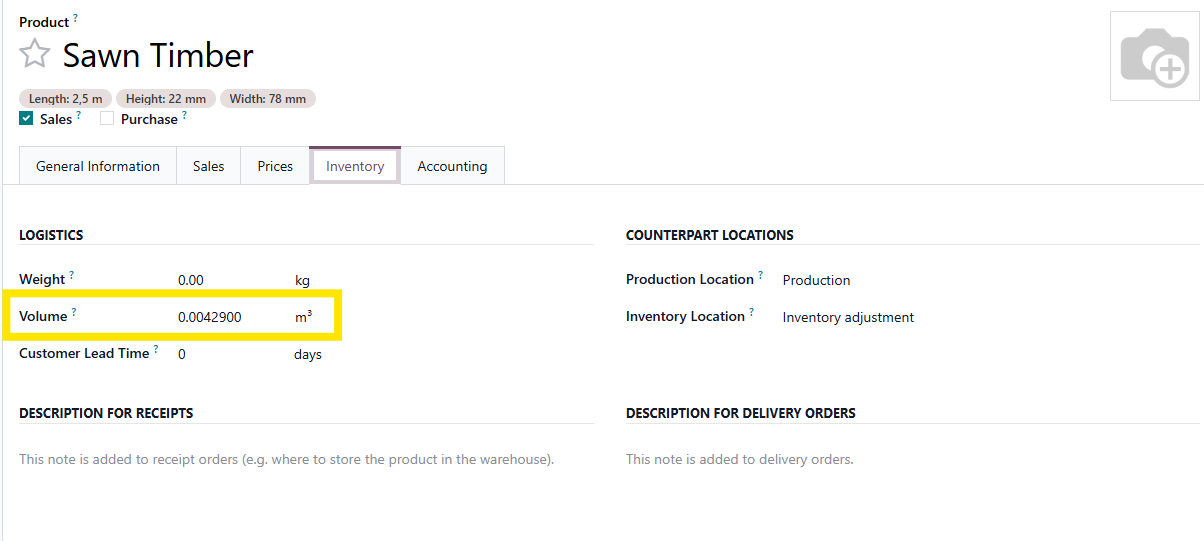
For sawn timber, quantities can be filled in in m³ and in pieces. A conversion is calculated base on the value registered in the product variant form.
In the configuration screen you are already able to select a value in m³ or leave it on 1 (standard) to select the value on the sale order line itself.
Select the quantity (in m³) and click "Confirm"
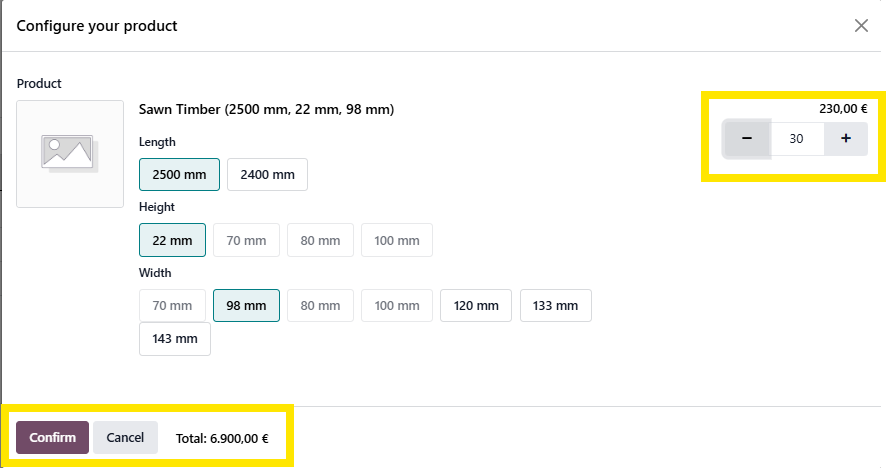
The m³ value is transferred to the order line.
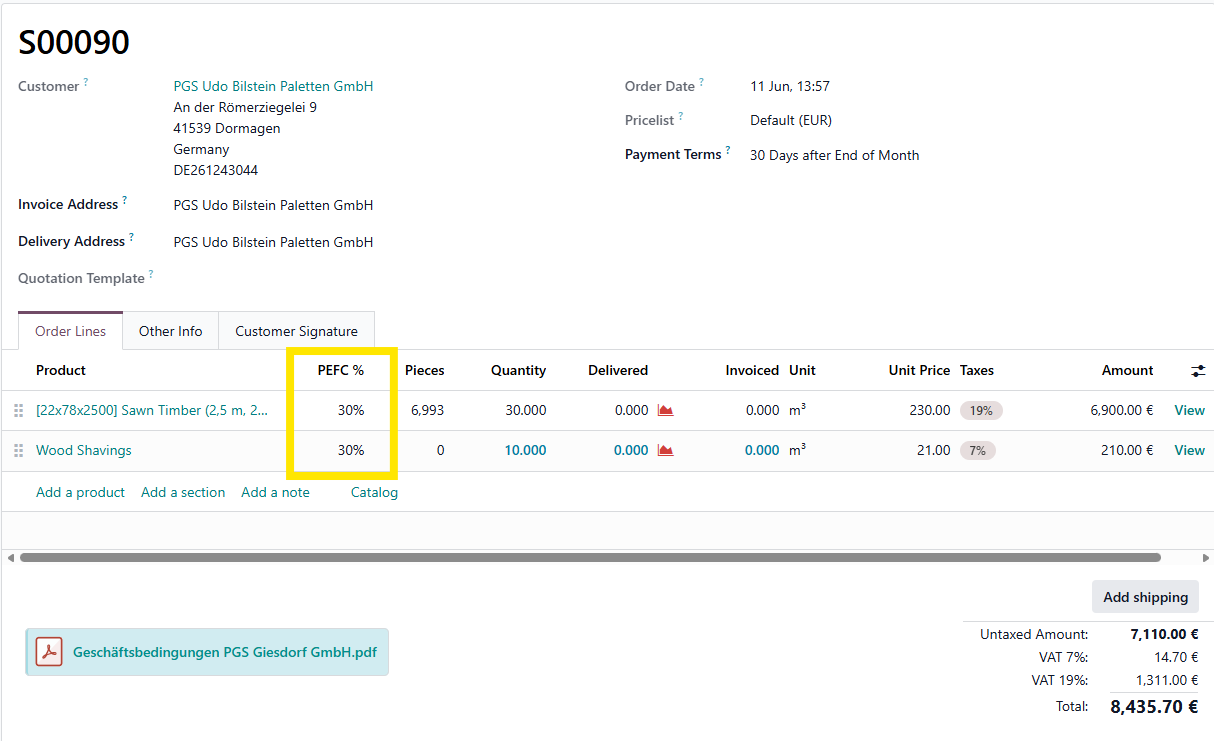
The pieces and PEFC value remains on 0 at this point.
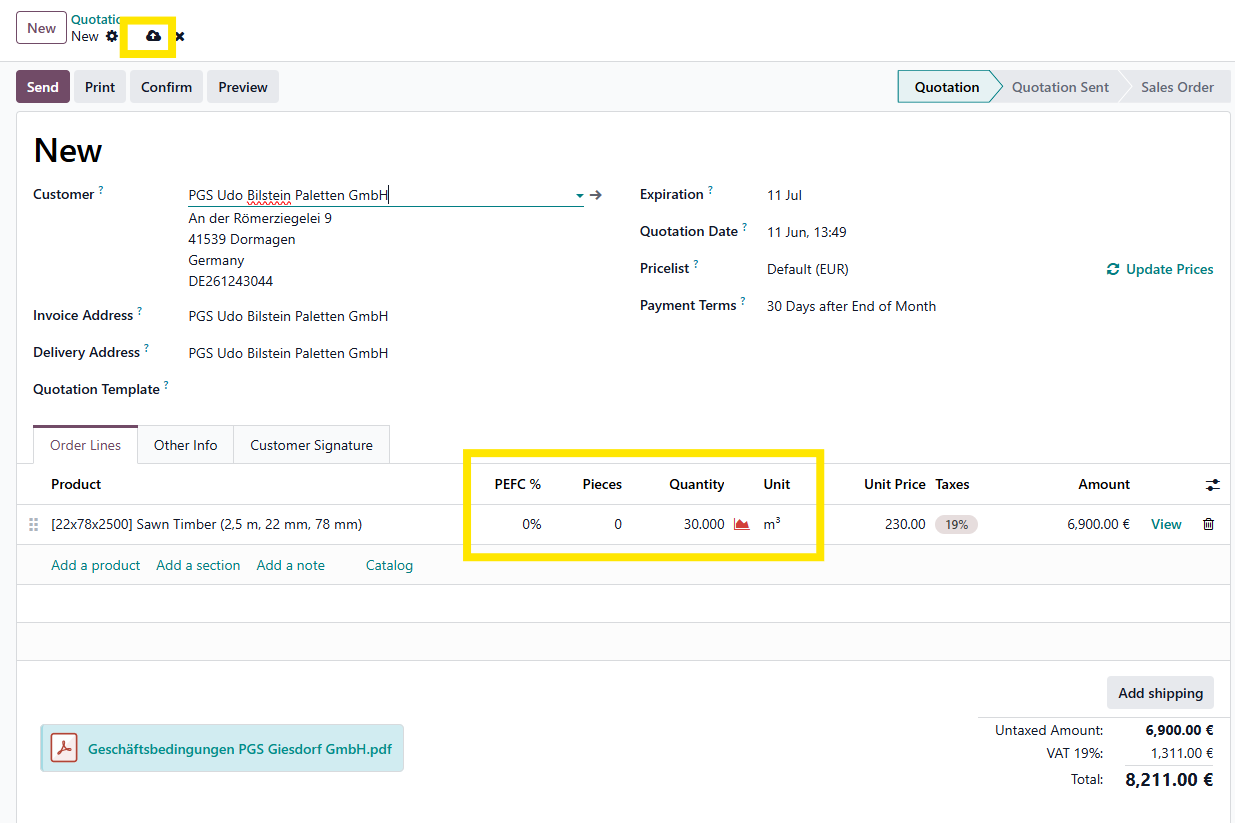
The pieces value will only be updated after saving the sale order. (Only when a volumen is filled in on the product (variant)
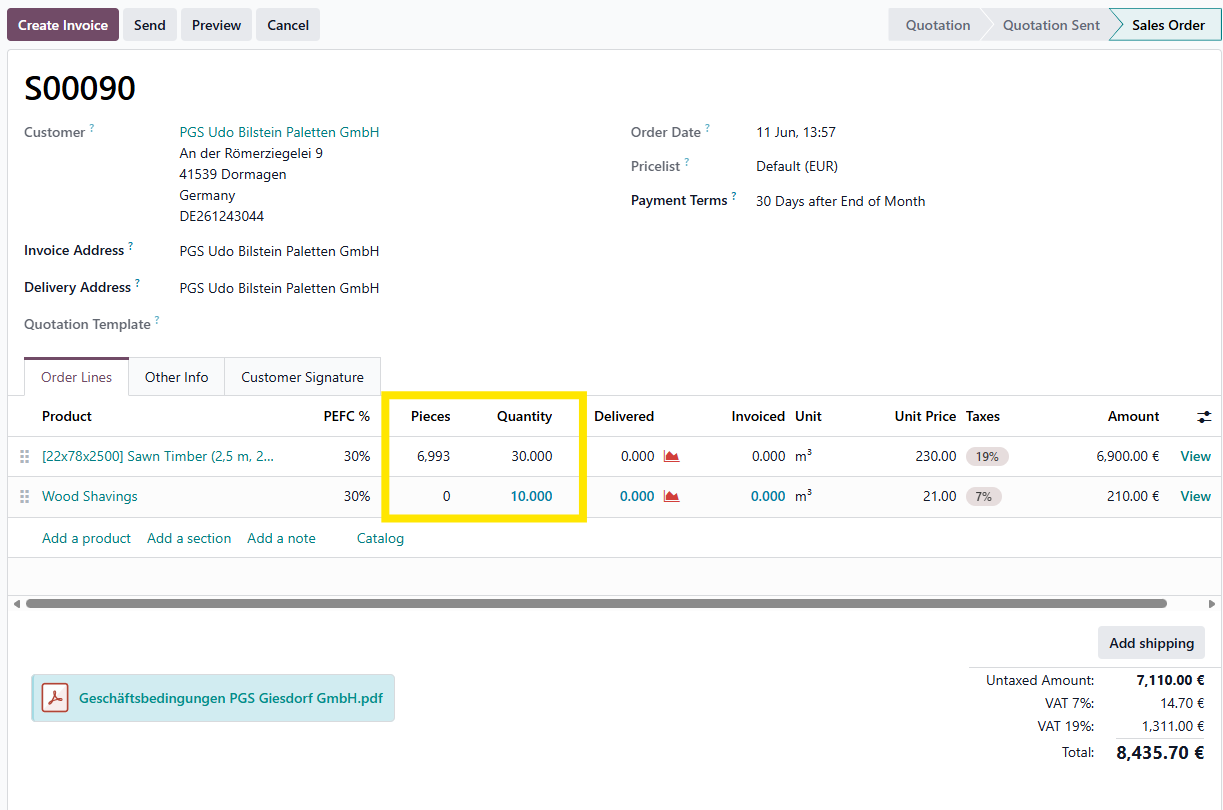
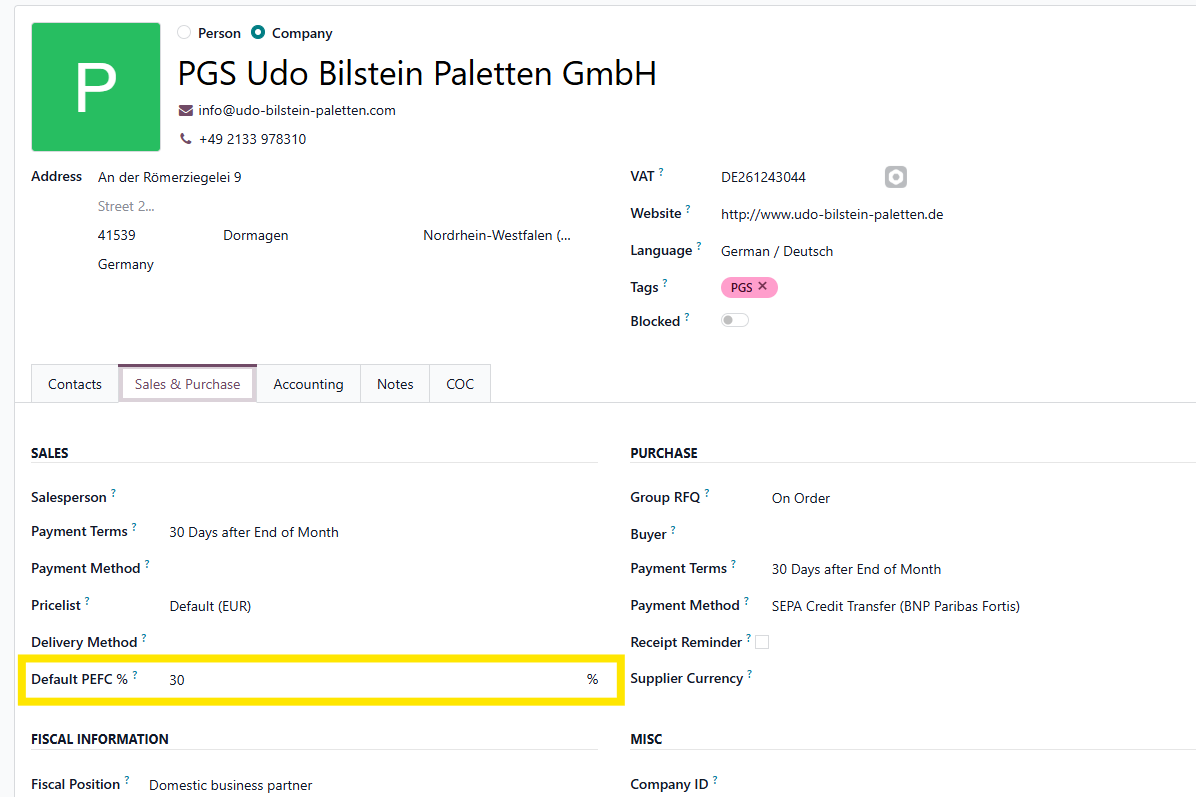
The PEFC value will change to another value only in the event of a default PEFC percentage set on the customer.
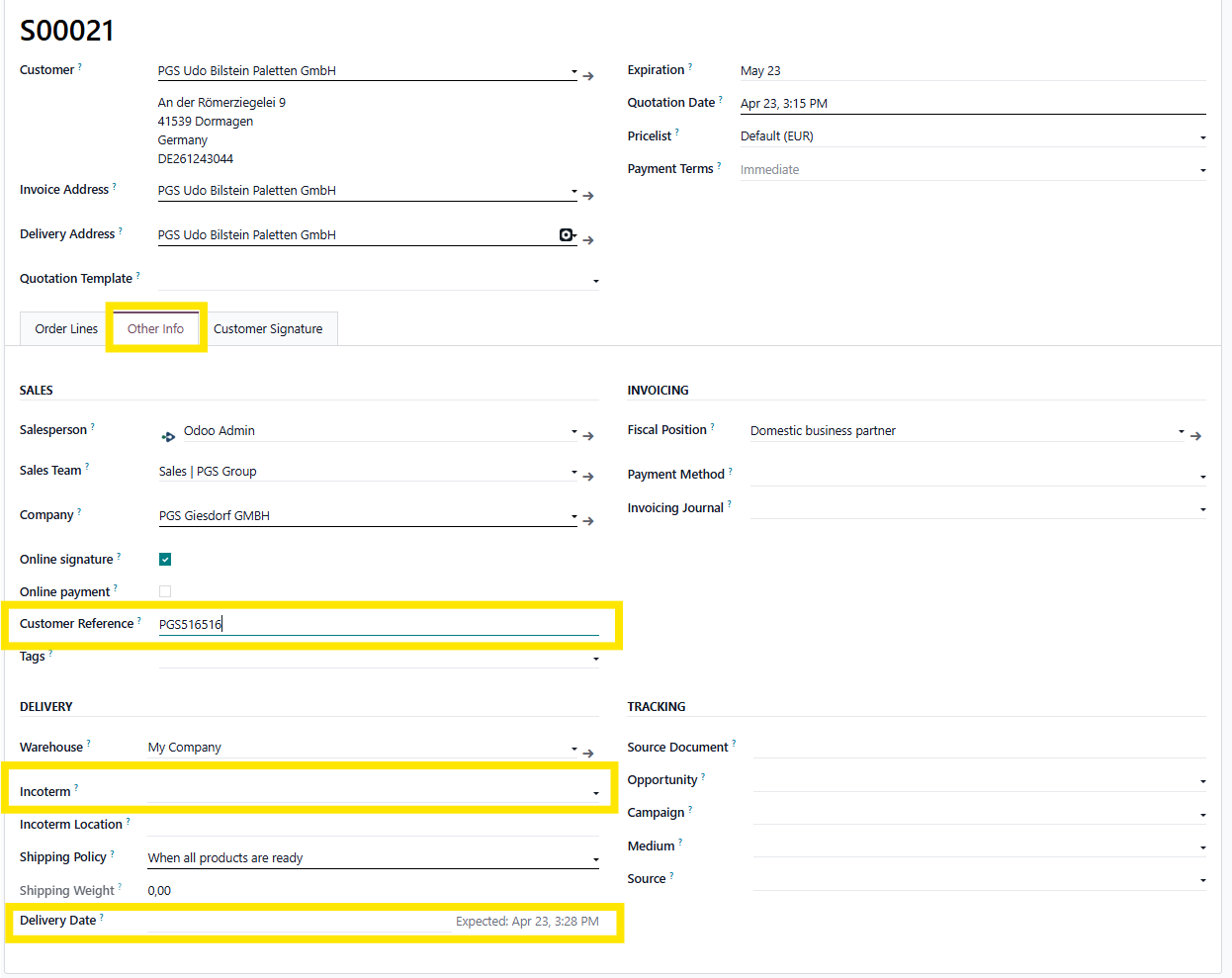
Next to the order lines, we can add more information on the tab, "Other info", such as the customer reference, incoterm and (expected) delivery date.
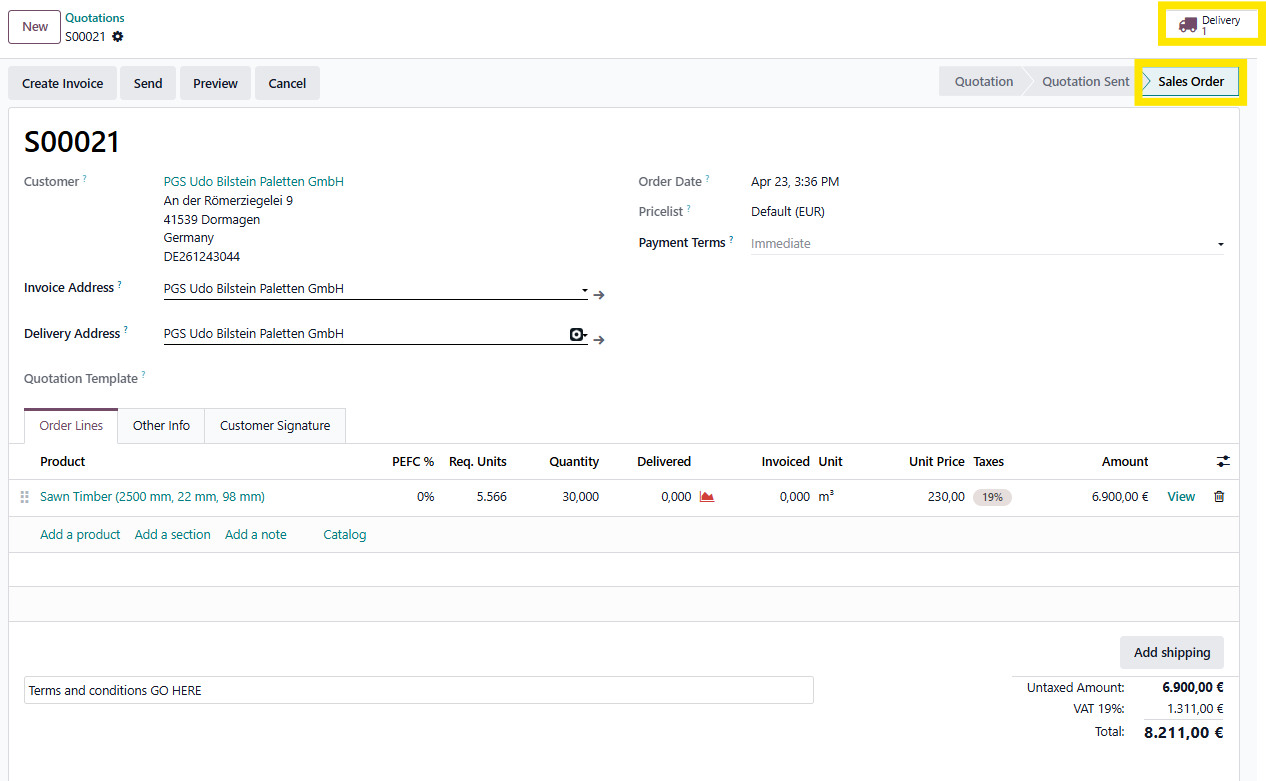
When all information has been entered correctly, we can "confirm" the quotation.
This transforms the quotation into a sales order.
When a sales order is created, this also creates a delivery.
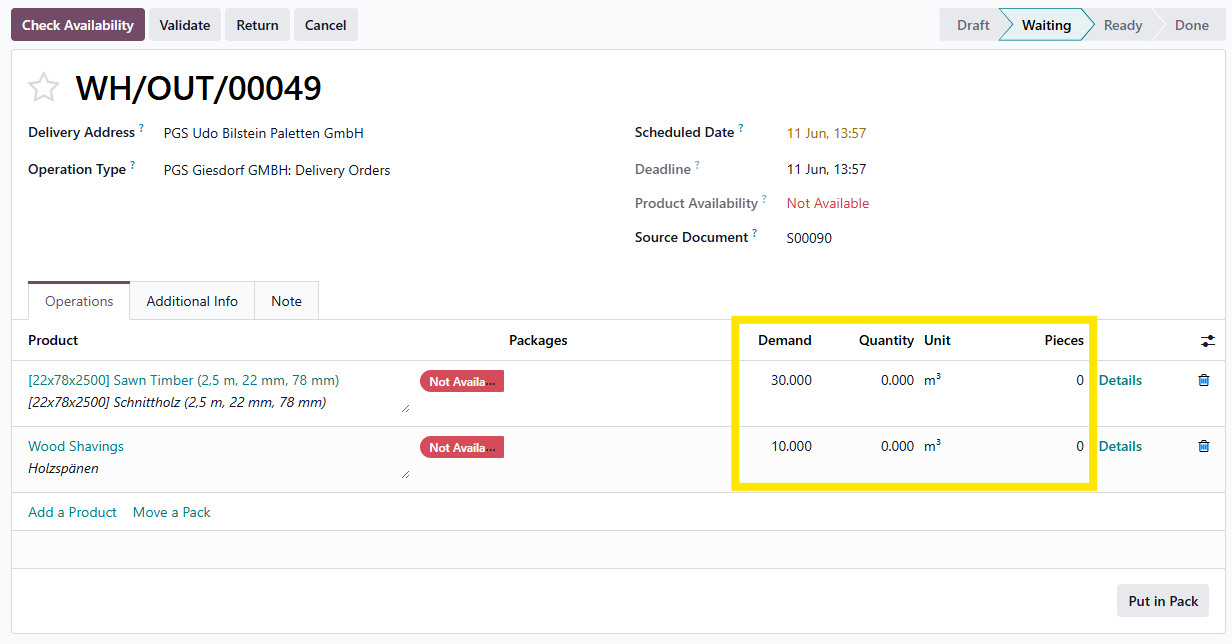
When delivering, we will indicate the correct quantity that we deliver for each product.
We indicate it in m³ and in pieces for sawn timber.
After saving this, we see the status in ready.
We can validate the delivery.
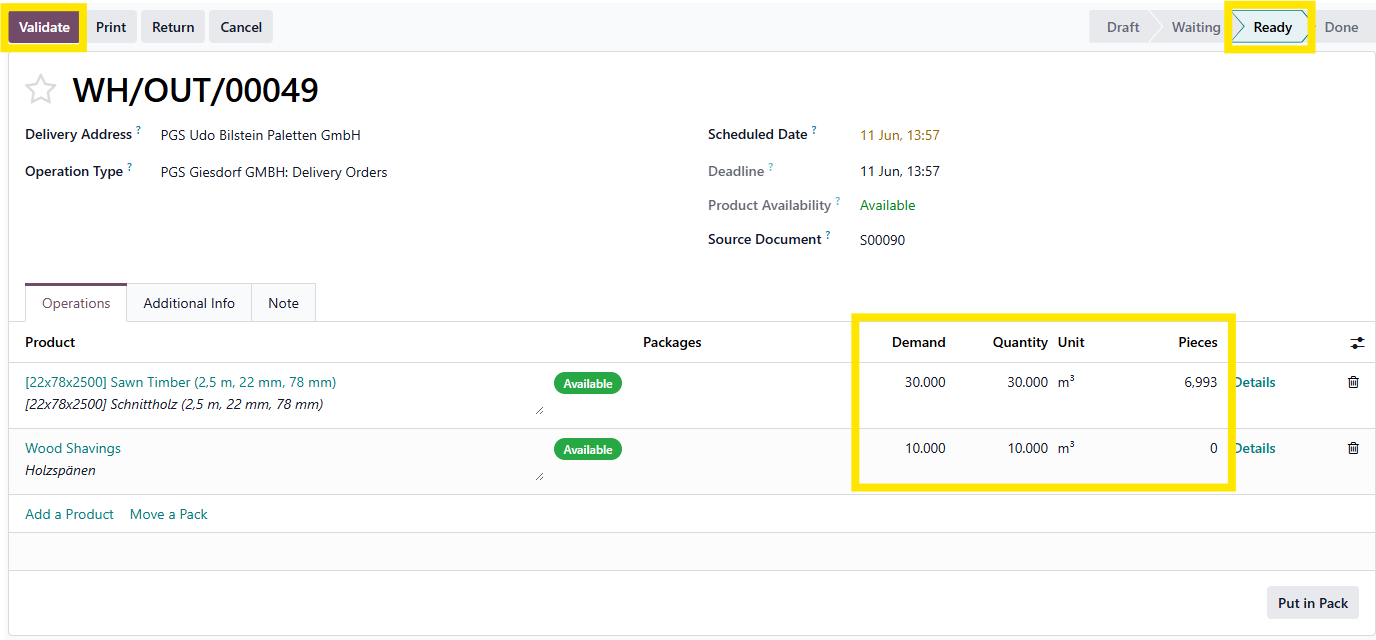
After Validation, the delivery is marked as done.
The print button will provide you with the delivery note.
Example:
You can go back to the sales order by using the breadcrumb method in the upper left corner
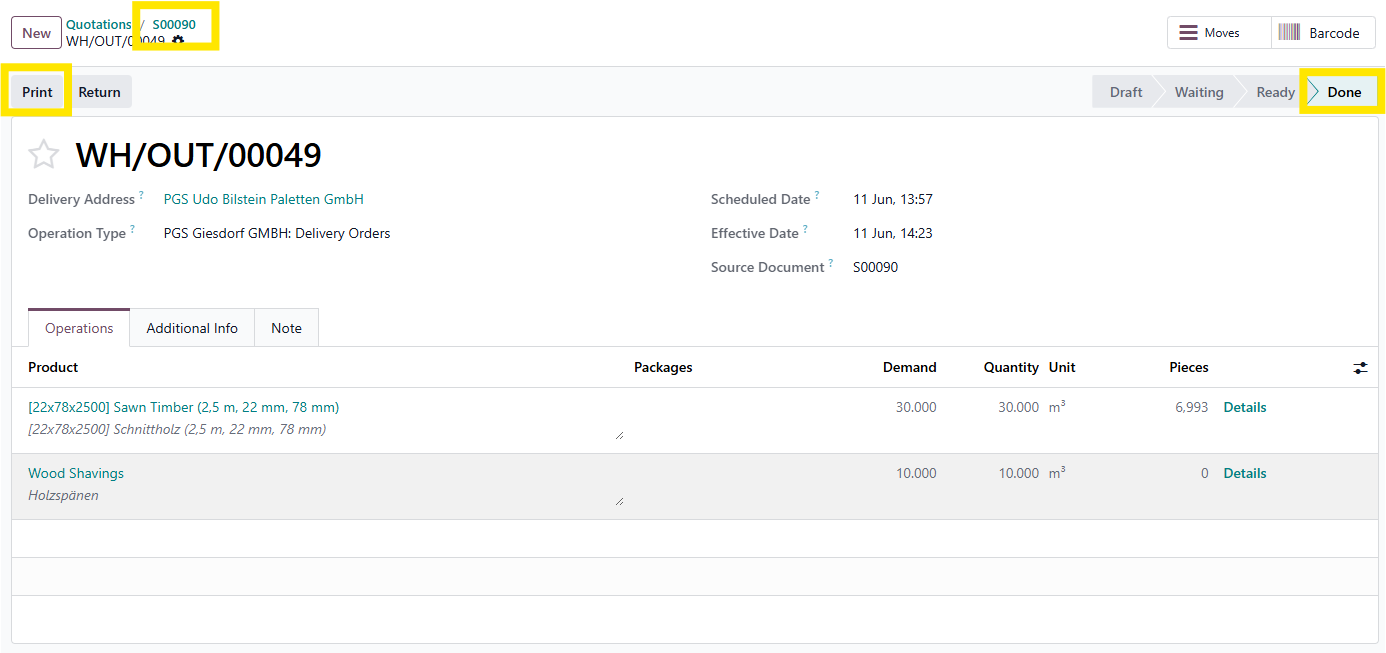
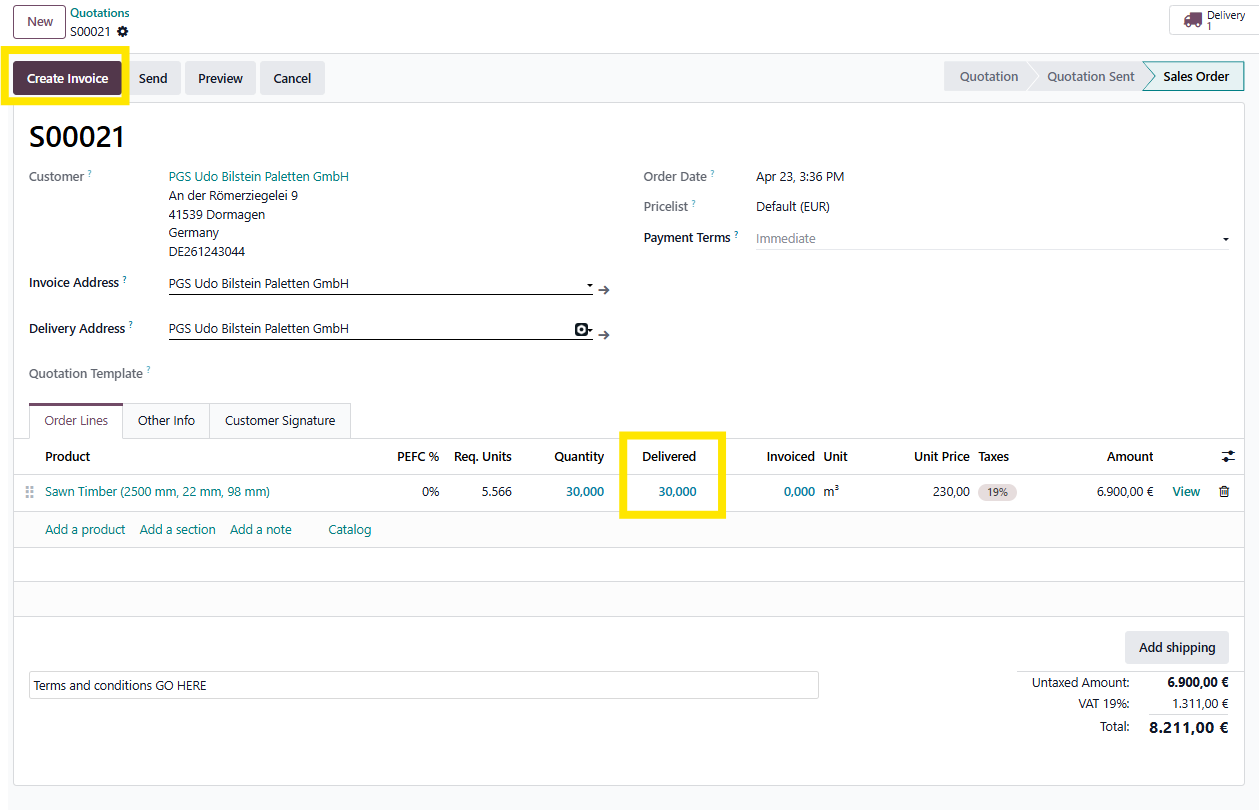
Back on the sales order, we see the delivered quantity.
AT THIS POINT, FINANCE TAKES OVER.
Next step is to create the invoice.
There is a built-in overview of the orders to be invoiced.
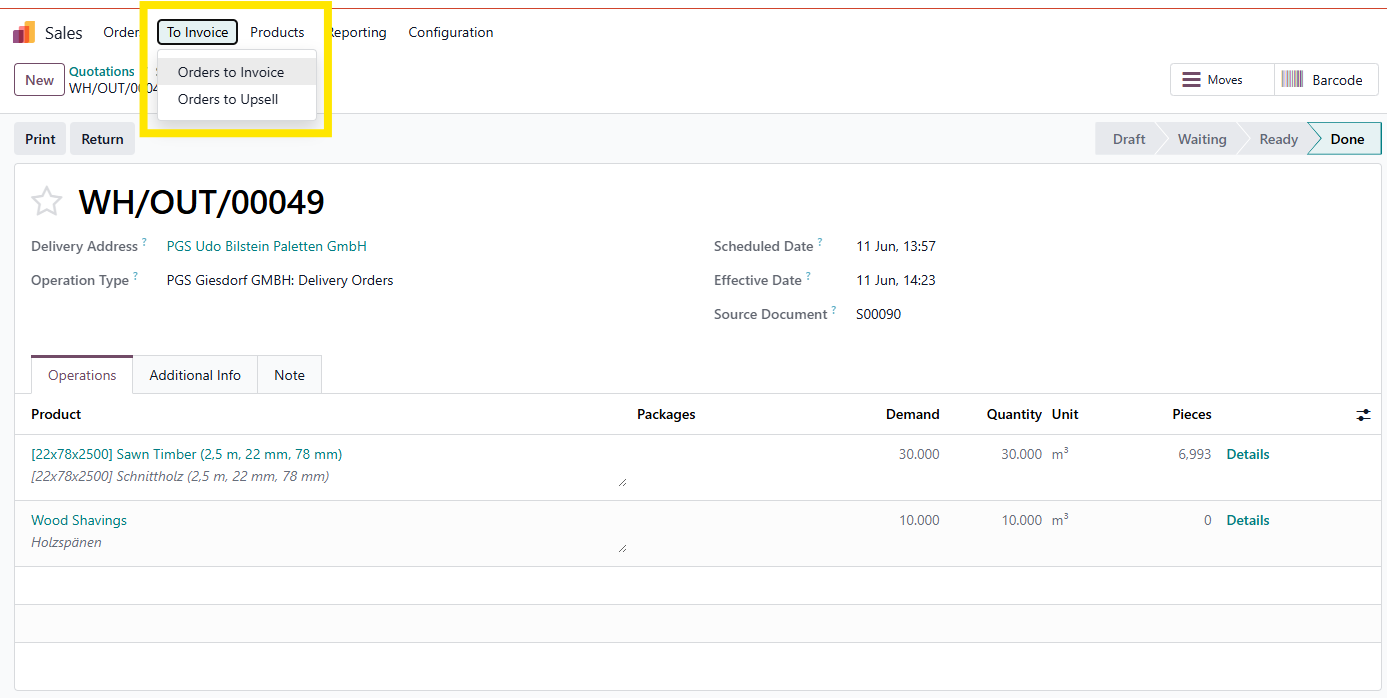
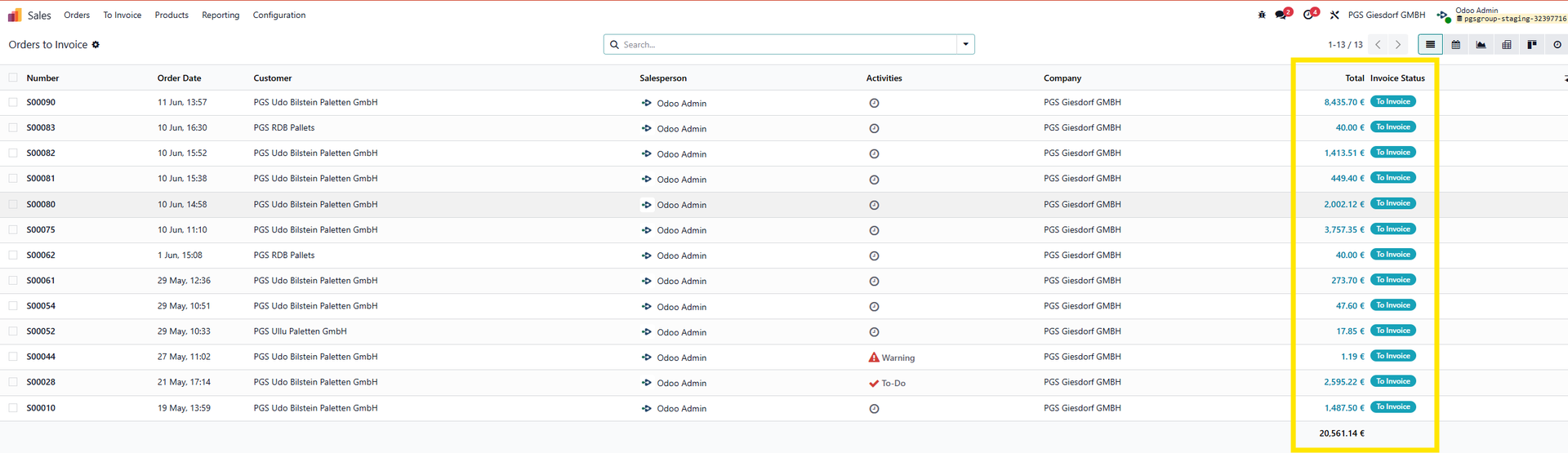
Select 1 or more sales orders to create the invoice for
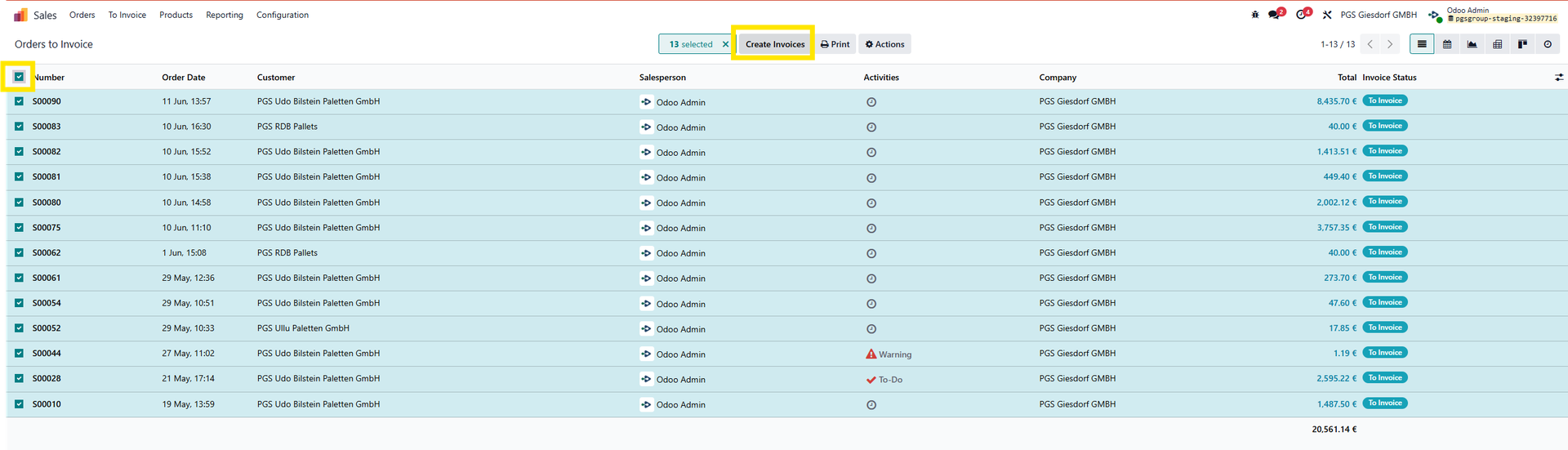
After clicking the create invoice button, we can select whether to make a regular invoice or a down payment.
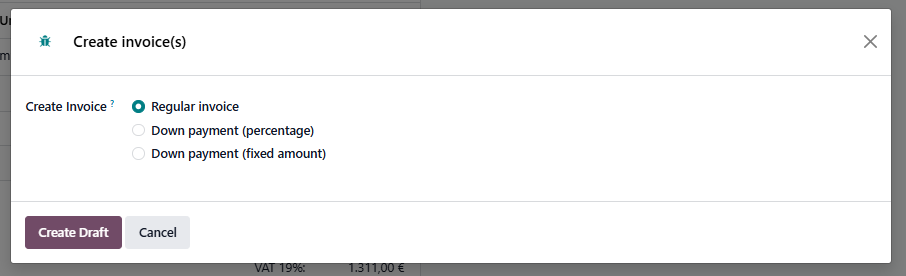
After indicating your choice, we create a draft invoice.
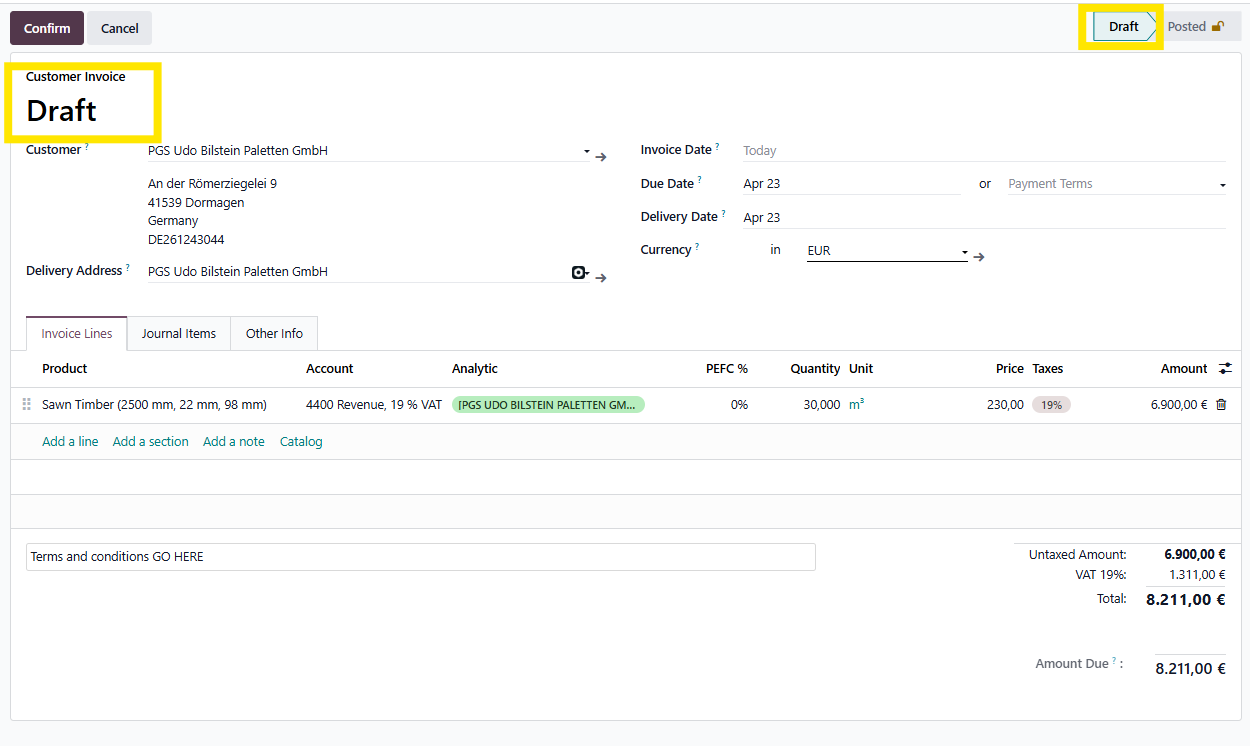
This is the moment where a final check happens by operational/orders department.
These departments will not be able to post the invoice.
Note: If sales team by accident conifrms/books the invoice. Finance will be able to put back in draft and change the booking if necessary. However, they will not be able to delete the invoice anymore.
The create draft invoices can be found via the dashboard>sales or customers>invoices.
They will (should) be in status 'Draft' > These need to be posted and sent by finance (this 'flow' will be reflected in status changes).
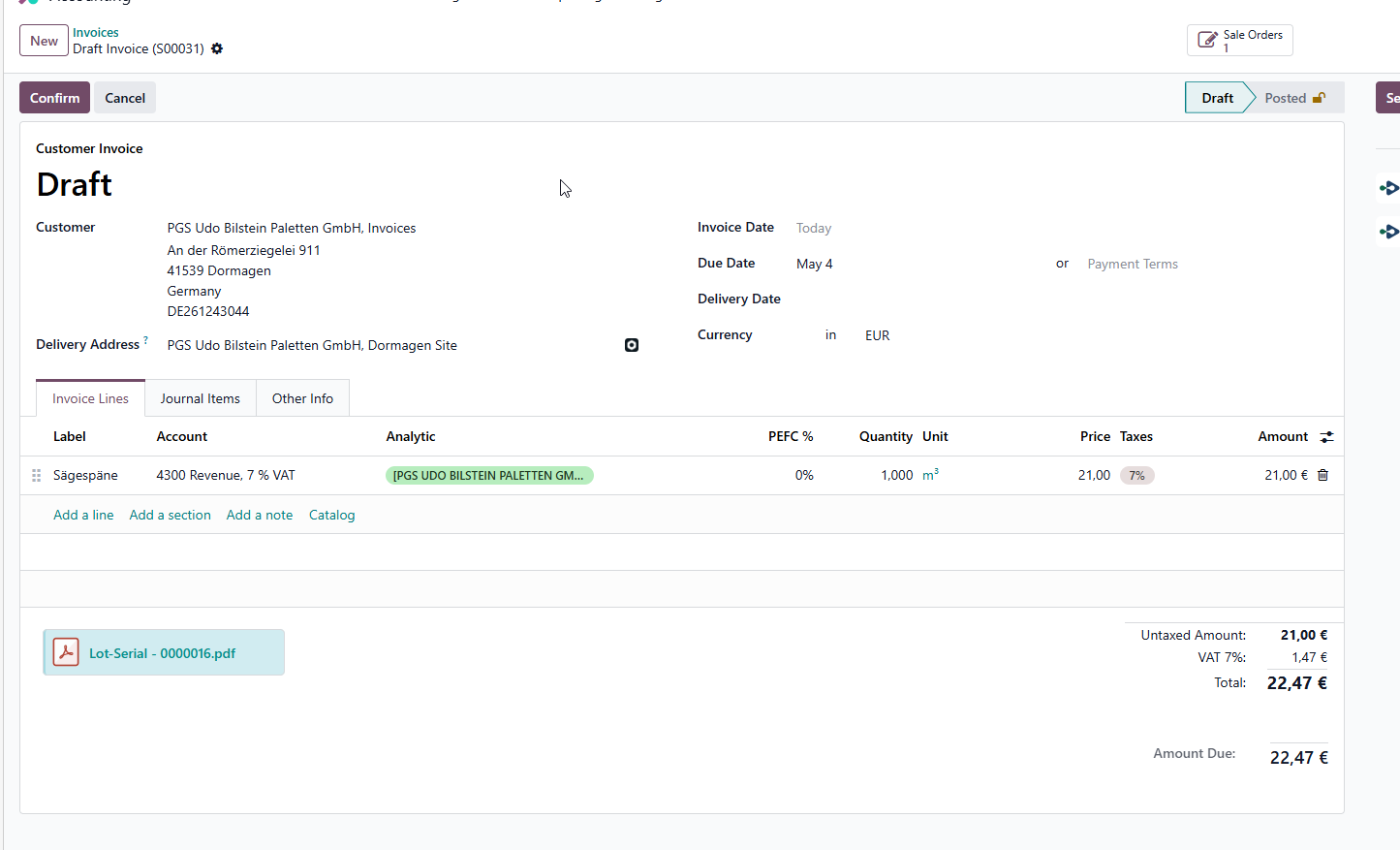
To check by finance:
Invoice date will by default be the date of today, user will need to change date if necessary.
Payment terms (should come from customer file).
Analytical accounts (should be automatically filled in via anlytical dimension models).
Taxes come from product file & fiscal position of customer.
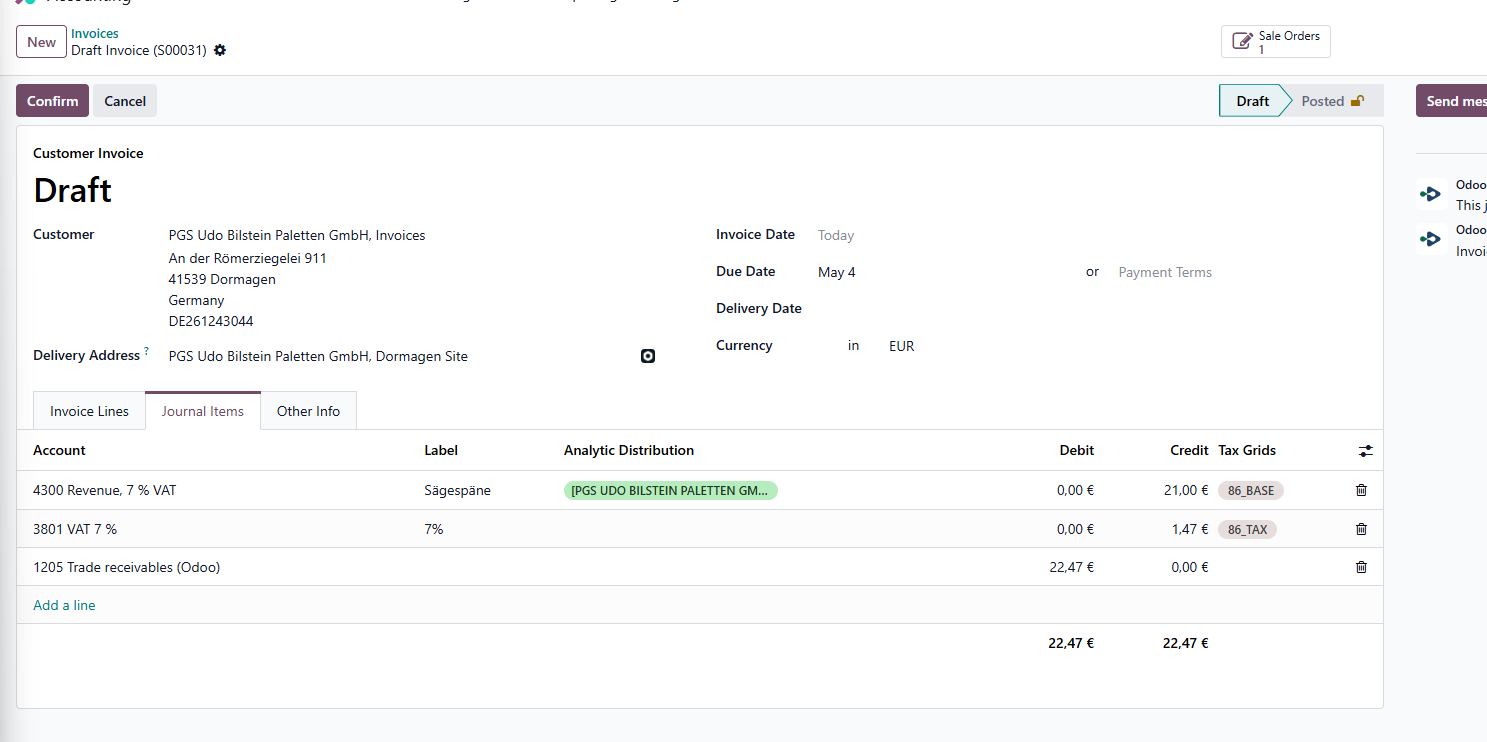
Accounts can be changed under 'Journal Items'.
Note: all lines come from configuration (product file/tax code file/customer file).
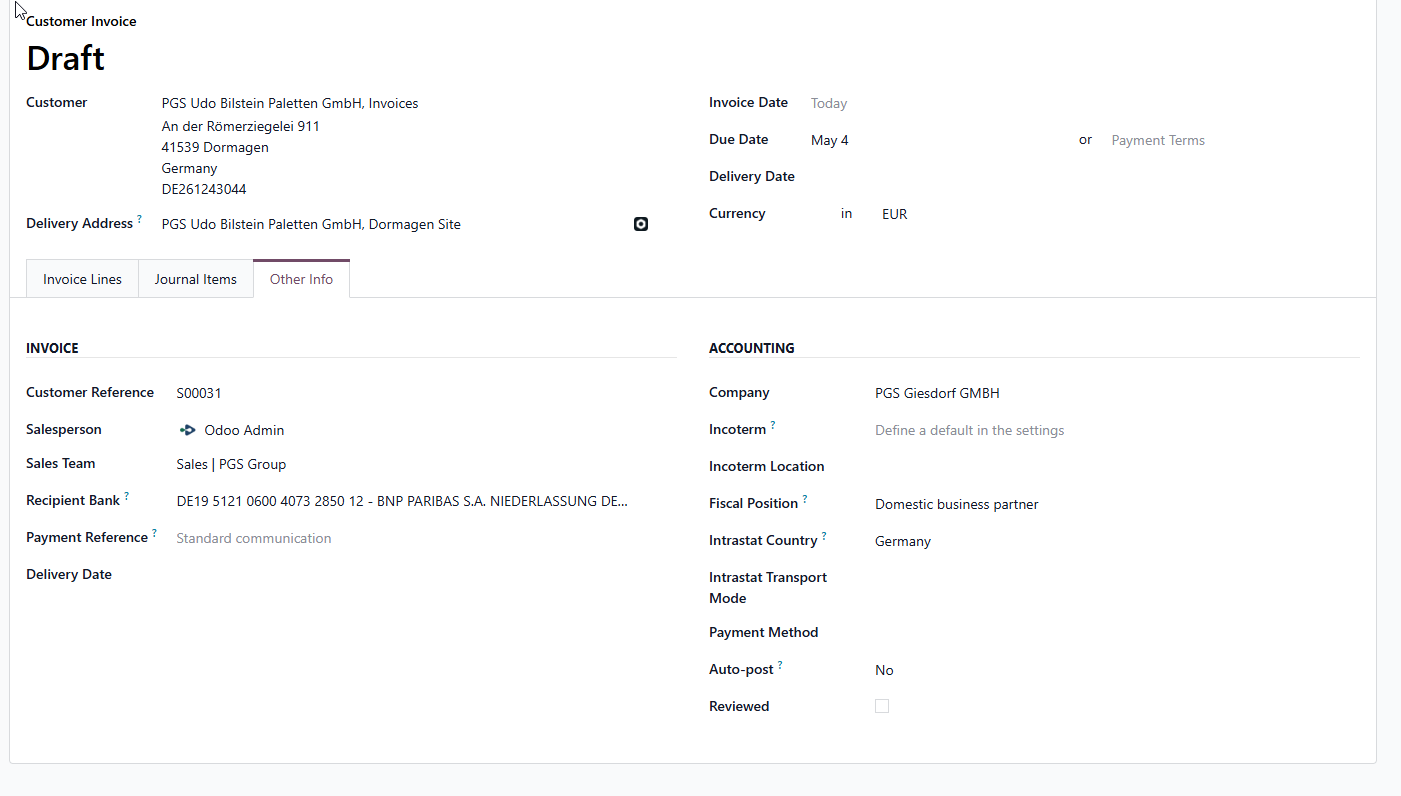
Payment reference is a standard configuration in the sales journal & is currently set to the invoice number.
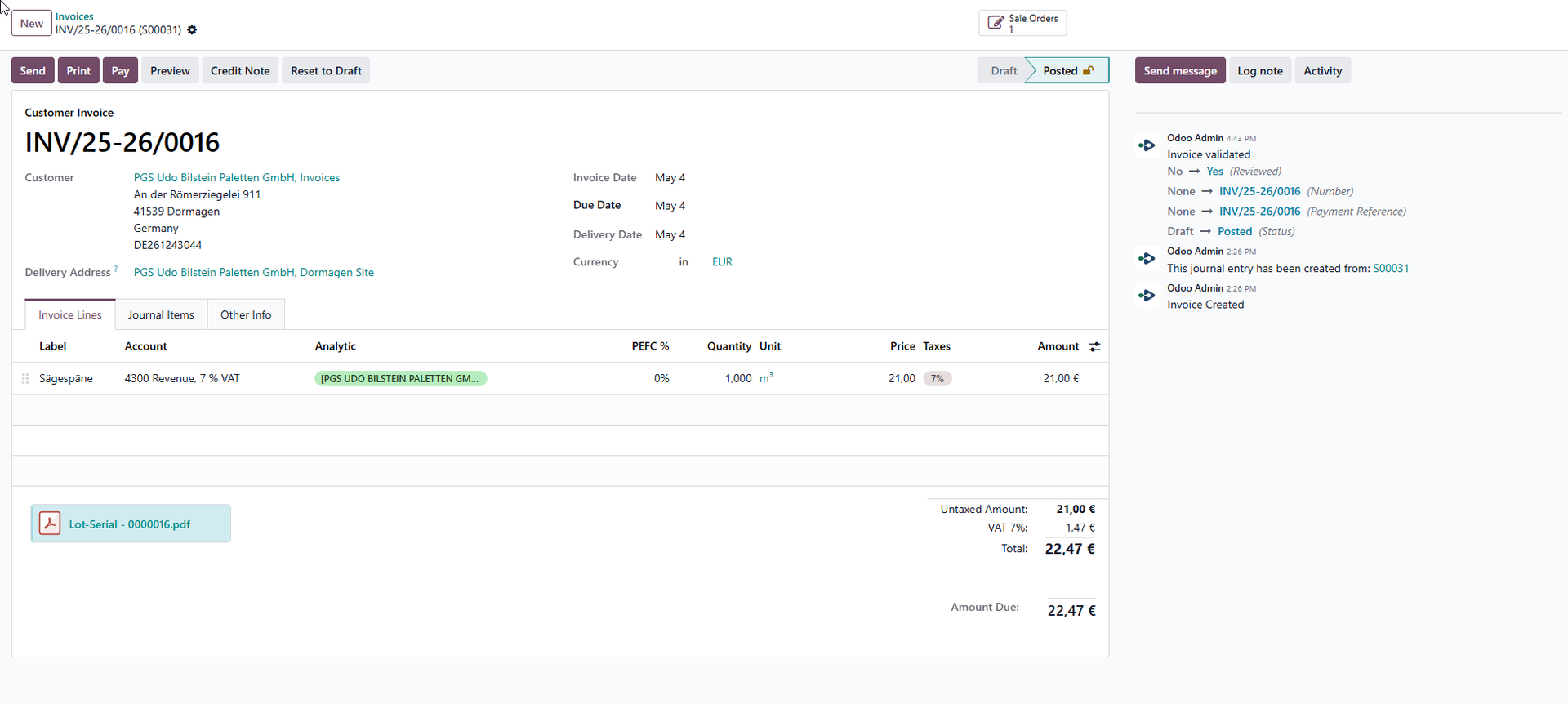
After control of the 'accounting info' the invoice can be confirmed = booked.
Note this can be seen in chatter & status 'posted'.
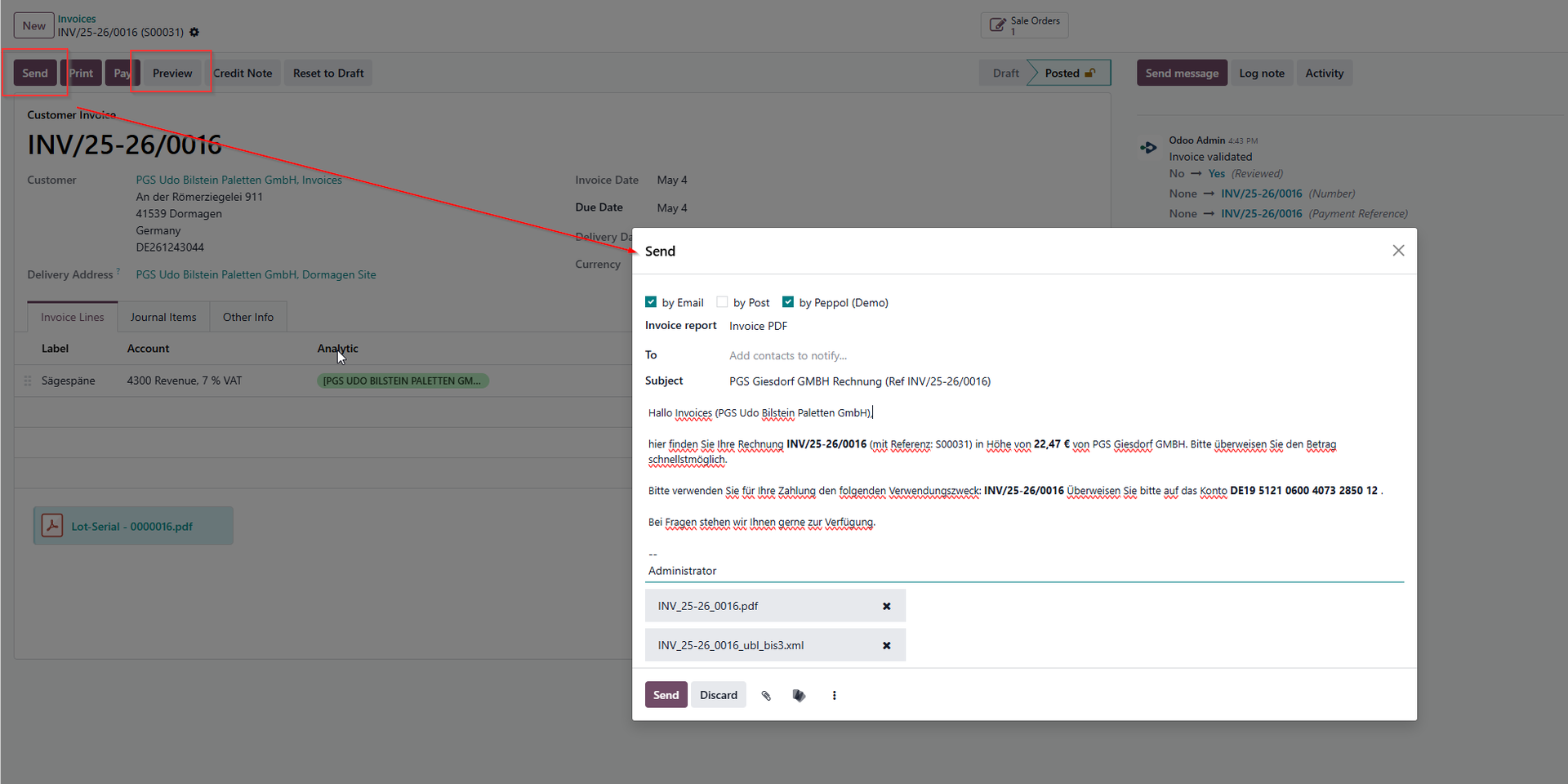
Next, the invoice can be sent by Email or by Peppol via the 'send' button.
Note, it is possible to preview before sending.
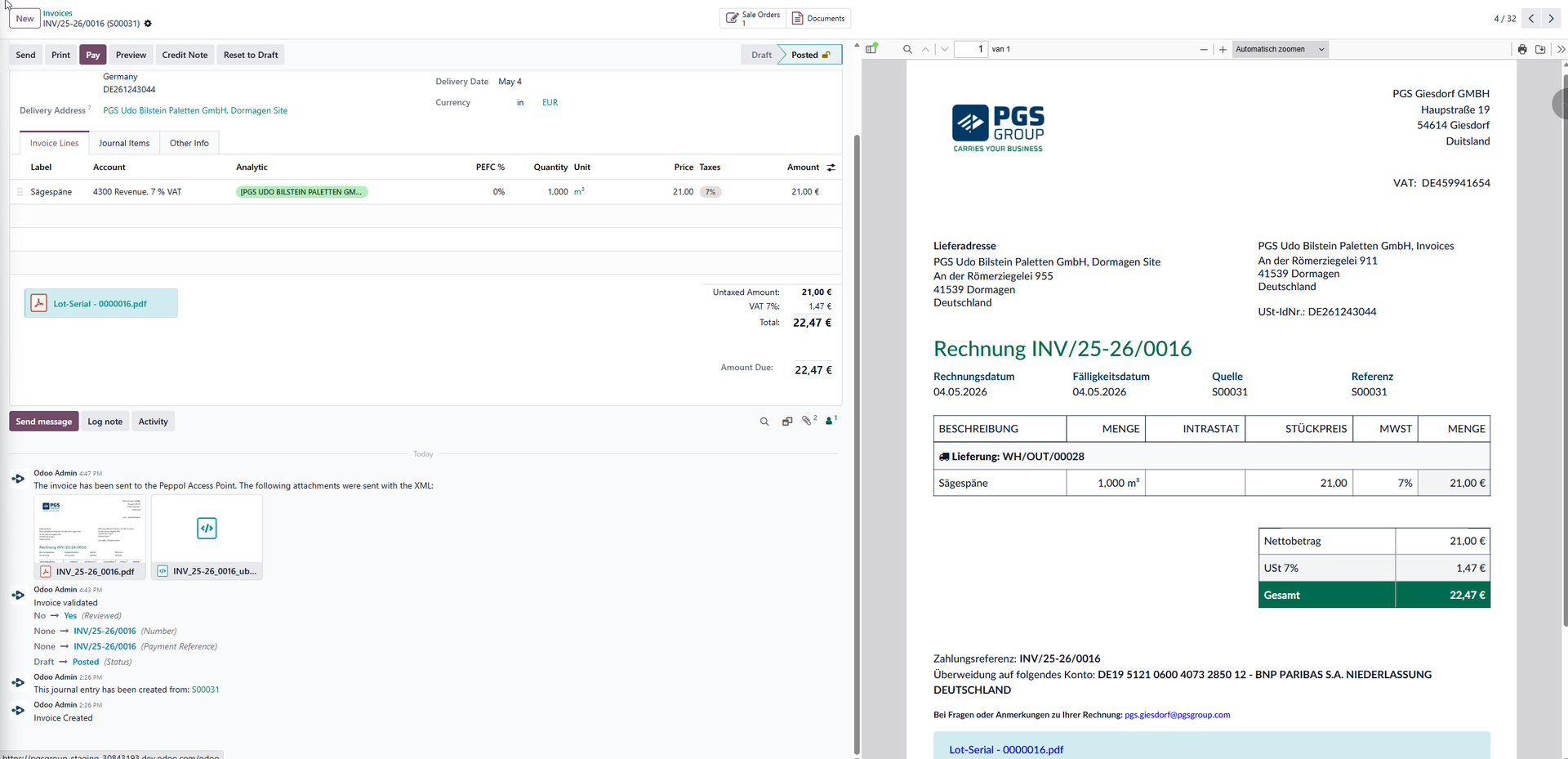
If it is sent, status changes to 'sent' and the chatter will show this as well.
No bank connection yet, payments will be registerd by Erwin/Lize.