🗓️
Orders
Orders overview
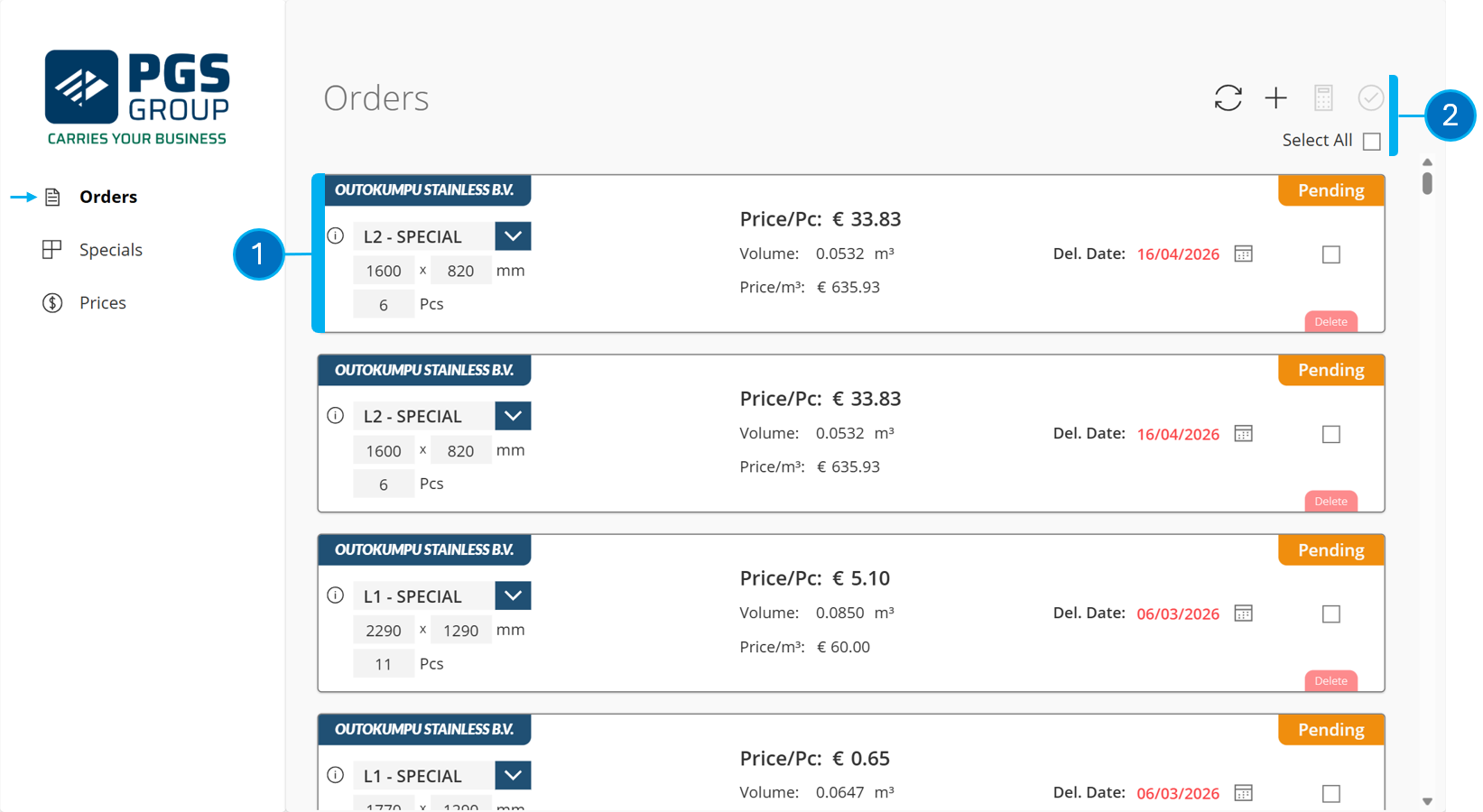
On this page, you can find an overview of all orders awaiting processing.
1️⃣ Pallet order containing the information that will be sent to ePack
2️⃣ Action buttons
Details
Order line
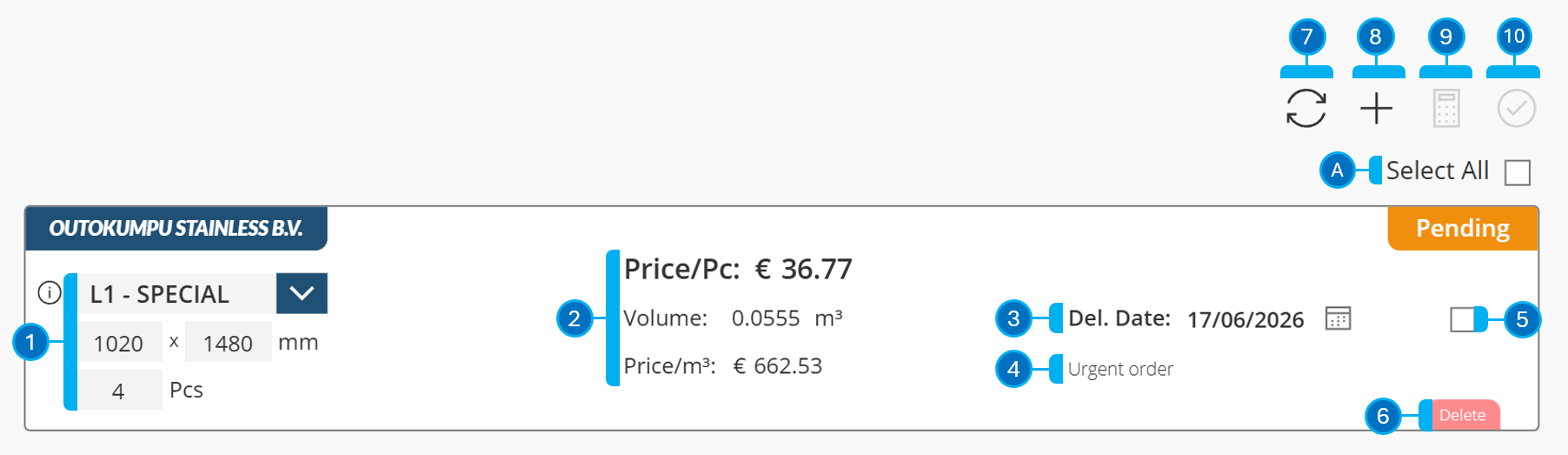
1️⃣ Pallet parameters; these can still be modified.
2️⃣ These are the calculations made depending on the configured parameters.
(pallet type, length, width & configured price)
3️⃣ Delivery date for the order. This can neve be in the past, but can still be modified.
4️⃣ Remark for the order
5️⃣ Select an order to either recalculate 9️⃣ or process to ePack 🔟
6️⃣ Delete the order
(bulk delete is not possible)
Order overview
7️⃣ Reload all orders
9️⃣ Recalculate order price
🔟 Forward the selected orders to ePack
🅰️ Select all orders