👨💼
Add order manually
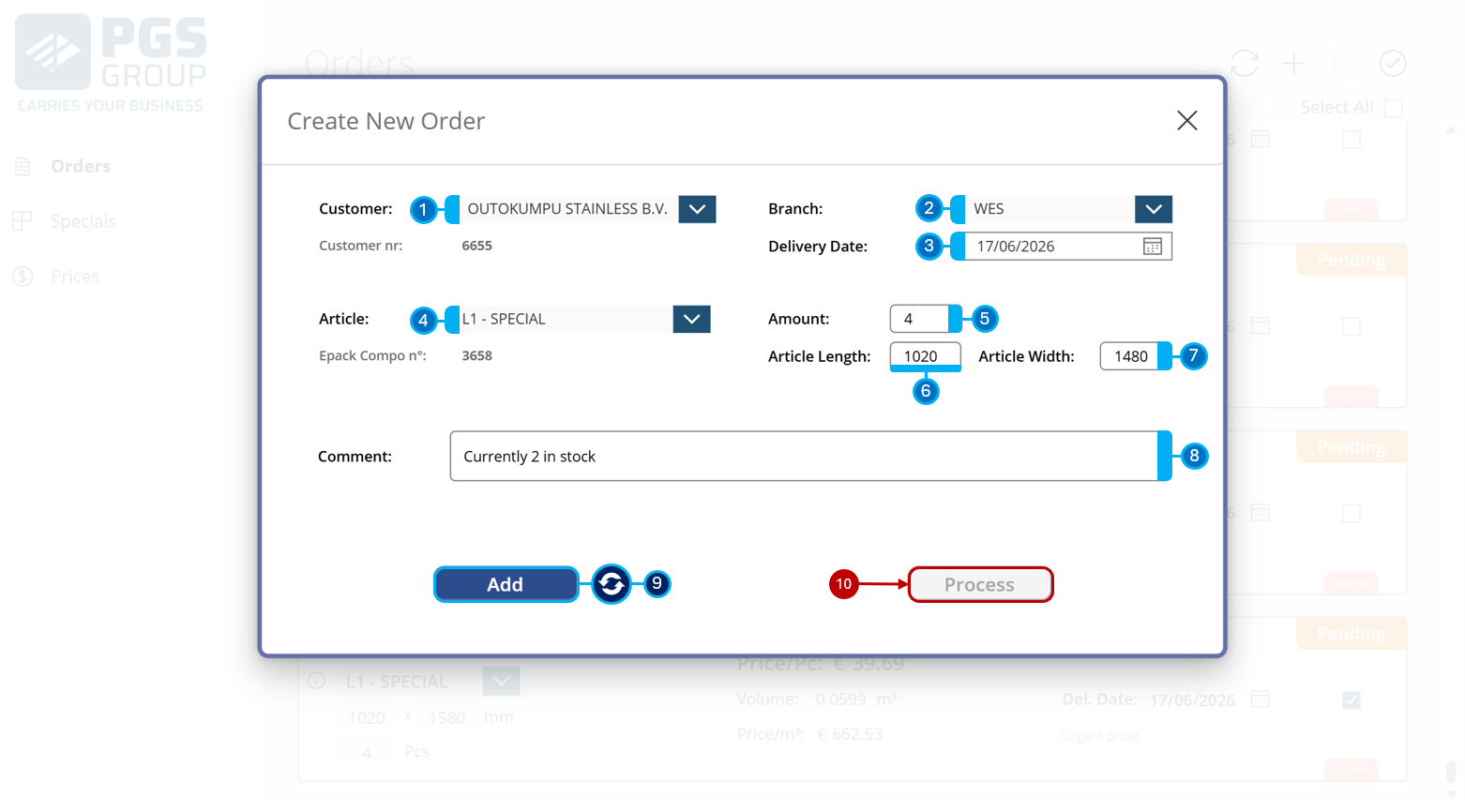
While orders sent by Outokompu are automatically added to the order overview, you can also manually add an order. Provide the following information:
1️⃣ Customer
2️⃣ Branch
3️⃣ Delivery date
4️⃣ Article
5️⃣ Amount
6️⃣ Length
7️⃣ Width
8️⃣ Remark (optional)
After completing this information, you can click Add 9️⃣; this will empty all fields and allow you to input an additional order. When you're done adding orders, click Process 🔟 to move the added orders to the order overview.