Edit price
When selecting Edit price, you have the following two options:
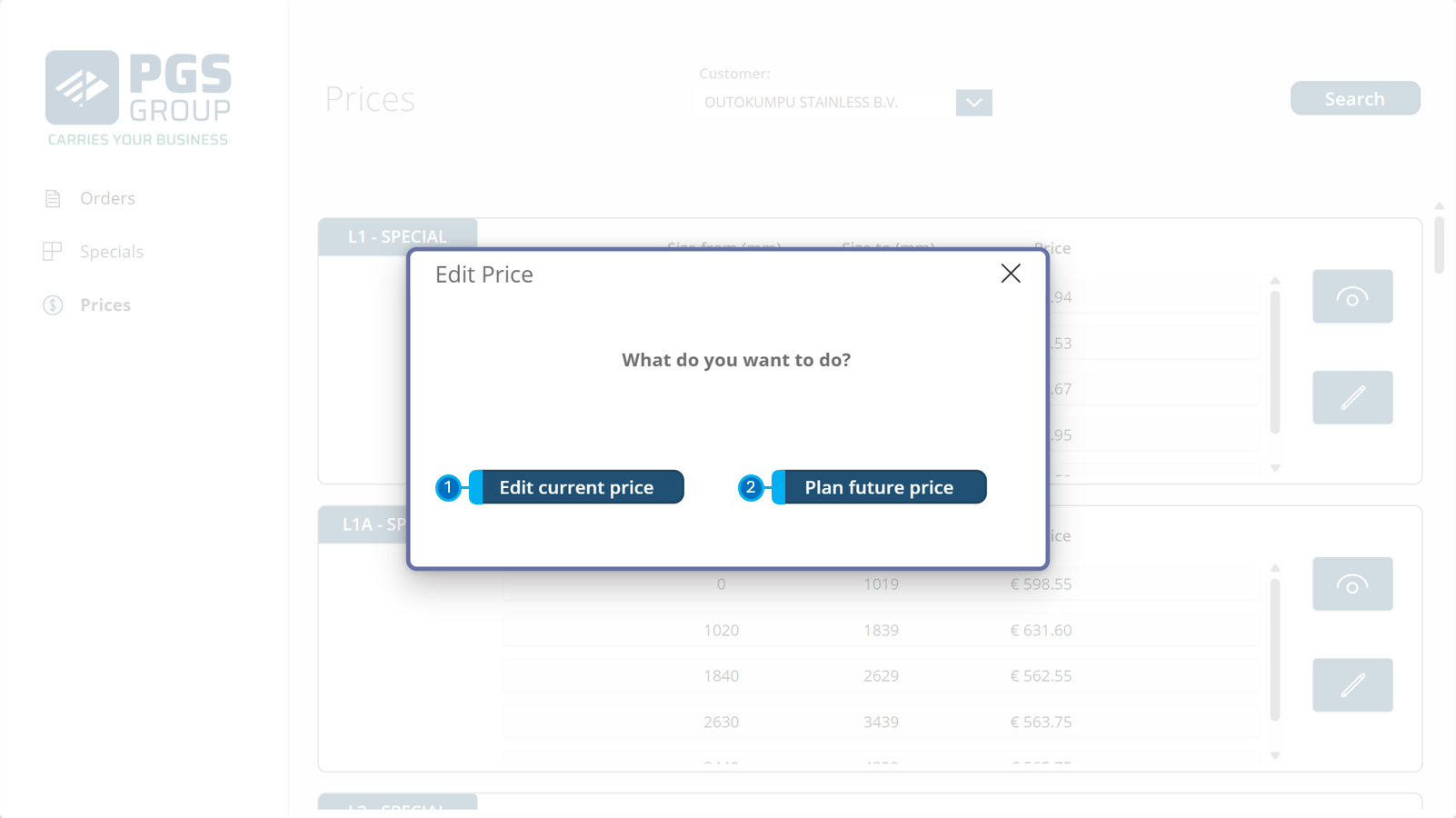
1. Edit current price
When changing the current price, it becomes effective immediately, meaning that the previous price also becomes a historic price with a "valid to" date of yesterday.
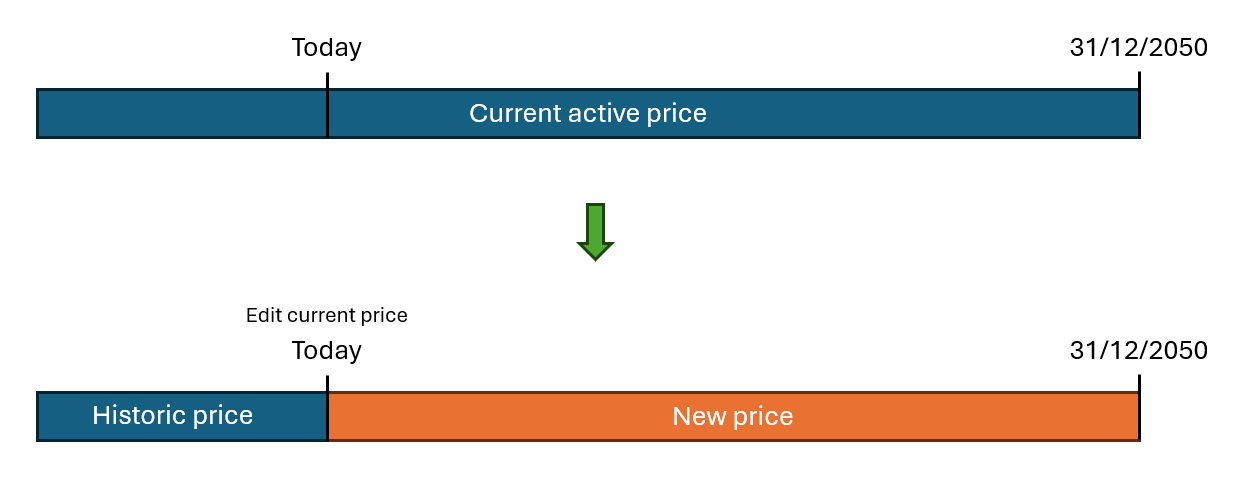
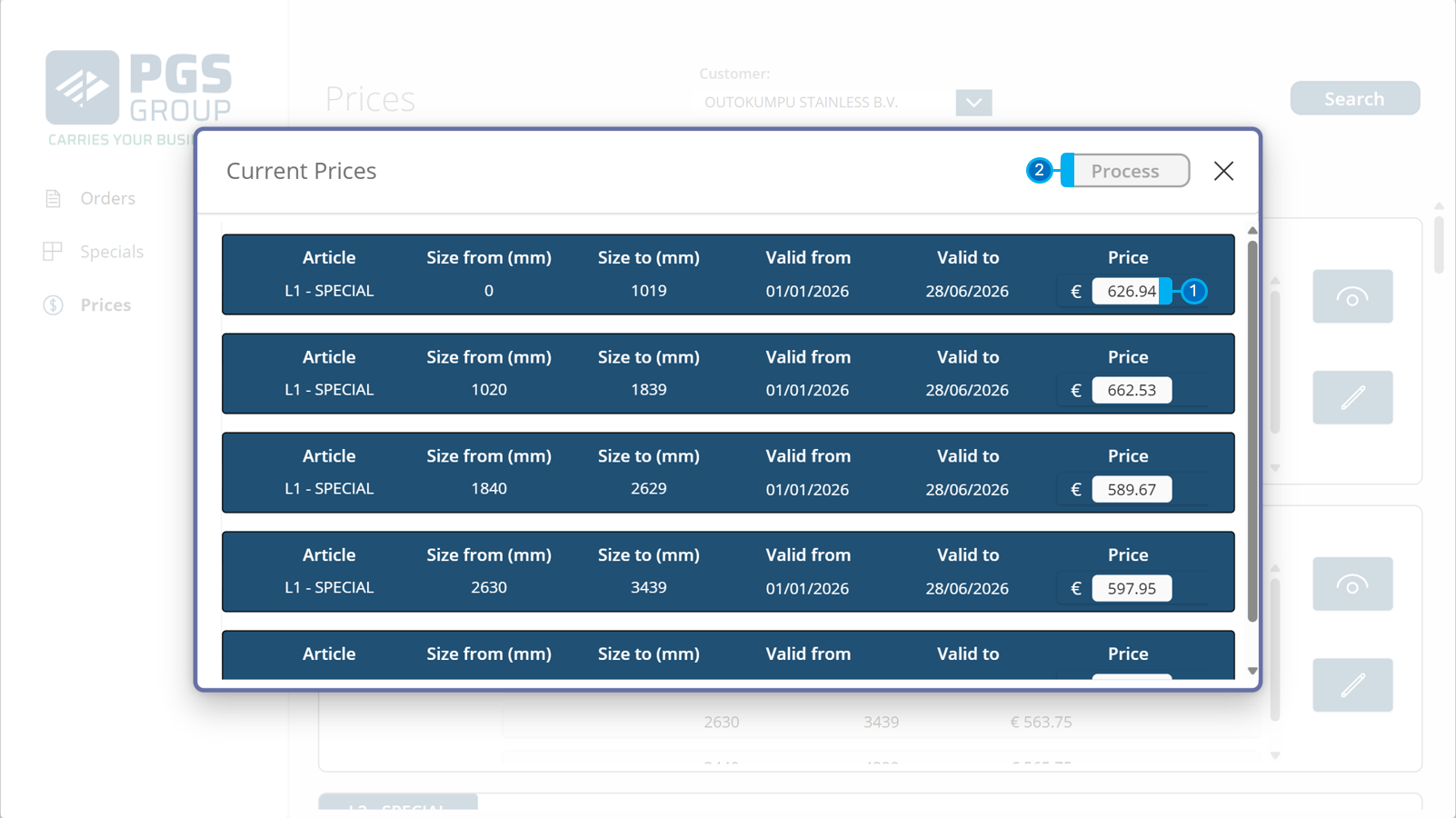
To change a price:
1️⃣ Change the prices for each length range; this price is a price per m³ of timber.
2️⃣ When the prices are correctly configured, click Process to update the price.
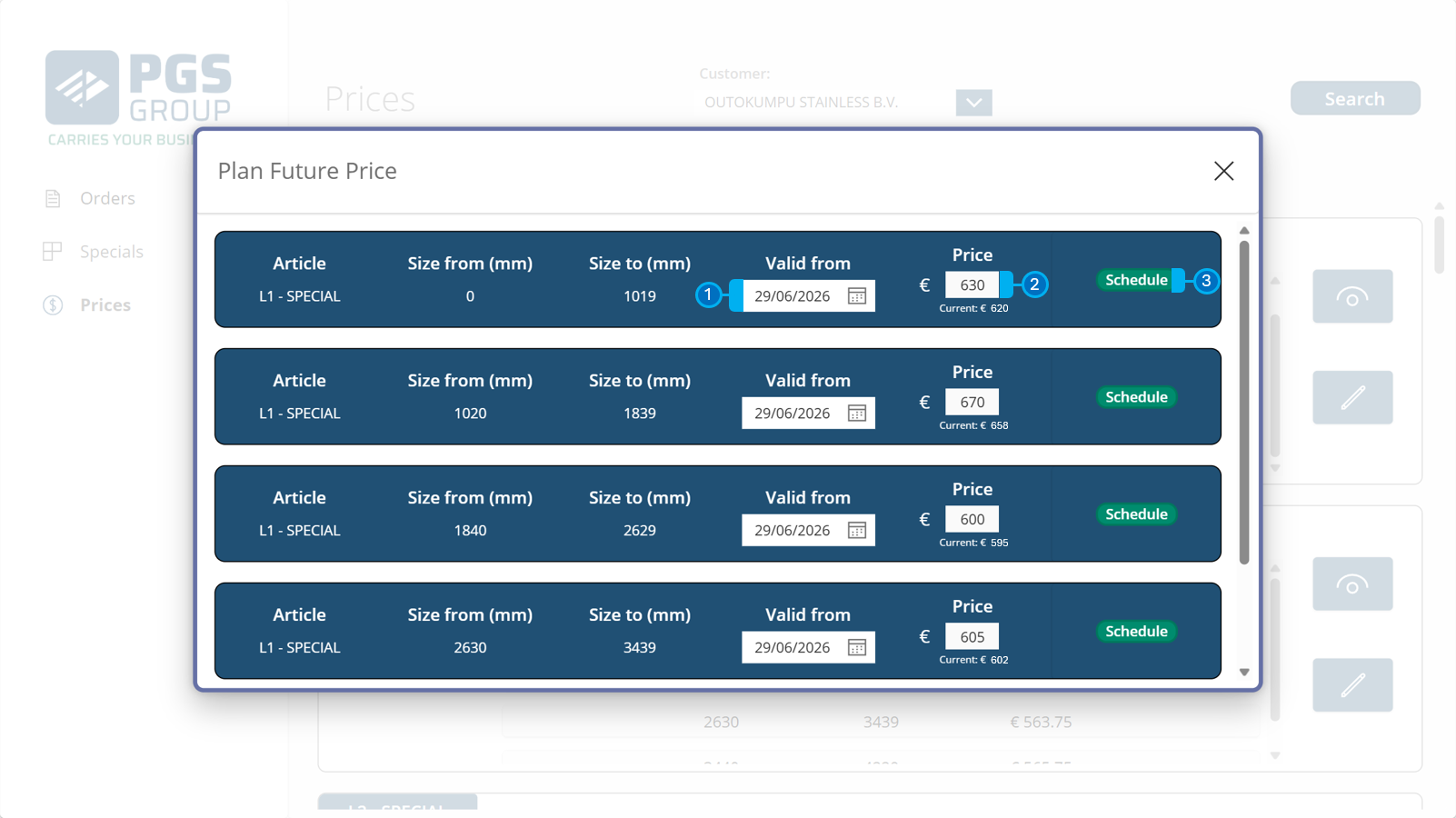
2. Plan future price
When planning a future price, it becomes effective when the start date is reached, meaning that the previous price also becomes a historic price with a "valid to" date of yesterday.
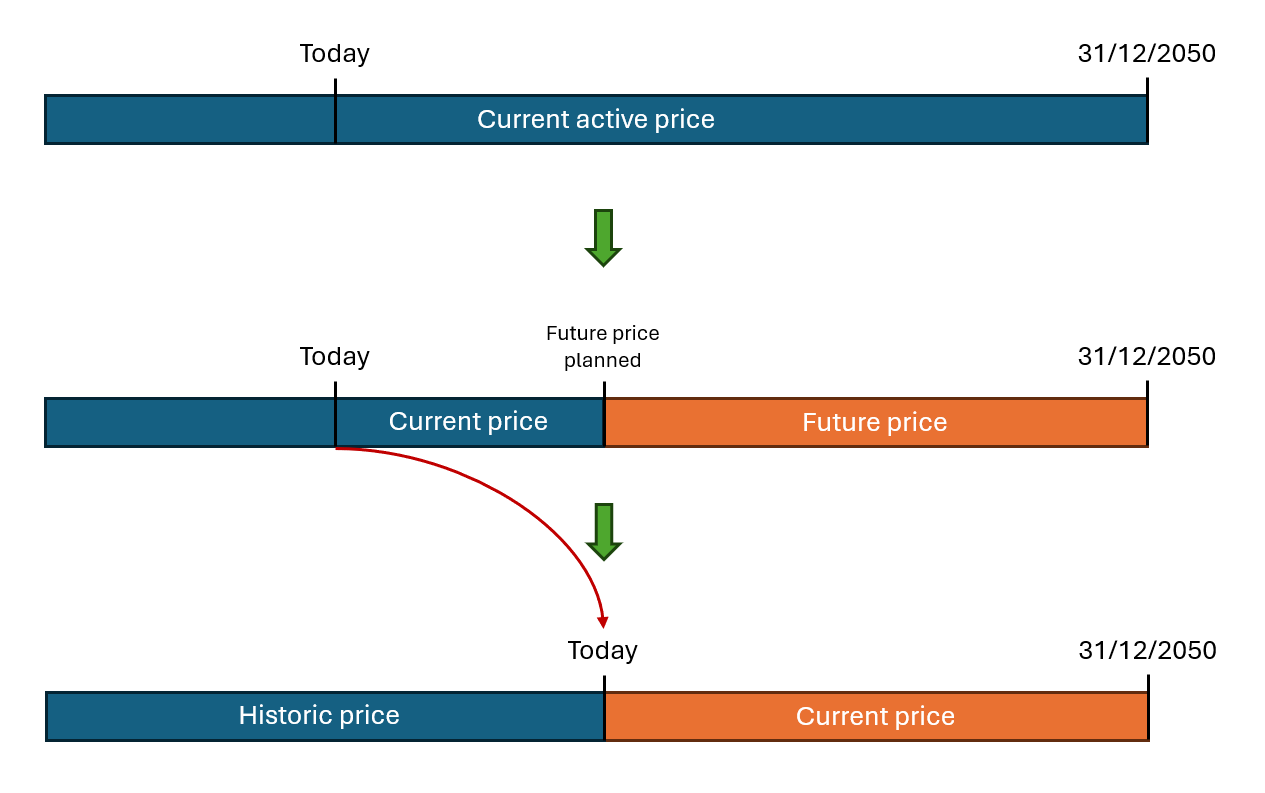
To plan a future price:
1️⃣ Configure the Valid from date
2️⃣ Configure the price
3️⃣ Click Schedule
The price will now be available under Price information > Scheduled Prices