Overview sales prices timber and specifications
Overview sales prices timber and specifications / Aperçu des prix de vente du bois et des compositions / Overzicht verkoopprijzen hout en samenstellingen / Übersicht Verkaufspreise Holz und Spezifikationen
These screens shows the link between customers and the specifications and wood codes they order.
You can fill in customer/delivery address/specification/price validity => search
You can also search for customers requesting COC-certified pallets. (1)
You can make changes to or copy the filtered lines at once by selecting the relevant change at the bottom (2). To preserve the history, always create new lines for new prices and do not modify existing lines (3).
The same principle applies for the sales prices of the pallets (specifications). Here, the subcontractor information is equally copied!
If a sales price is updated that was used for an order line already, it's possible to update the orders that apply to this price the button 'Update open sales based on price lines'.
- Select the price lines for which you want to update the existing orders.
- Click on 'Update open sales based on price lines'
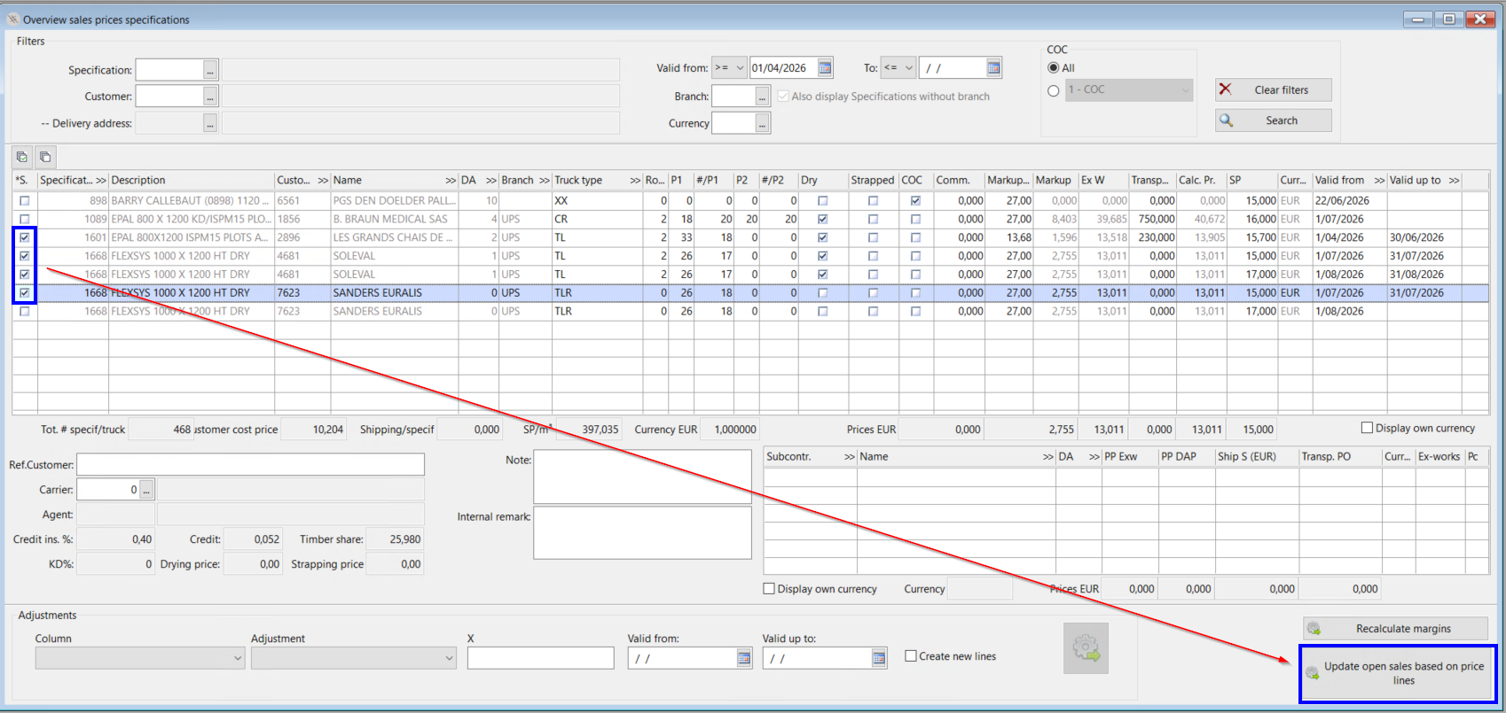
Are there open order lines to be updated?
- No: You get the message that there are no orders to be updated.
- Yes: A new view opens in which all the open orders for the selected price lines are displayed. Per price line the things that need to be updated are in the textbox 'Deviating data'.
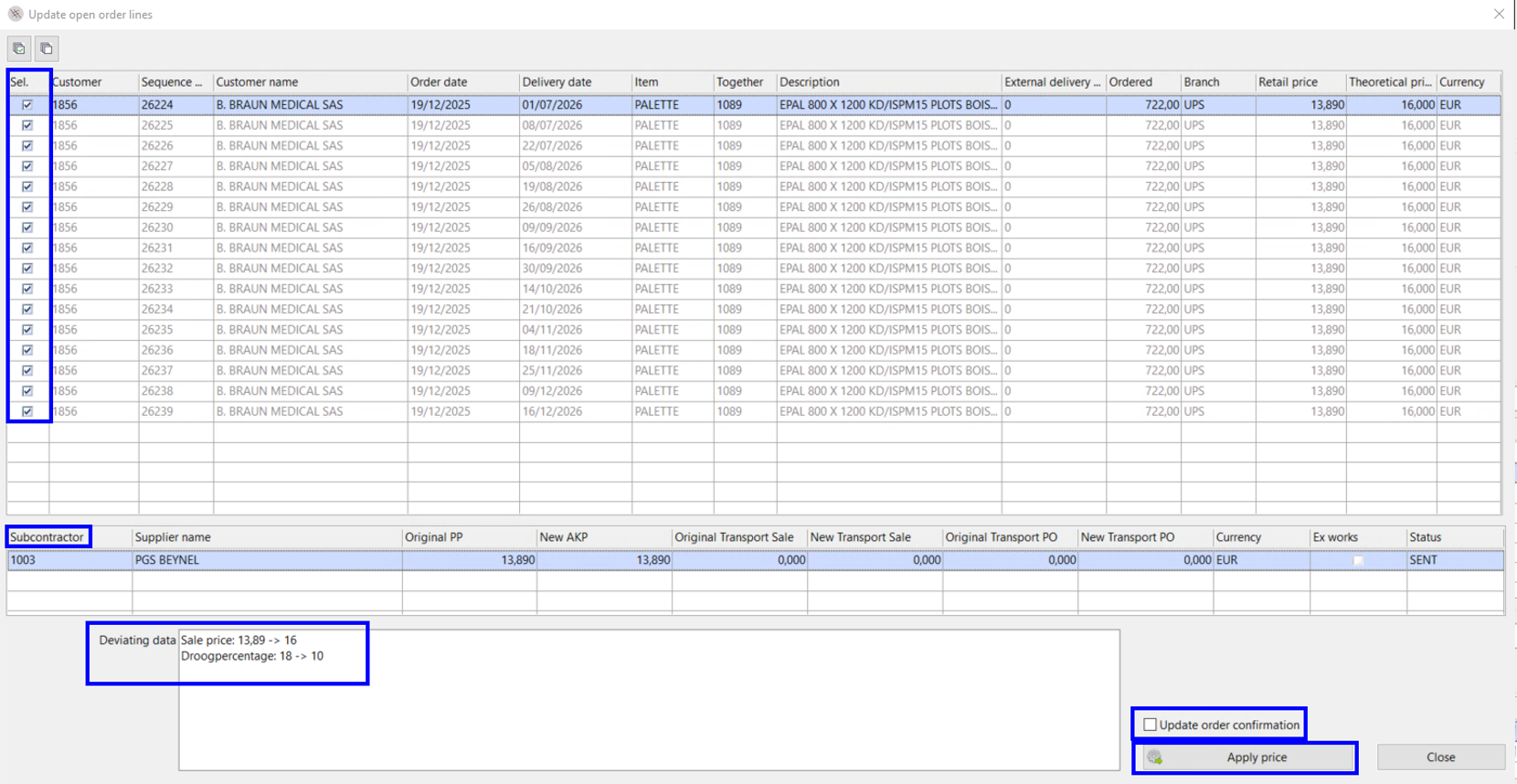
- All lines in the view are automatically selected. You can untick the boxes if you don't want the order to be updated.
- For the lines you want to update you click on 'Apply price'
You can also 'update the order confirmation' to the customer during this proces. But for this the order needs to fullfill a few conditions:
The order must be part of an order confirmation already.
The changed value must be usefull for the customer.