Intercompany buy-to-stock between RDB entities
Settings
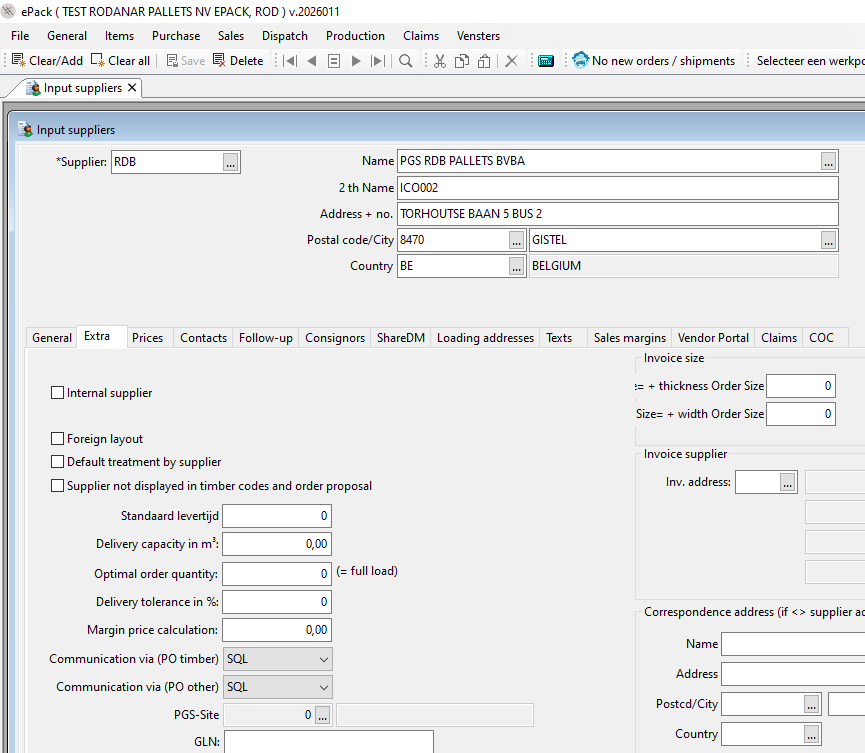
1/ communication via SQL on the supplier file of PGS RDB Pallets
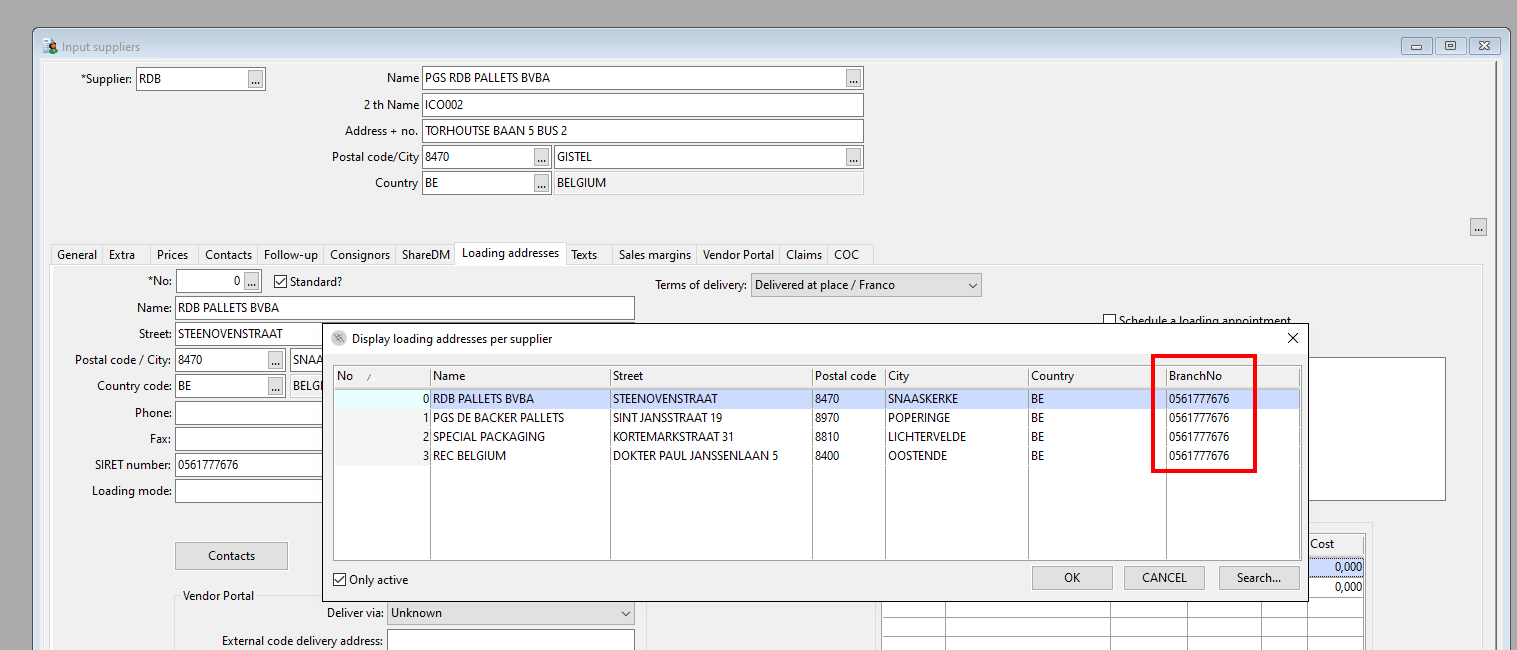
2/ Loading addresses can be set on the supplier file of RDB. The SIRET number of branch RDB will have to be filled in on each of the loading addresses. Independently of the loading address, the buy to stock will always be imported in epack RDB, branch RDB.
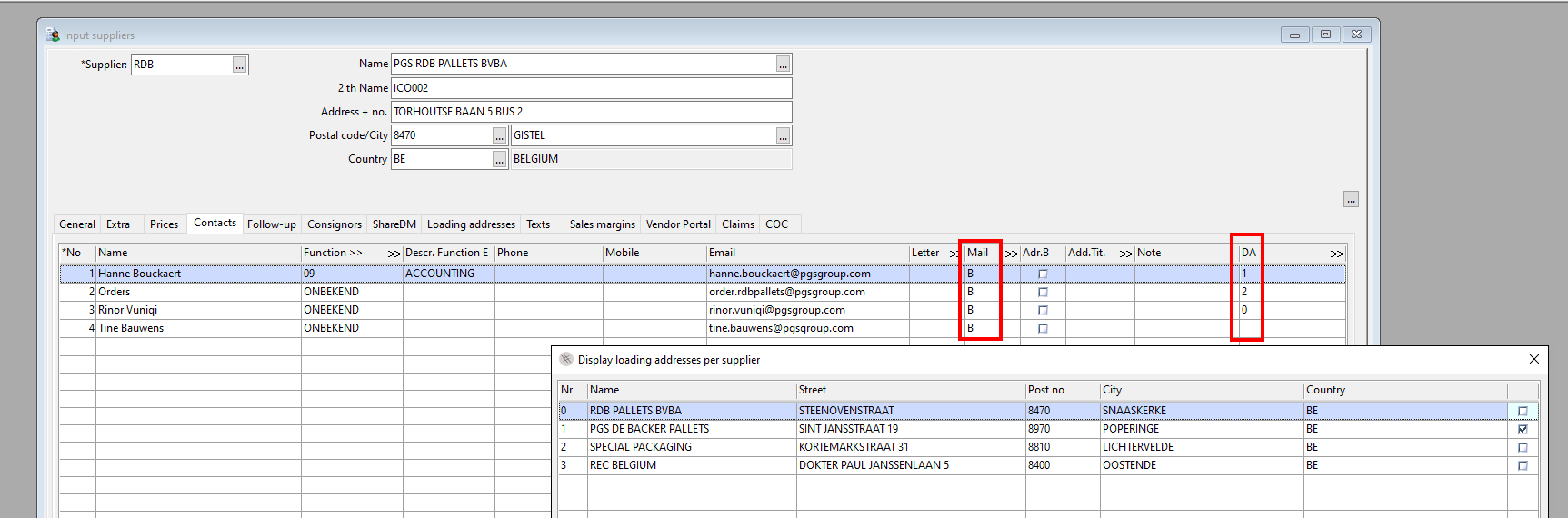
3/ Contact person per loading address
to be able to send the order to the correct contact person, you can indicate one or more loading addresses on the supplier file.
Timber purchase by FAB sites
For buy-to stock purchases of timber, no synchronisation is in place. The order has to be entered in "Input timber order" and sent by email in PDF. On the order, the loading place can be indicated.
No purchase price line is obligatory, the price can be filled in directly in the order.
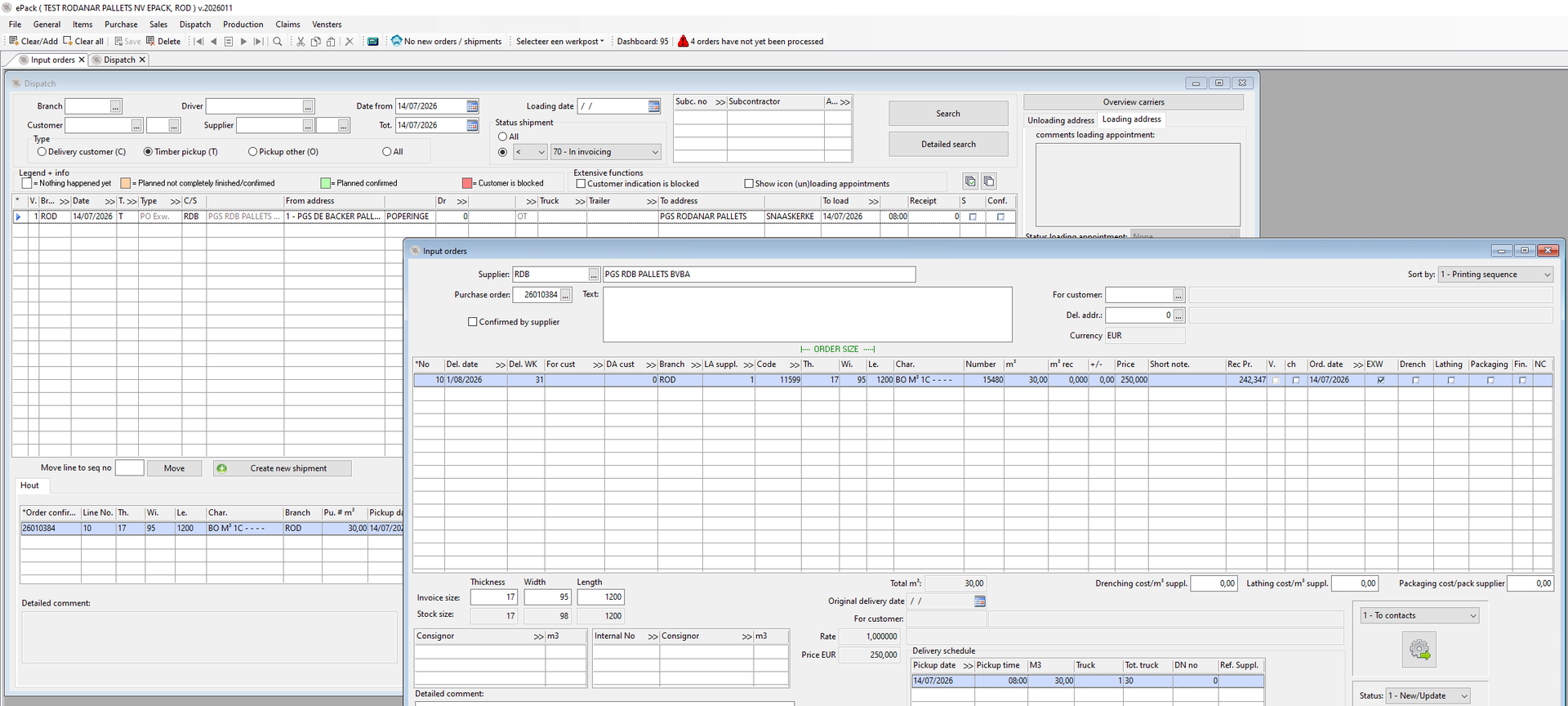
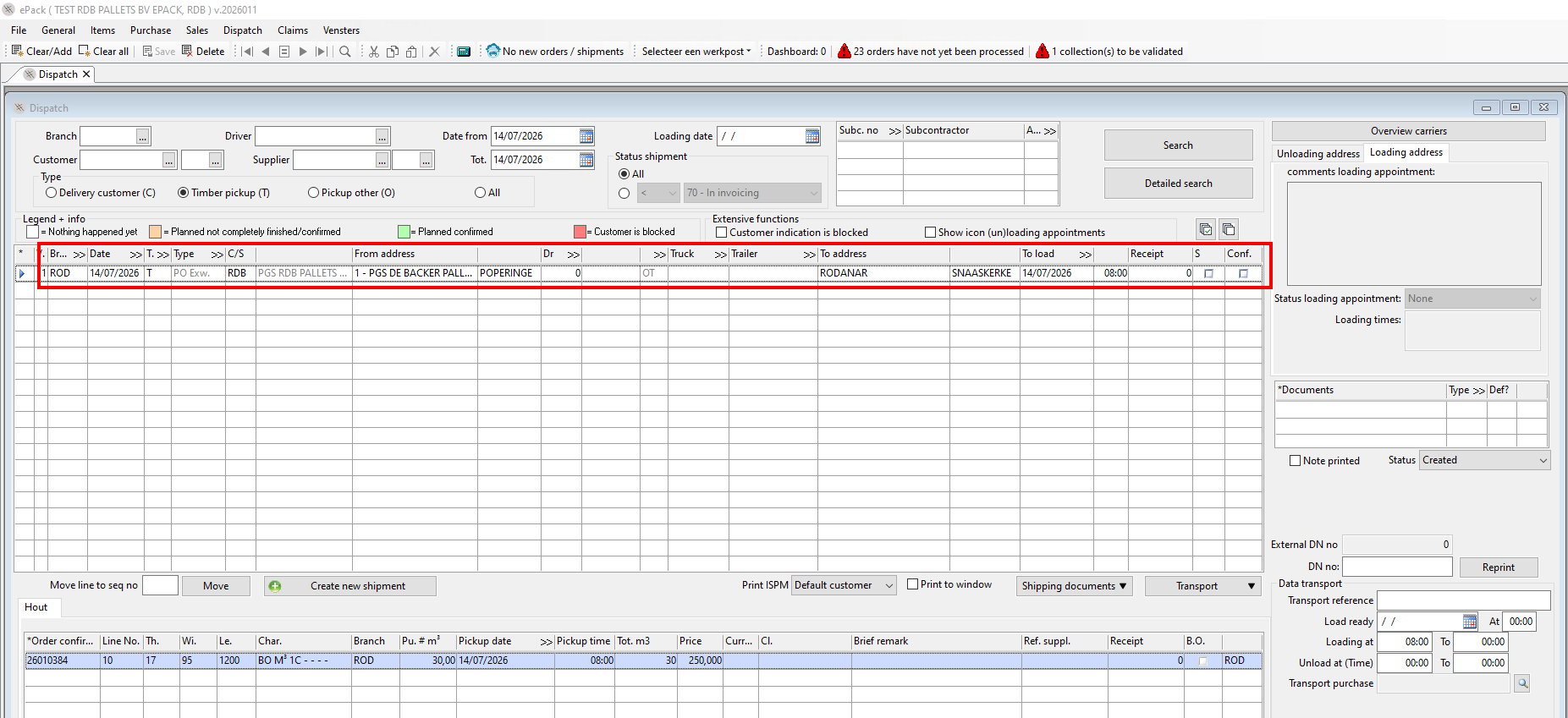
Incoterm ex-works
When the incoterm is ex-works, the pickup can be arranged by filling in the pickup date below the order. This will generate a line in the dispatch, from where transport can be bought.
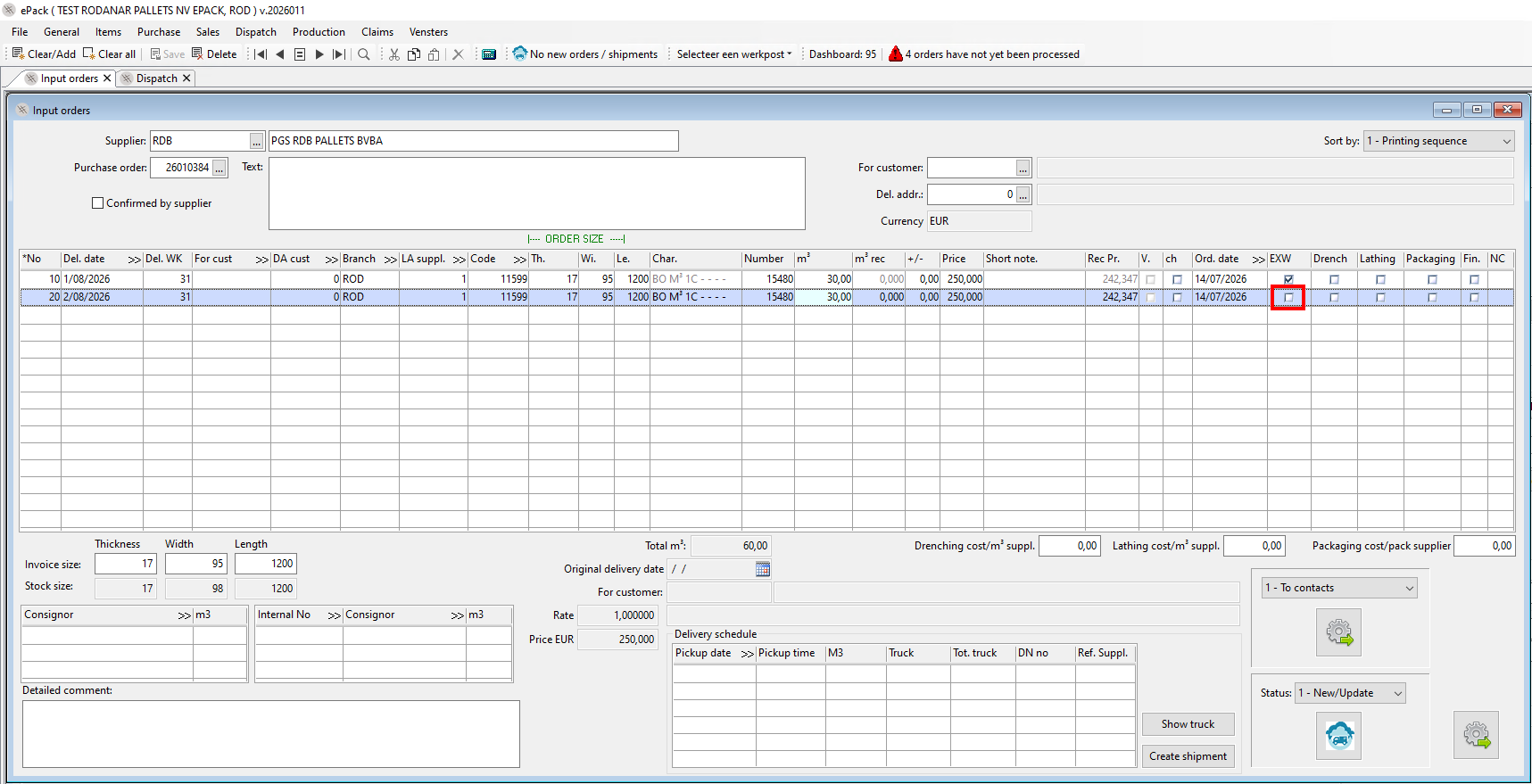
Incoterm franco
the box 'ex-works' is not ticked on the orderline and no pickup is arranged in the dispatch of the intercompany customer. Consequently, no line is displayed in the customer's or RDB dispatch.
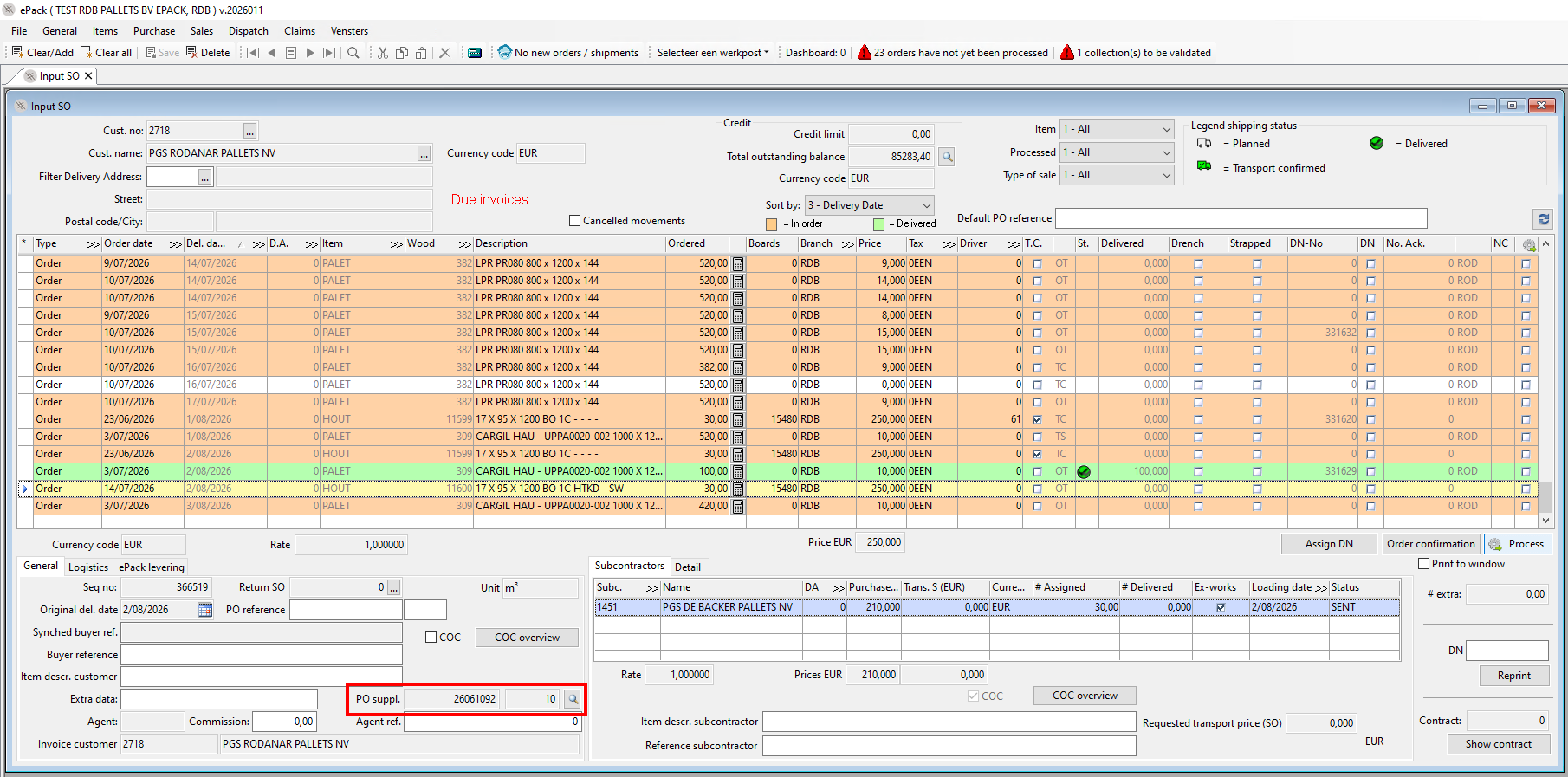
Input SO RDB
The order needs to be entered manually in "input SO" in ePack RDB
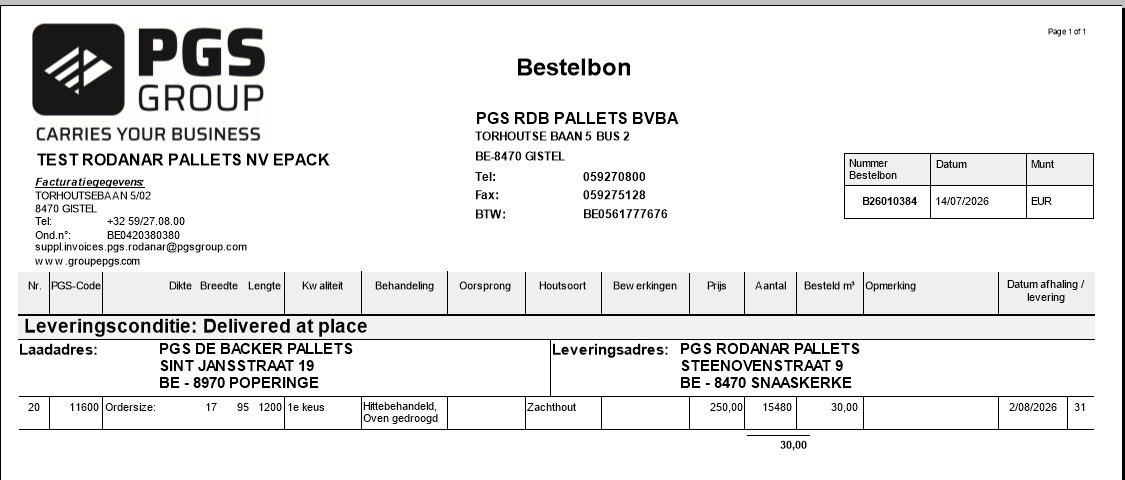
However, from ePack RDB towards the intragroup subcontractor via SQL there is synchronisation for timber in place:
Delivery by subcontractor
In ePack of the subcontractor, the calculation aid can be filled in as usual by means of the barcodes. Backorders are possible. The RDB delivery note will be generated and the delivery information will synchronise towards the RDB dispatch.
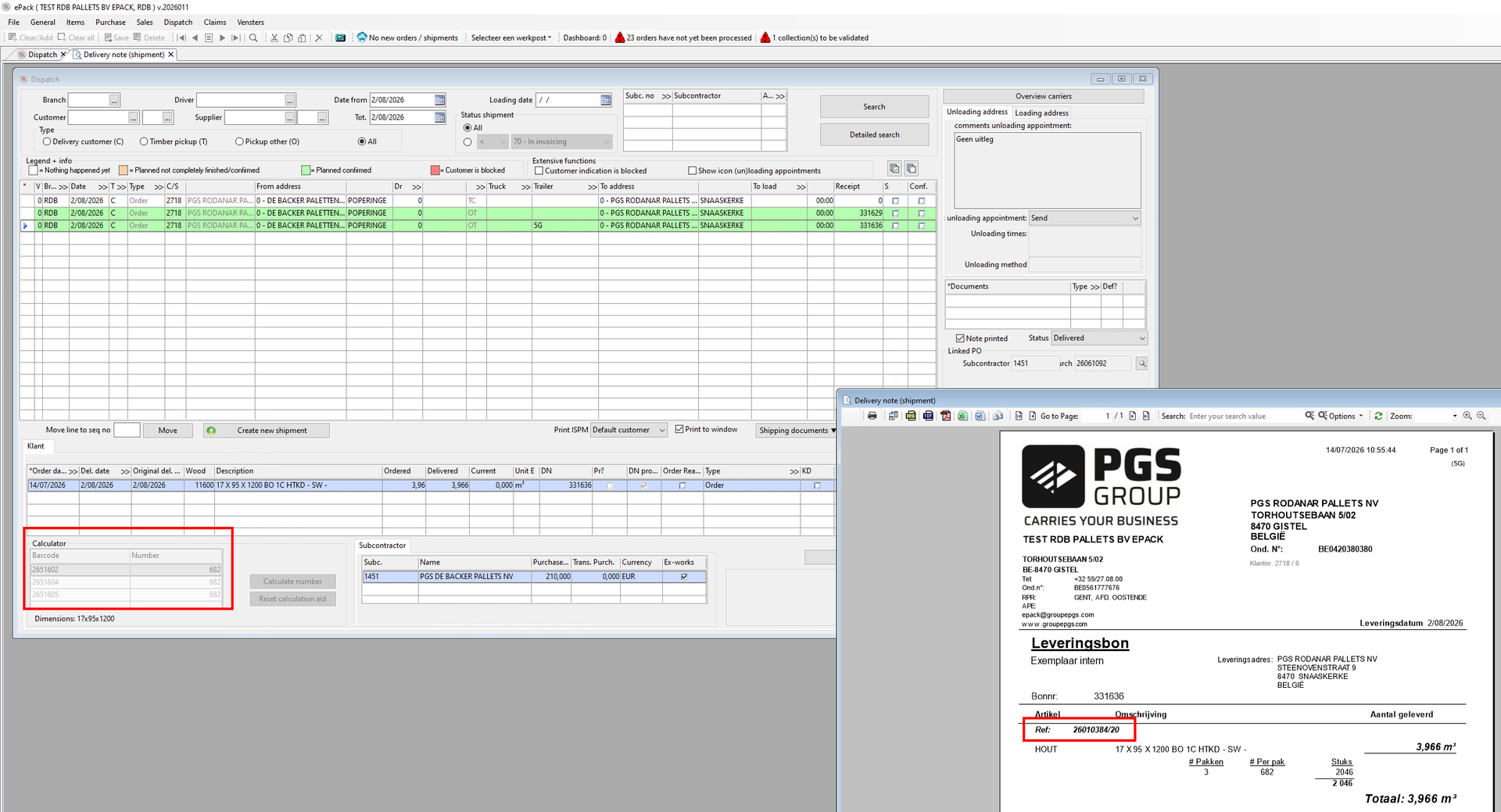
Reception intercompany customer in "Input timber deliveries"
In ePack of the intragroup customer, the reception needs to be done manually in "Input timber deliveries" on the basis of the RDB delivery note.
Timber purchase by REC site
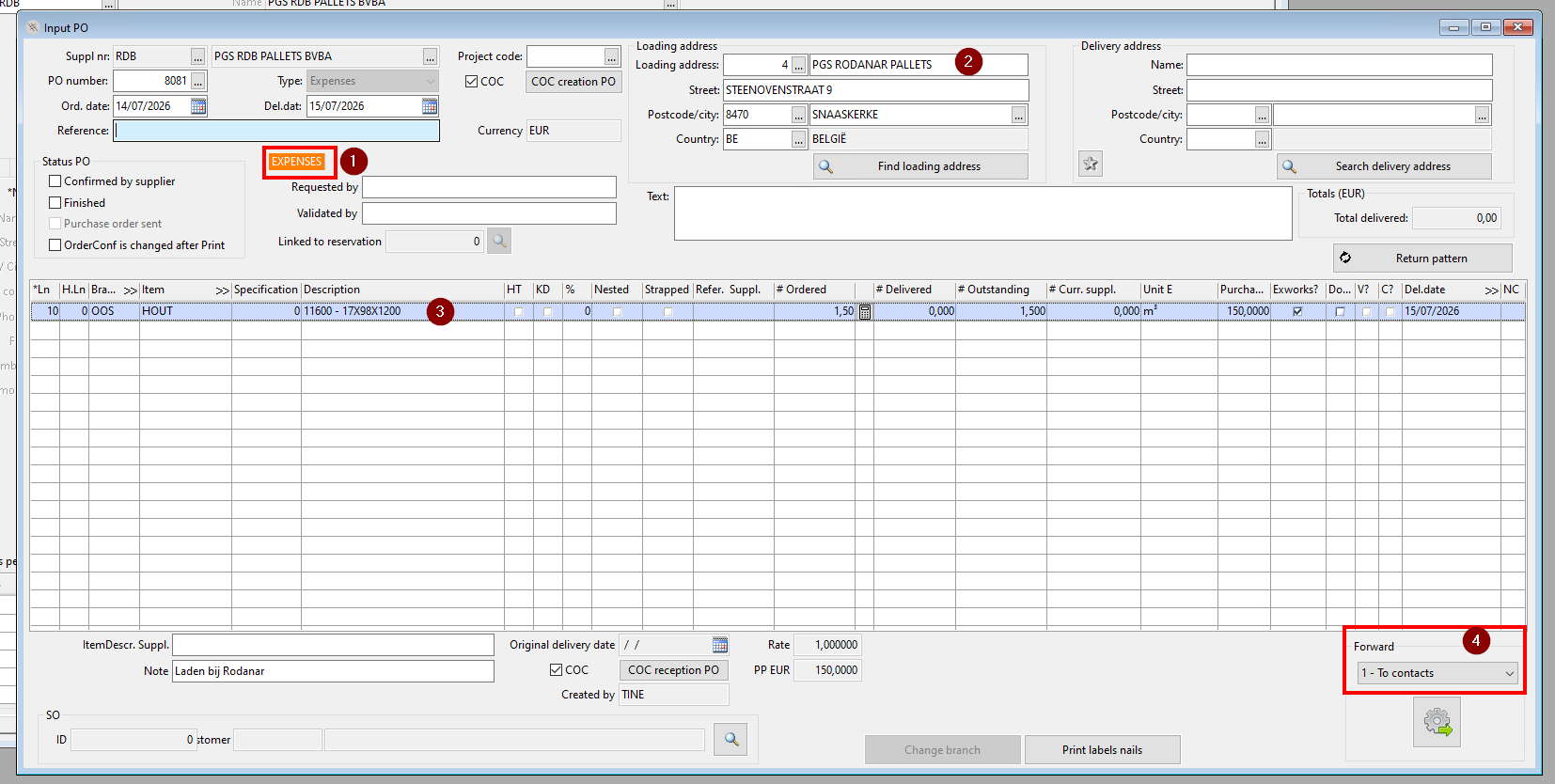
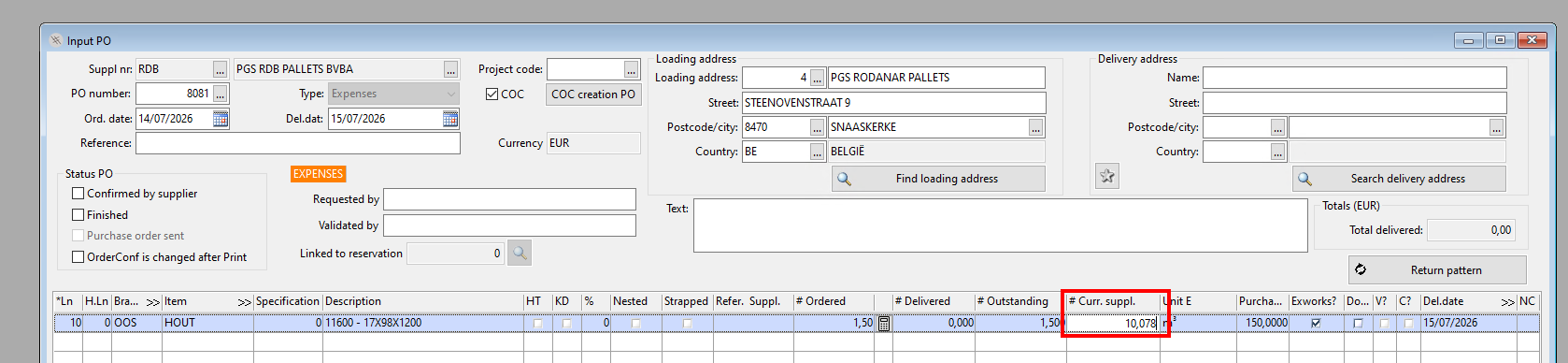
Input PO intercompany customer
REC sites don't have timber codes. To be able to create an order that does not synchronise to ePack RDB, a PO of the 'expense' type can be created. (1)
The loading place can be indicated (2)
The item used will be 'bois/hout', and the dimension of the timber will be filled in in the description. Preferably the REC site indicates the timber code. (3)
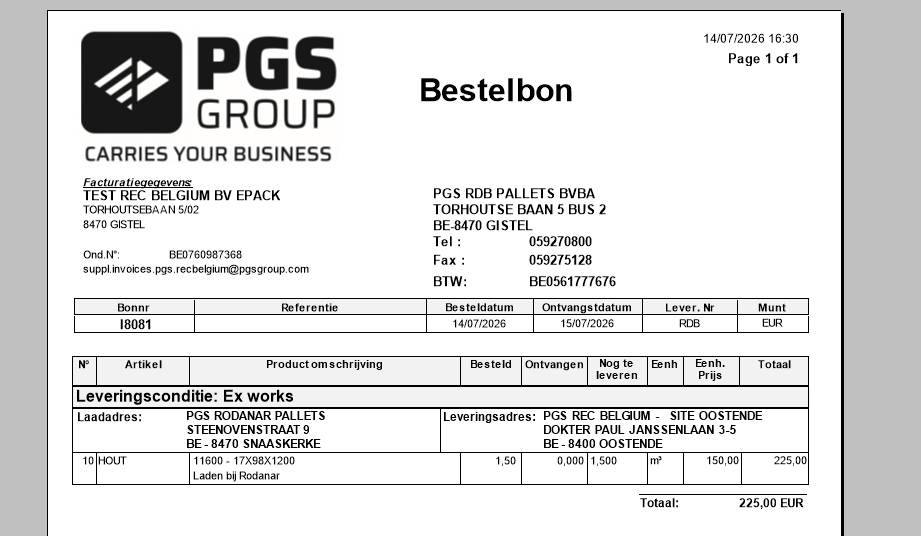
This order will be send as a PDF by email to the order mailbox of RDB.
Input SO RDB
The order needs to be put in manually.
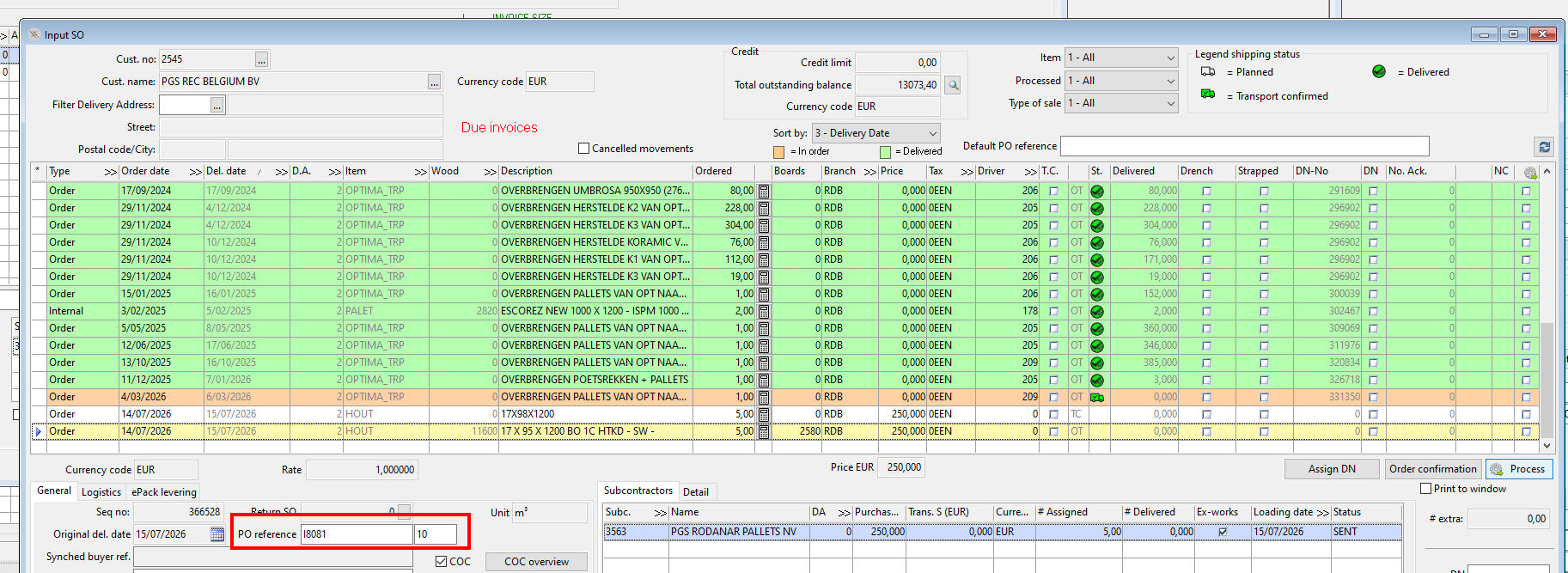
However, from ePack RDB towards the intragroup subcontractor via SQL there is synchronisation for timber in place.
Delivery by subcontractor
In ePack of the subcontractor, the calculation aid can be filled in as usual by means of the barcodes. Backorders are possible. The RDB delivery note will be generated and the delivery information will synchronise towards the RDB dispatch.
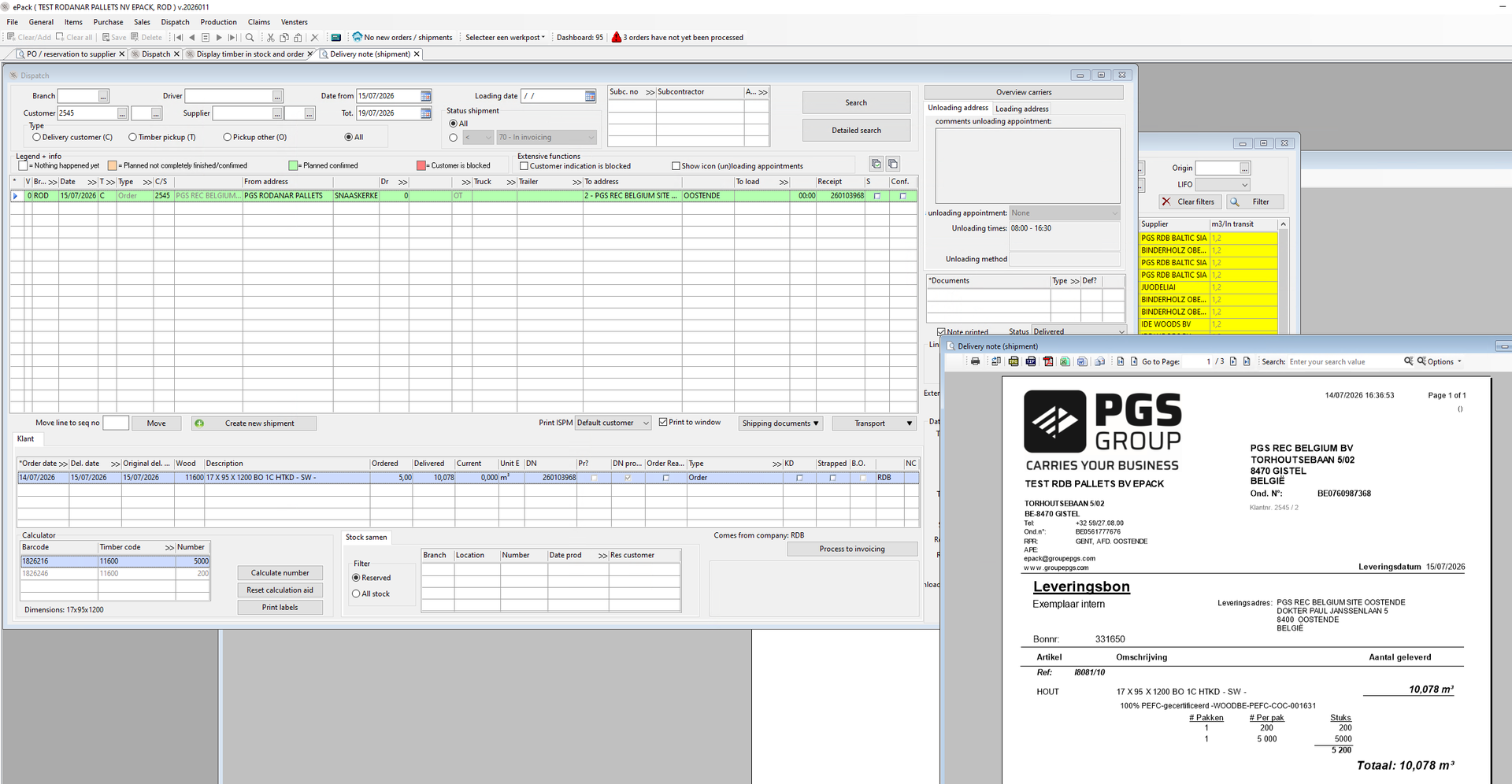
Reception by intercompany customer in "Input PO"
The REC site can process the delivery by entering the delivered volumes in "Input PO" on the basis of the RDB Pallets delivery note.
Purchase of pallets or decks FAB/REC
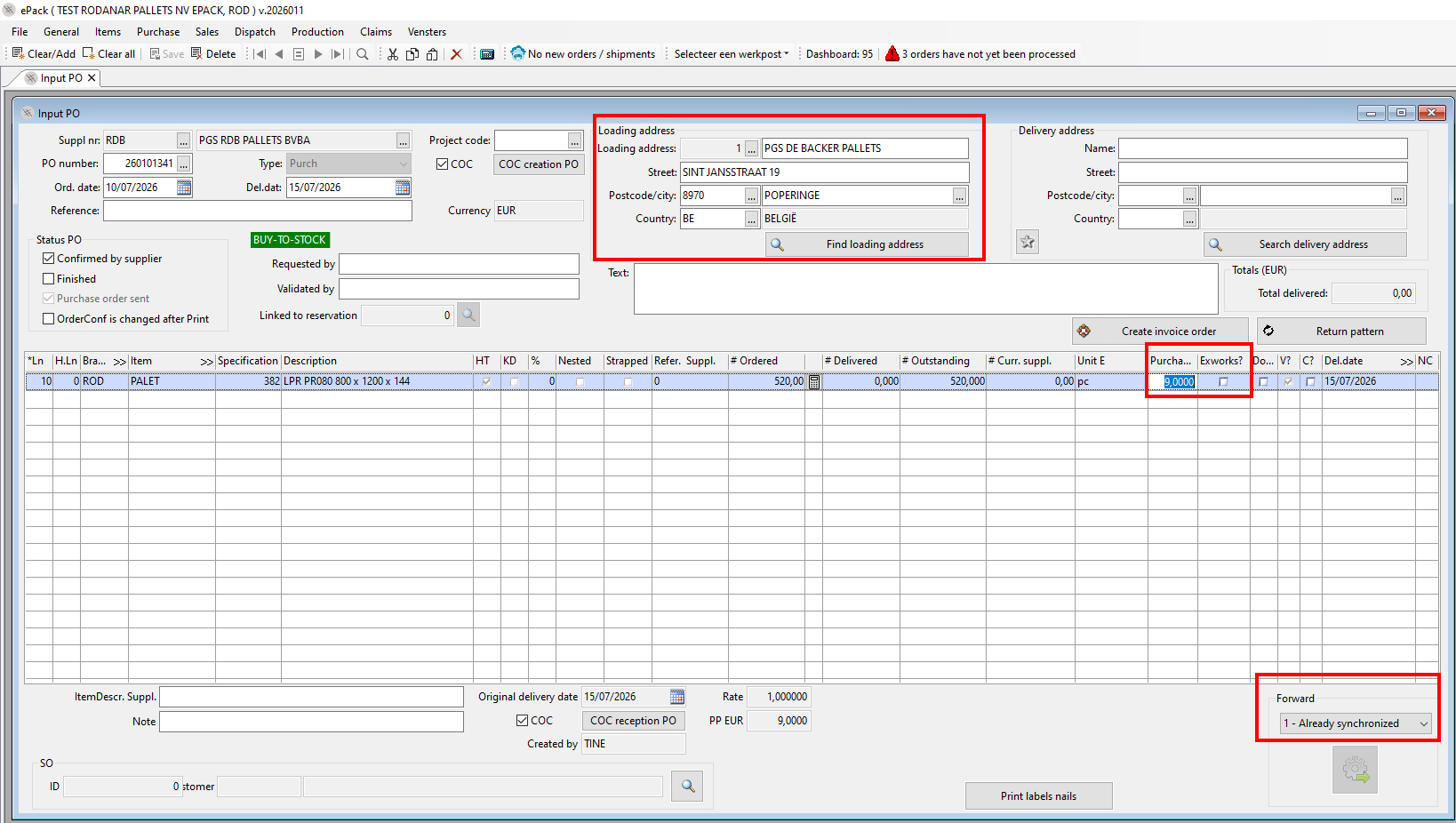
Input PO intercompany customer
The purchase is done in "input PO". For the specification and supplier RDB Pallets, a purchase price line is obligatory to be able to order the specification.
A loading address can be indicated, but this does not influence the subcontractor in ePack RDB.
Intercompany purchase are agreed to be done DAP.
The order will by synchronised by clicking the 'Forward' button.
Input sales order RDB
The order will be automatically processed in epack RDB when the following conditions are met:
a valid price line
for the intercompany customer eg 2718
for delivery address 0
with a link to a subcontractor
where the price of the intercompany customer is the same as the one in RDB Pallets
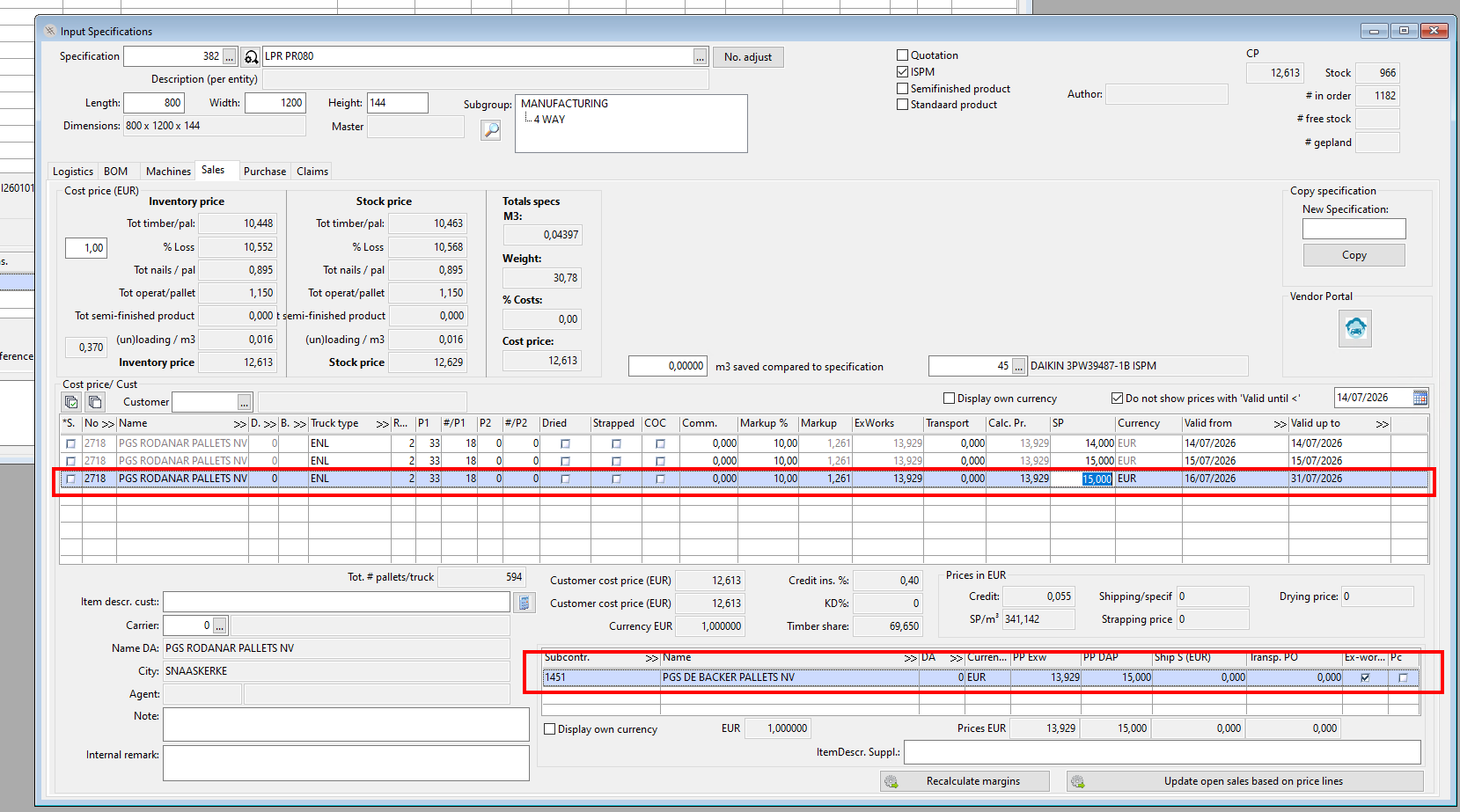
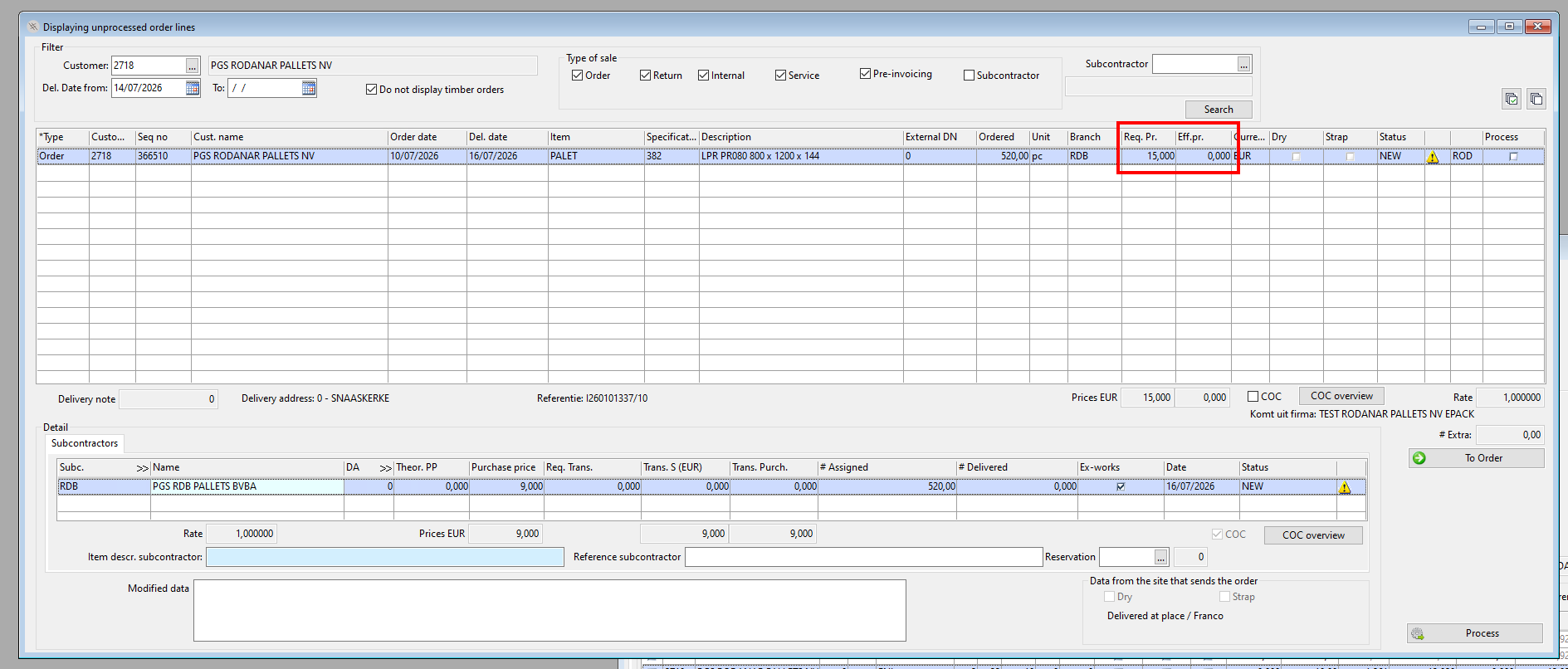
For all other orders, the order will need to be manually processed in the list "Display unprocessed orderlines" after the correct priceline has been entered. (both in unprocessed orders and on the level of the specification)
For example:
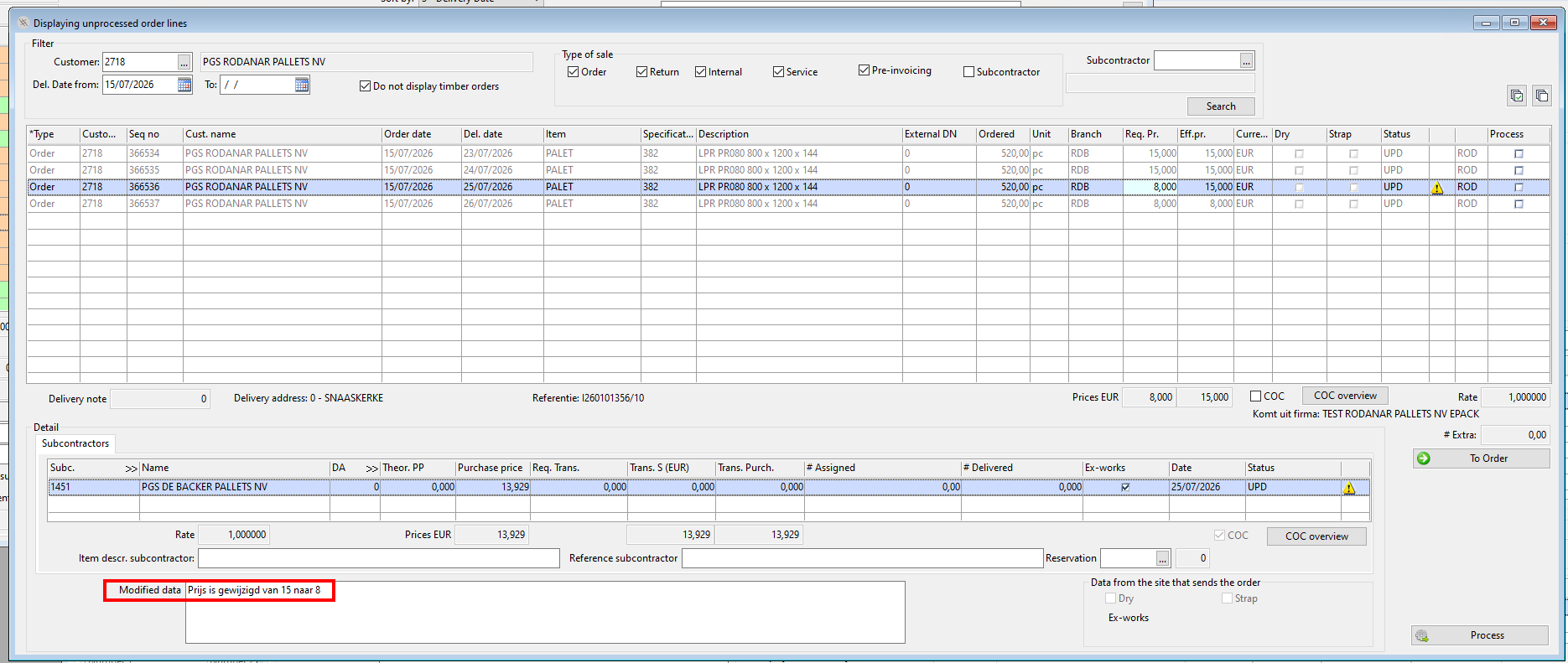
Updates
Any update that can be sent by the intercompany customer eg price, incoterm, will also appear as UPD in the list of unprocessed orders to be able to see the modified data in the order.
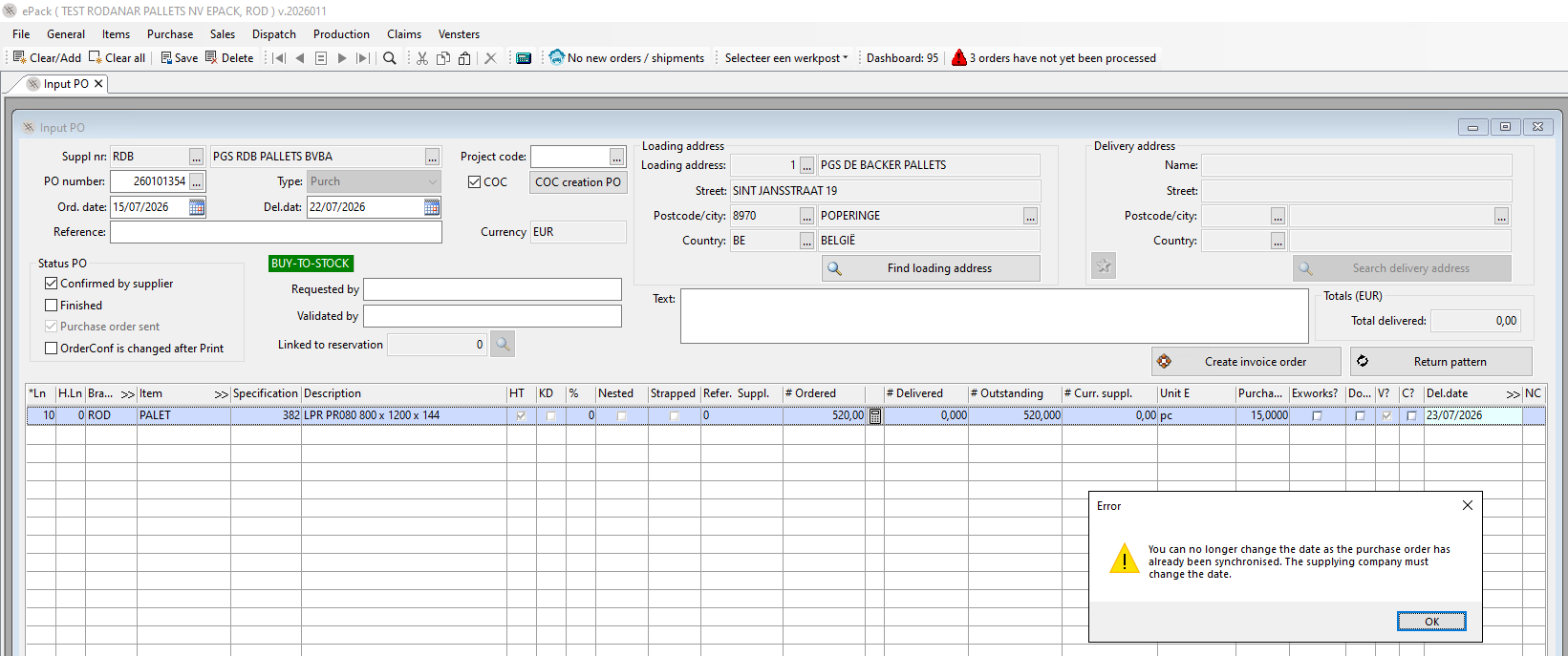
The delivery date can only be changed in the dispatch of ePack RDB:
The order can only be deleted from the side of the intercompany customer:
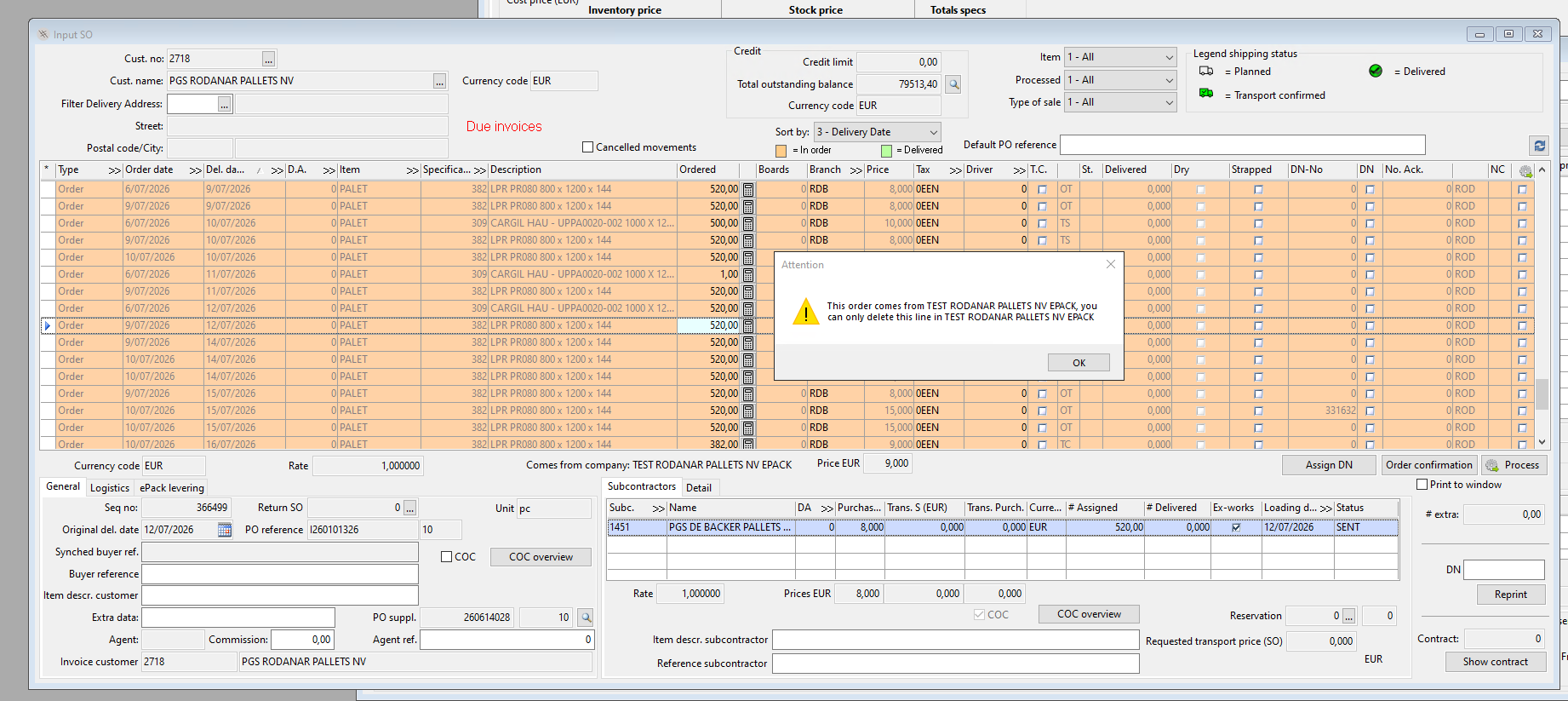
However when a delivery note is linked in ePack RDB, this is no longer possible, so consult with the colleagues of RDB Pallets is necessary.
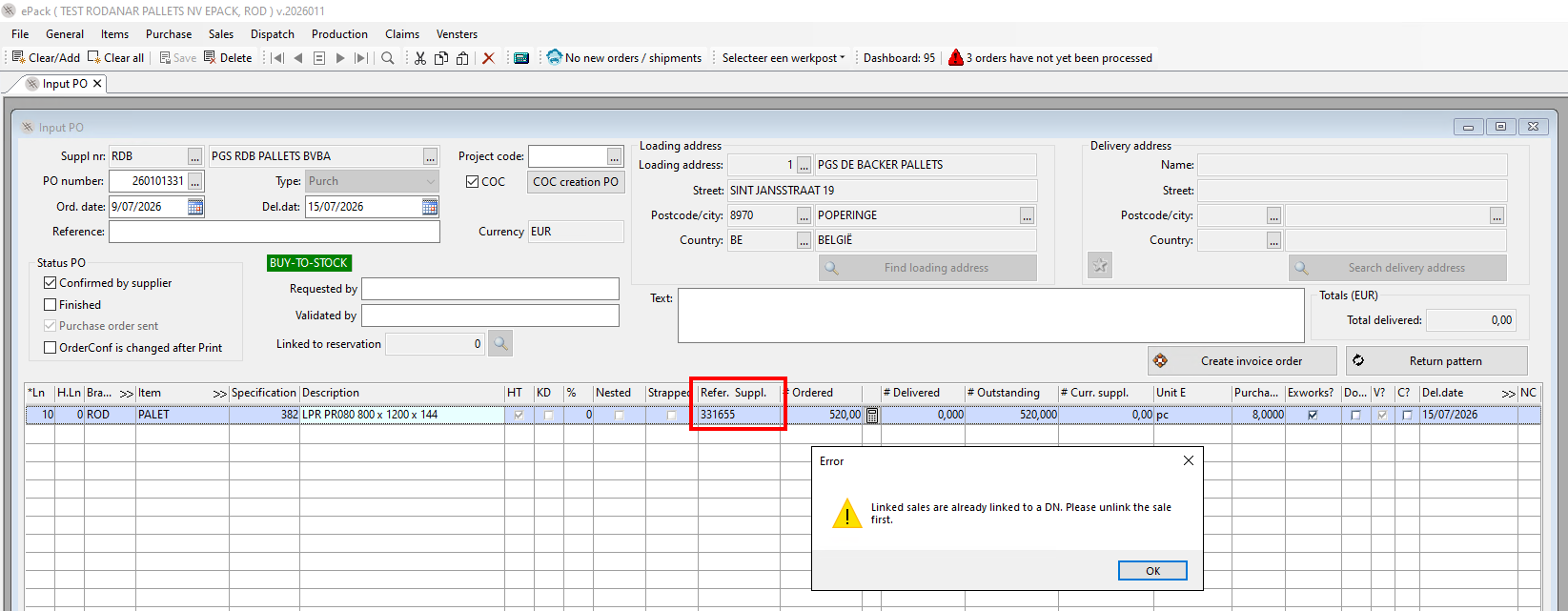
The buy-to-order is synchronised from ePack RDB to ePack of the subcontractor.
Delivery by subcontractor
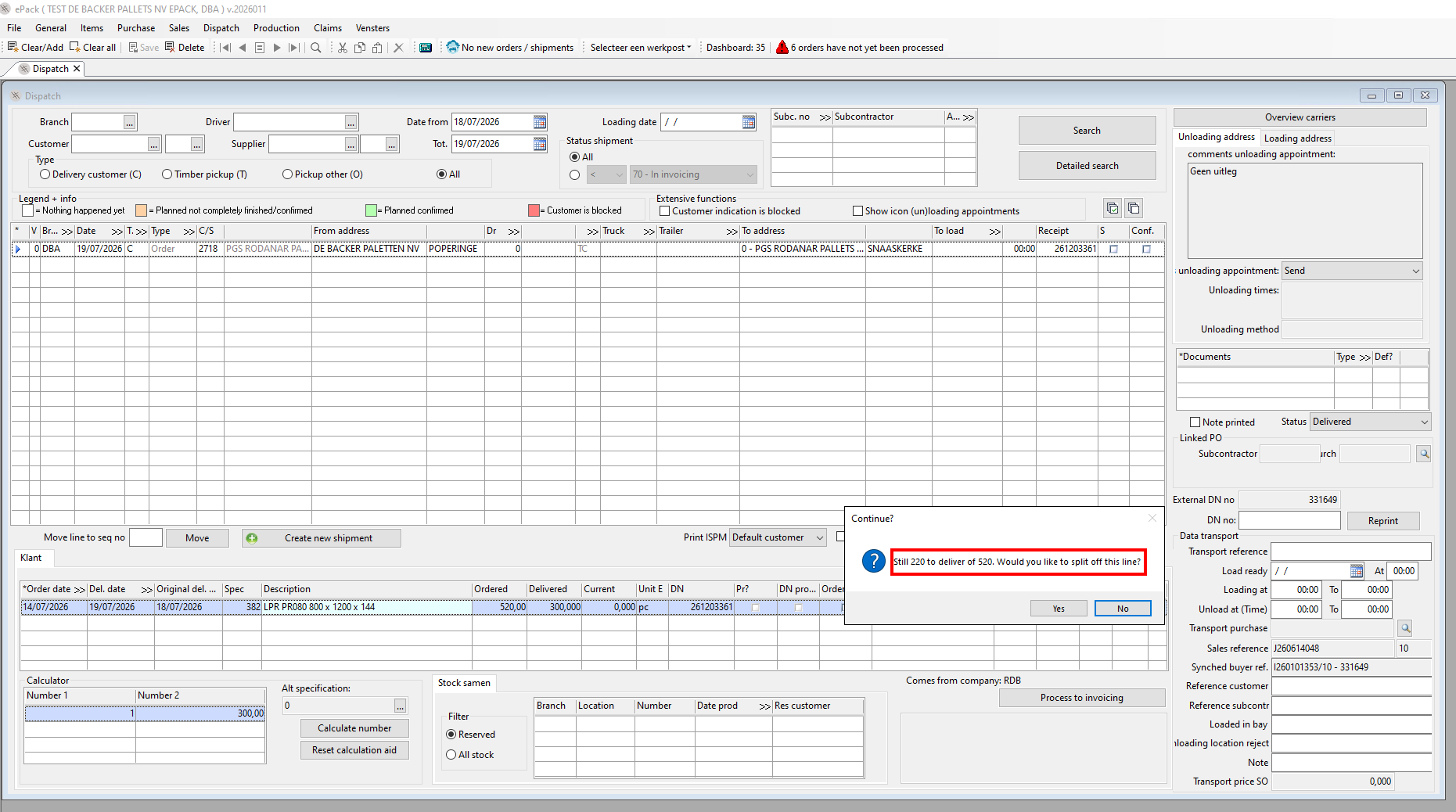
The calculation aid can be filled in in the dispatch of the subcontractor. Backorders are possible. The PO of the intercompany customer will be divided according to the backorder .
An RDB delivery note will be generated. However, thanks to the synchronisation the delivery information will also be synchronised to ePack of PGS RDB pallets and to the intercompany customer, in this case Rodanar.
Reception of goods intercompany customer
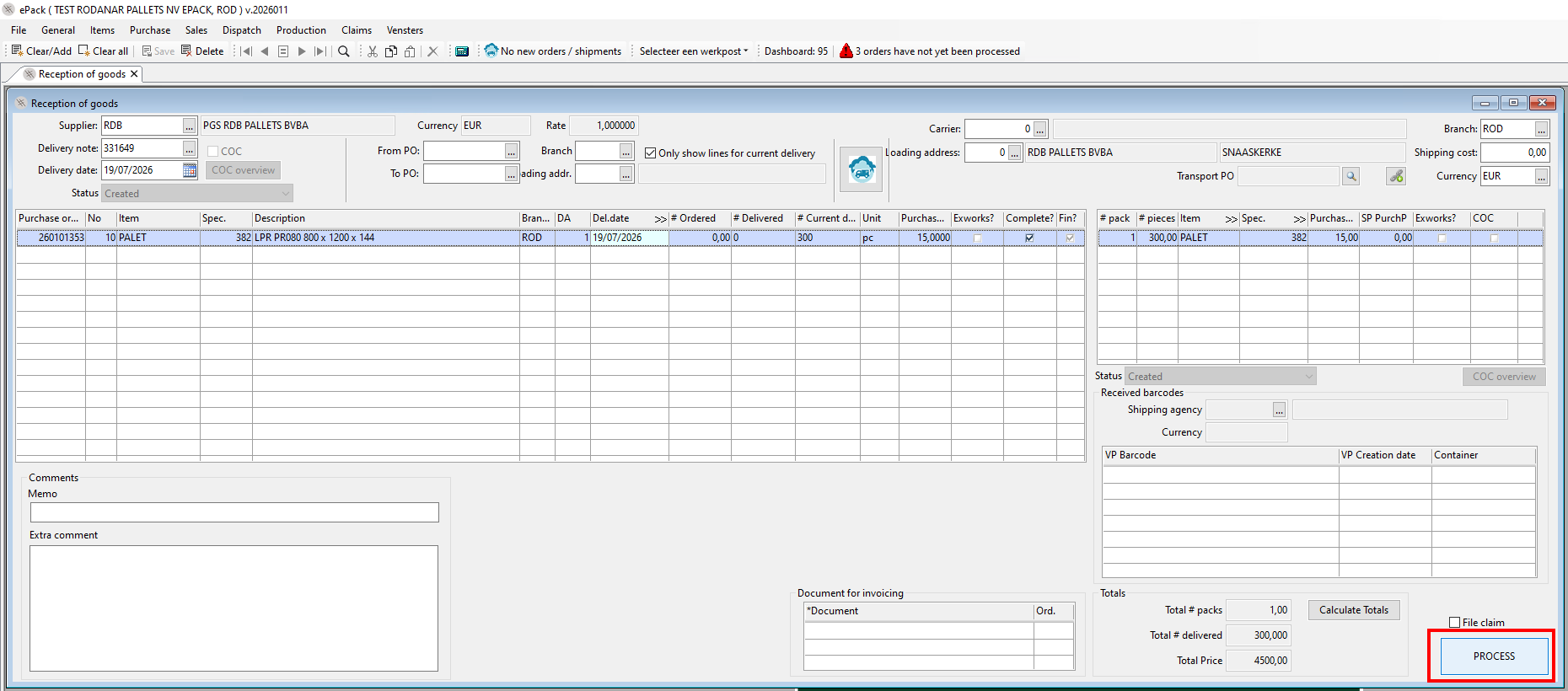
The delivery note will be visible in the "Reception of goods" screen
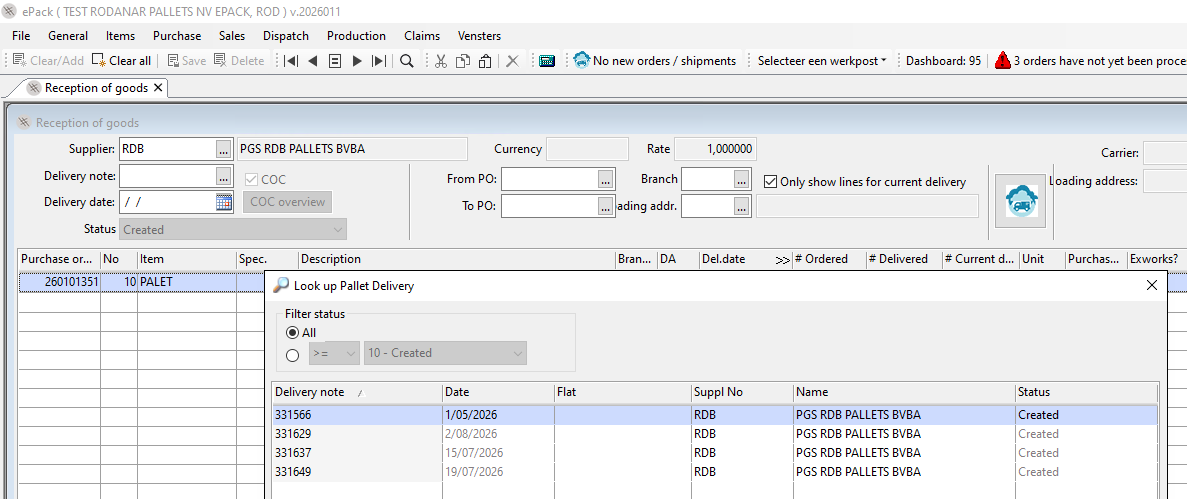
and simply needs to be processed.