E-INVOICING
This documentation contains information on how to send e-invoices from within ePack.
Setup of Entity
Users can't activate e-invoicing themself, therefore IT needs to be contacted.
Setup of Customer Sheets
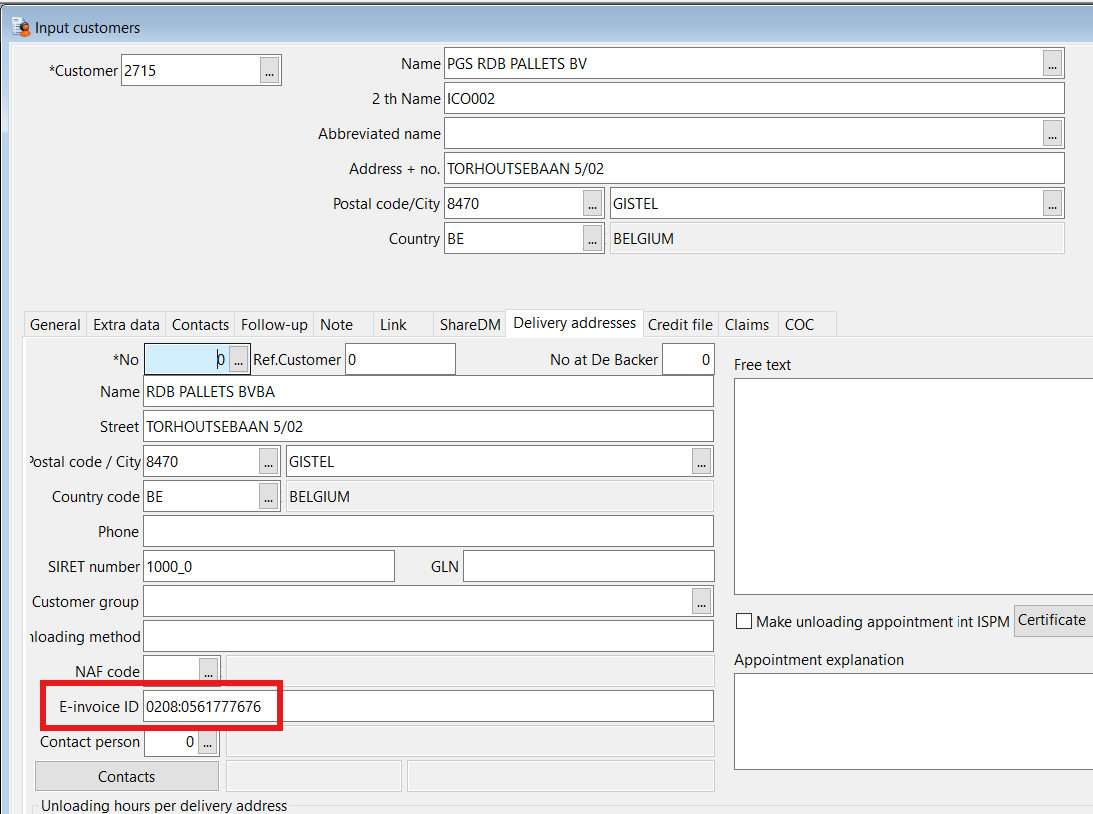
An e-invoice will only be sent to a customer if (1) the entity has e-invoice activated, see above, (2) the customer has on delivery address level a valid e-invoice identifier configured.
References
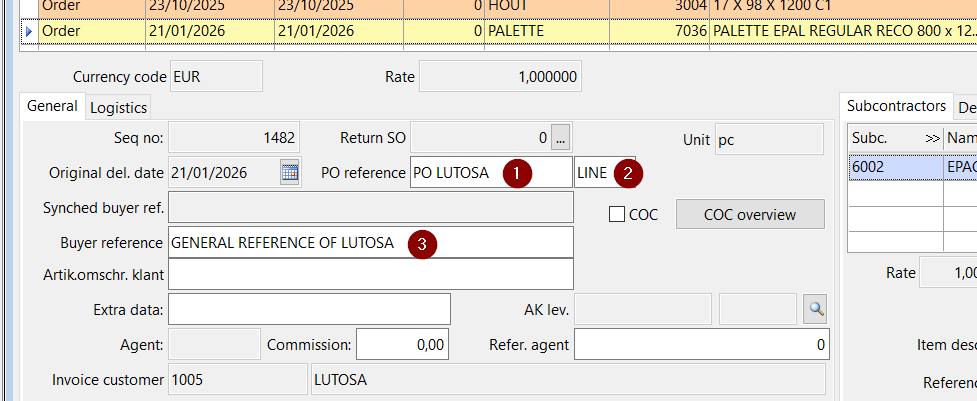
We have implemented a new referencing system in ePack. We use 3 types of references.
Purchase Order Reference = an identifier of a referenced purchase order, issued by the Buyer
- Line Number Reference = an identifier for a referenced line within a purchase order, issued by the Buyer.
- Buyer Reference = an identifier assigned by the Buyer used for internal routing purposes
The new references can be mainly found in the screens.
- Input Sales Order
- Dispatch
- Input Invoicing Orders
- Display Invoices
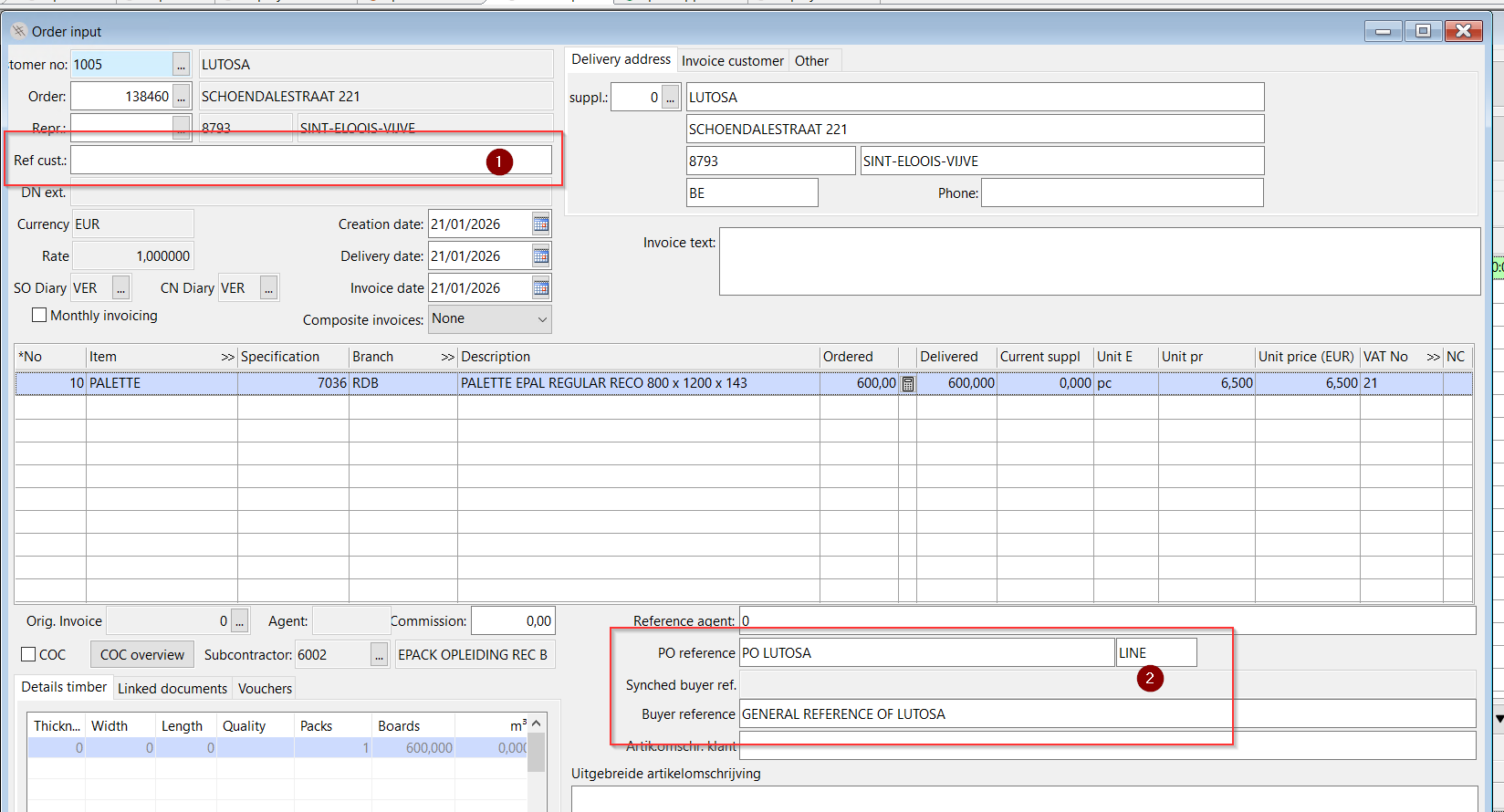
Input Sales Order
Here below, you have a snippet of the Input Sales Order screen (reachable via the menu of Sales). When we enter a sales order, the orders team must enter the correct references in the correct field. On the snippet below, we have marked the references like we have mentioned them here above.
Dispatch screen
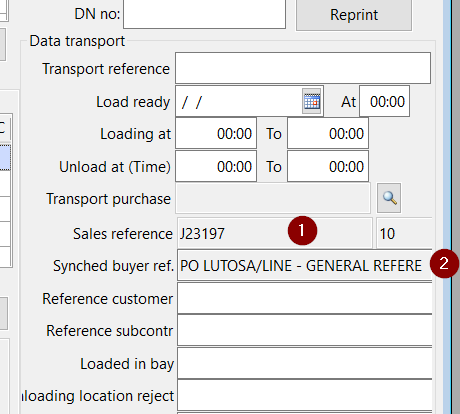
The 3 references are also available in the dispatch screen and are directly connected to the order screen.
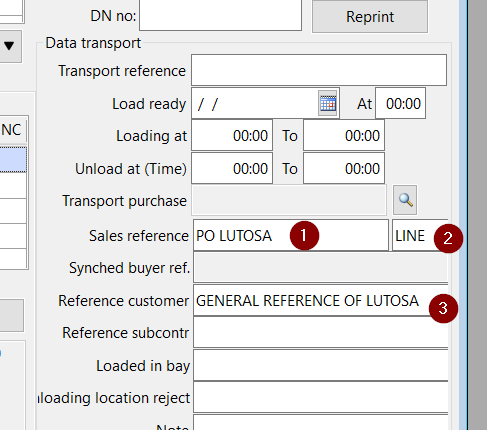
In the screenshot below, you can see the dispatch of the subcontractor's ePack. The sales reference (also known as the Purchase Order Reference is the PO of the parent entity. Let's say you enter an order in RDB with subcontractor Rodanar, in RDB, we have a PO to Rodanar; that PO is synced to that field in the subcontractor's ePack and is set as read-only as this shouldn't be changed because this is always correct by the system.
You can see all other references of the parent entity are synced to a separate field Synched Buyer Ref. Like this, they are visible for the user in the subcontractor's ePack.
Input Invoicing Orders
In the invoicing screen, you have the references like in the others screens. However, here we have 2 types of references.
- Header Level = applicable for the complete invoice
- Line Level = applicable for 1 line of the invoice
Display Invoices
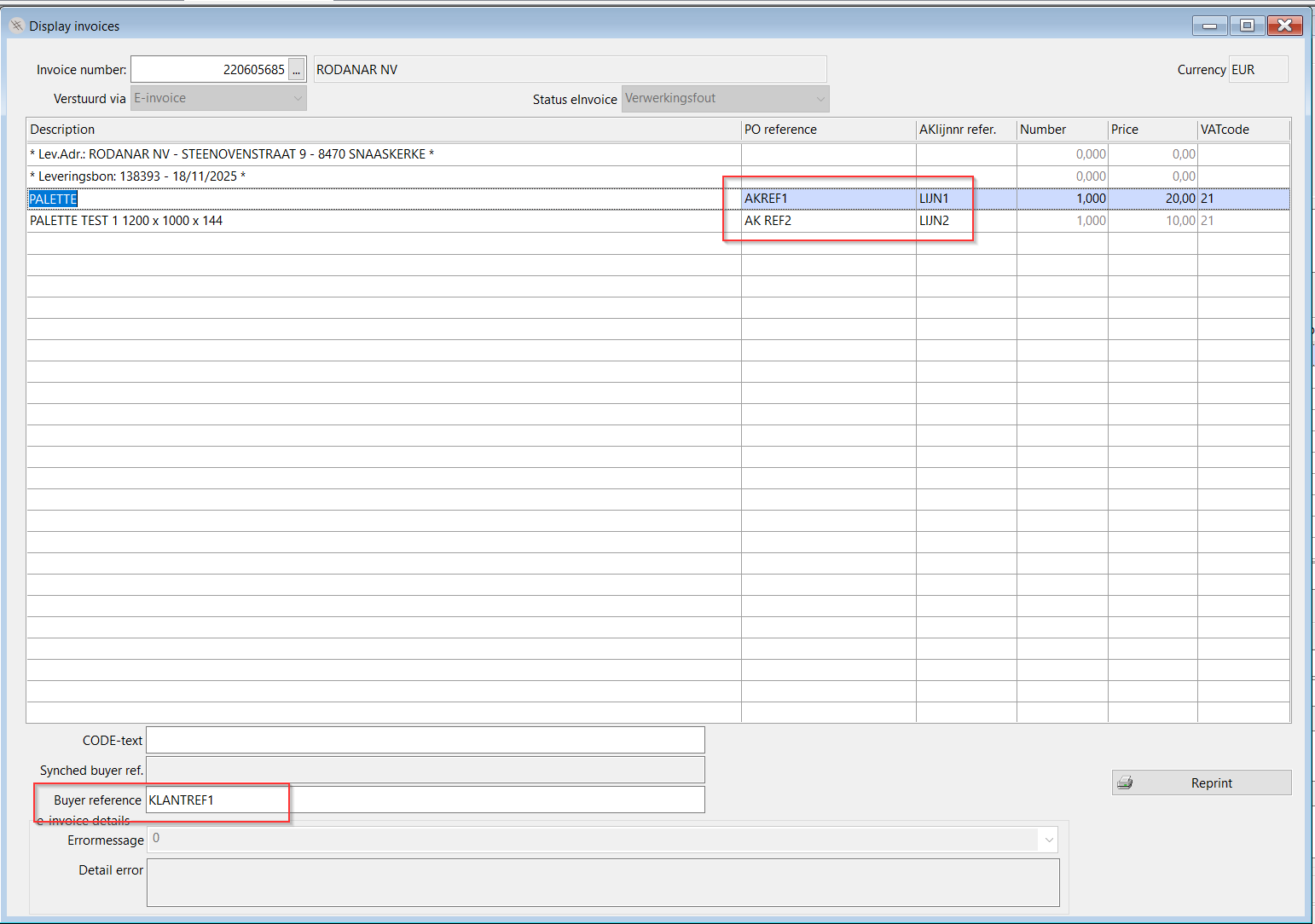
When an invoice has been pushed to night processing or invoiced, it will be visible in the Display Invoices screen. The highlighted references are line level references, header level references are not visualized here.
This screen also contains a "send by" status. For example, through e-invoicing or via mail (top left). If it's an e-invoice, you can also see if the e-invoice was successfully sent (top middle).
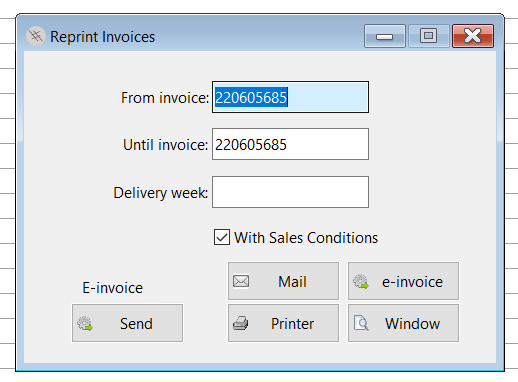
At the bottom right, you can click on the reprint button. This will give you the option to print/send on
- Window
- Printer
- E-invoice
Synchronization of fields
- Input Contracts = all 3 types of references can be set in this screen
- Default PO Reference in Input Sales Order = maps to PO reference field
- References are displayed in multiple screens as a read-only field, we always use concatenate the 3 references in the following format <PO Reference>/<Line Number> - <Buyer Reference>
- References are displayed in multiple prints, like above, we use the same concatenation.
Reference Purchase to Sales
In Support Services, we have a setup, where you can make from a purchase a sales order from within the purchase screen. However, the reference you can type in the purchase order will be synced to the buyer reference field.
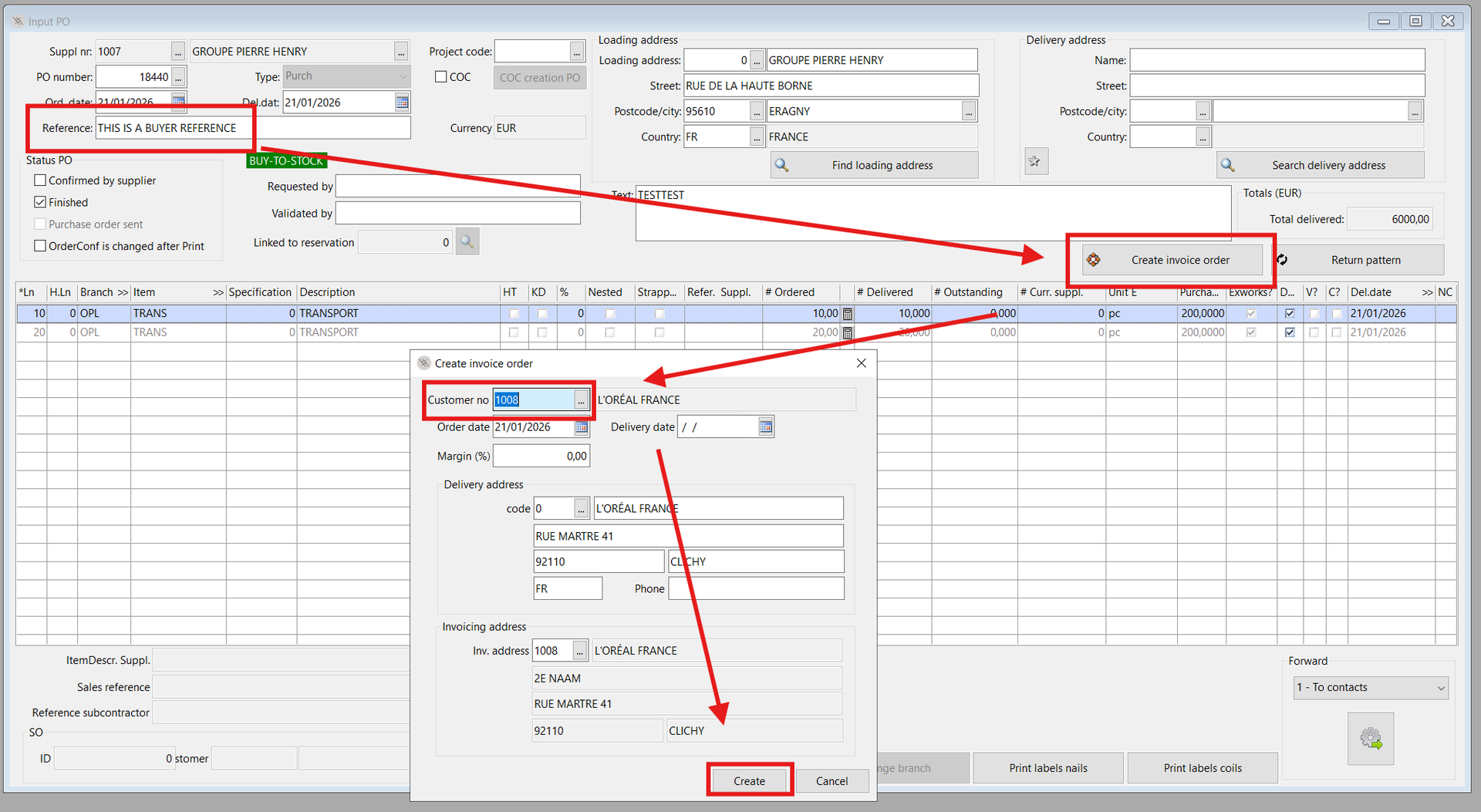
The references are added on line level in the Buyer Reference field, not in the Purchase Order field as this is not the PO of the customer.
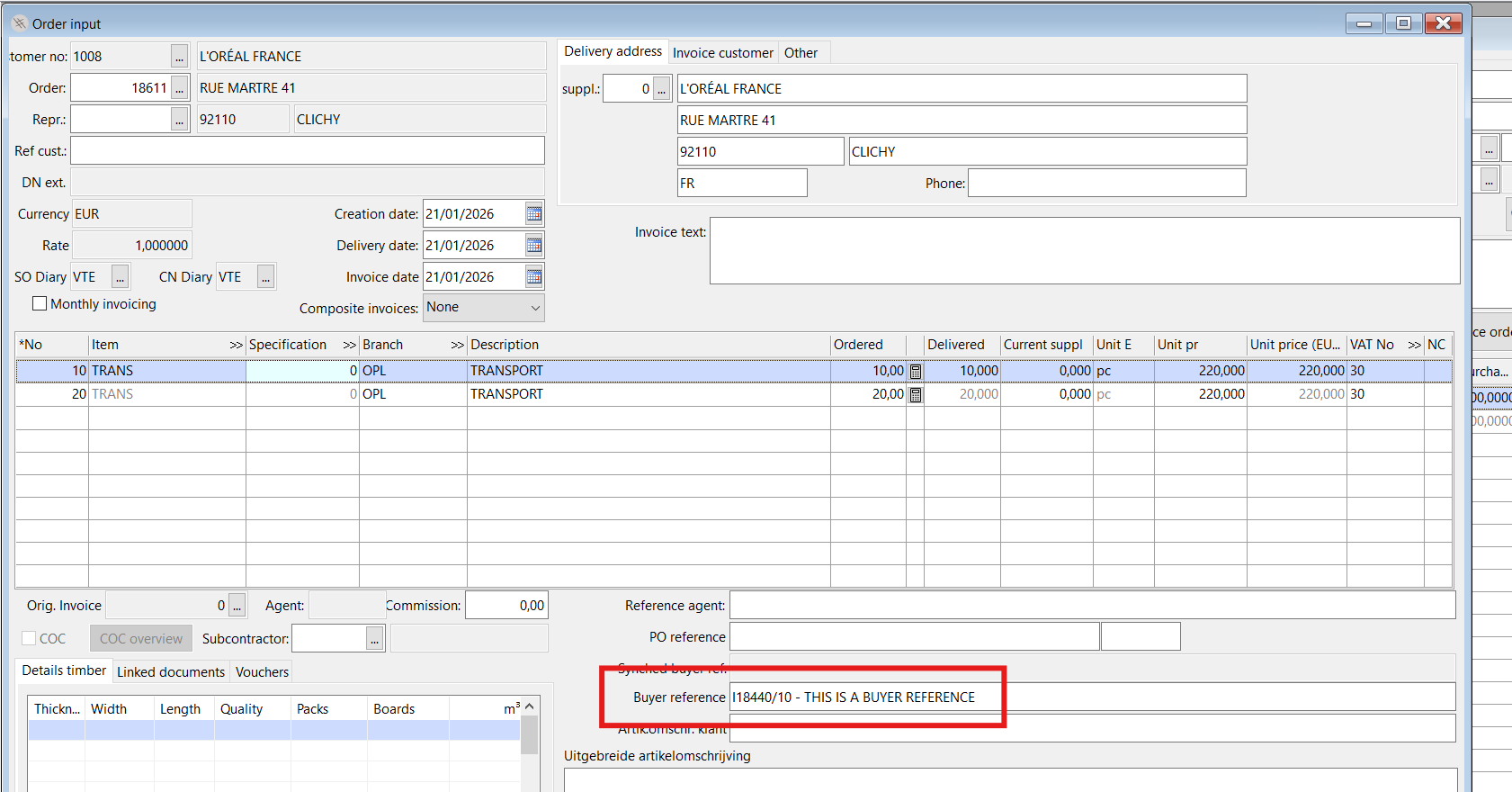
Vendor Portal / RPA-nr References
Flow of VP (or QWIX with RPA number:
- ROD > PO > RDB BALTIC
- RDB BALTIC delivers and an RPA-nr is interfaced into the PO of ROD.
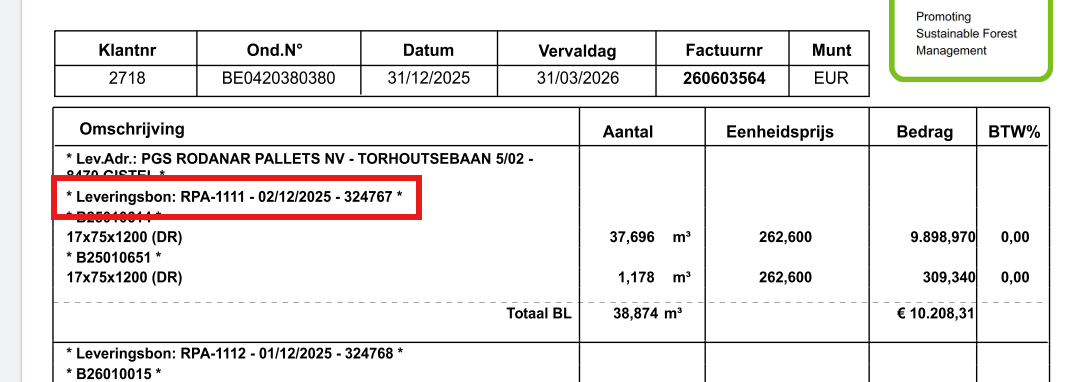
- As a consequence, a sales order is created in RDB PALLETS towards ROD and the RPA-nr becomes available as an external Delivery Note in Invoicing. We then choose to set the external delivery note in the e-invoice so if the invoice arrives from RDB Baltic a smooth approval can be made.
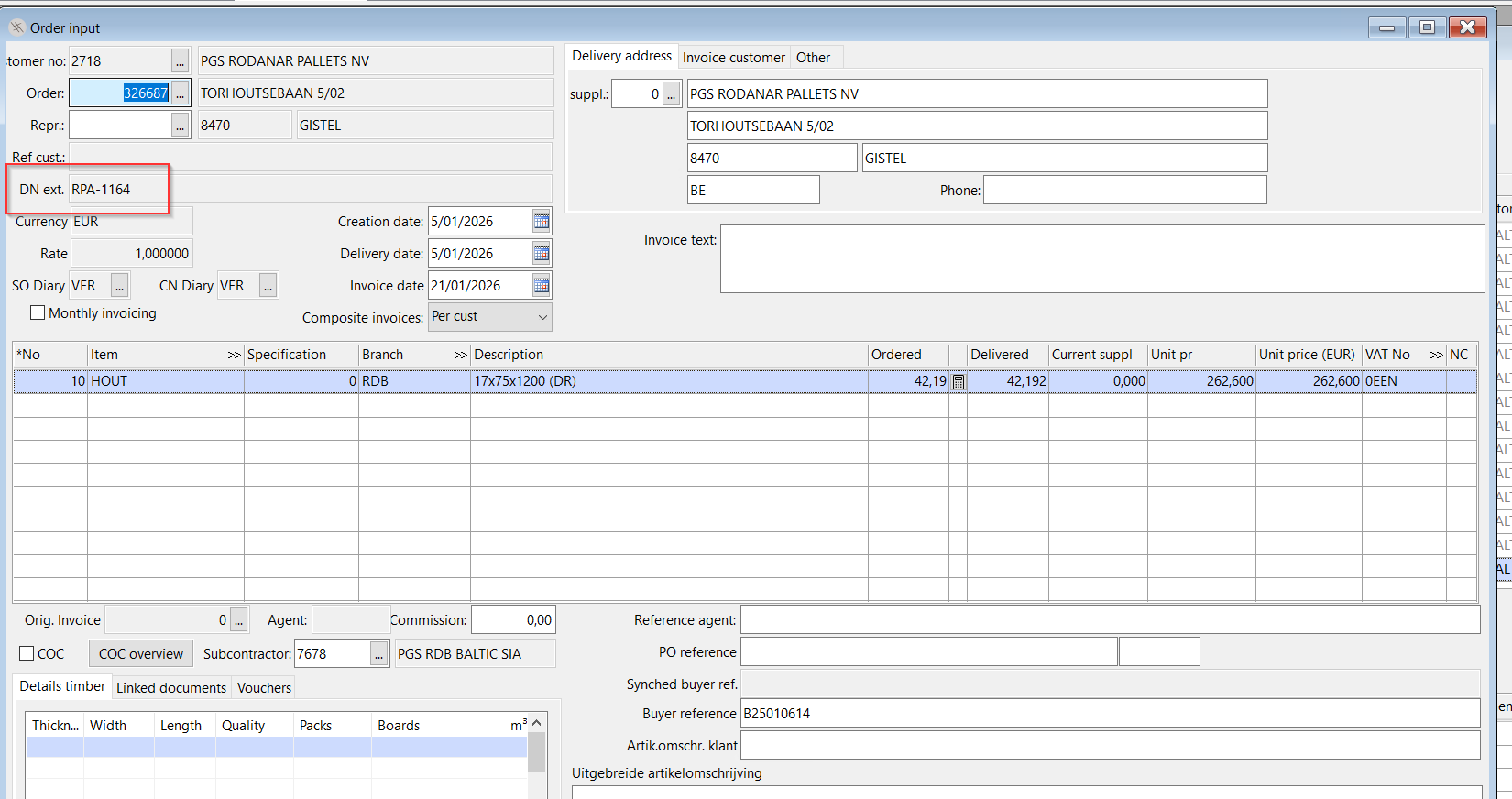
On the invoice we both show the internal delivery note and external delivery note, however, only the external delivery note is really necessary for easy approval.