Creating timber codes
Timber codes settings are managed in the ePack Master. See https://www.getitdone.be/knowledge/article/1206
The creation of new timber codes is done in the ePack PGS SAS, entity 1
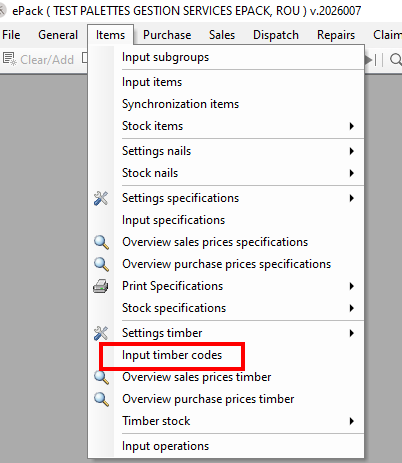
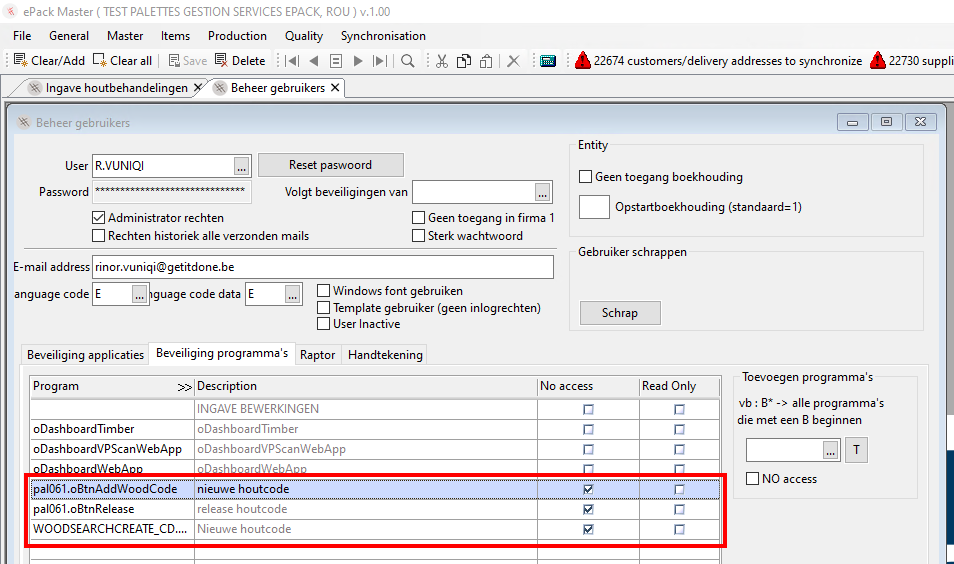
The rights to create new timber codes are restricted to the Central Data Management team. The rights can be managed on the user profiles:
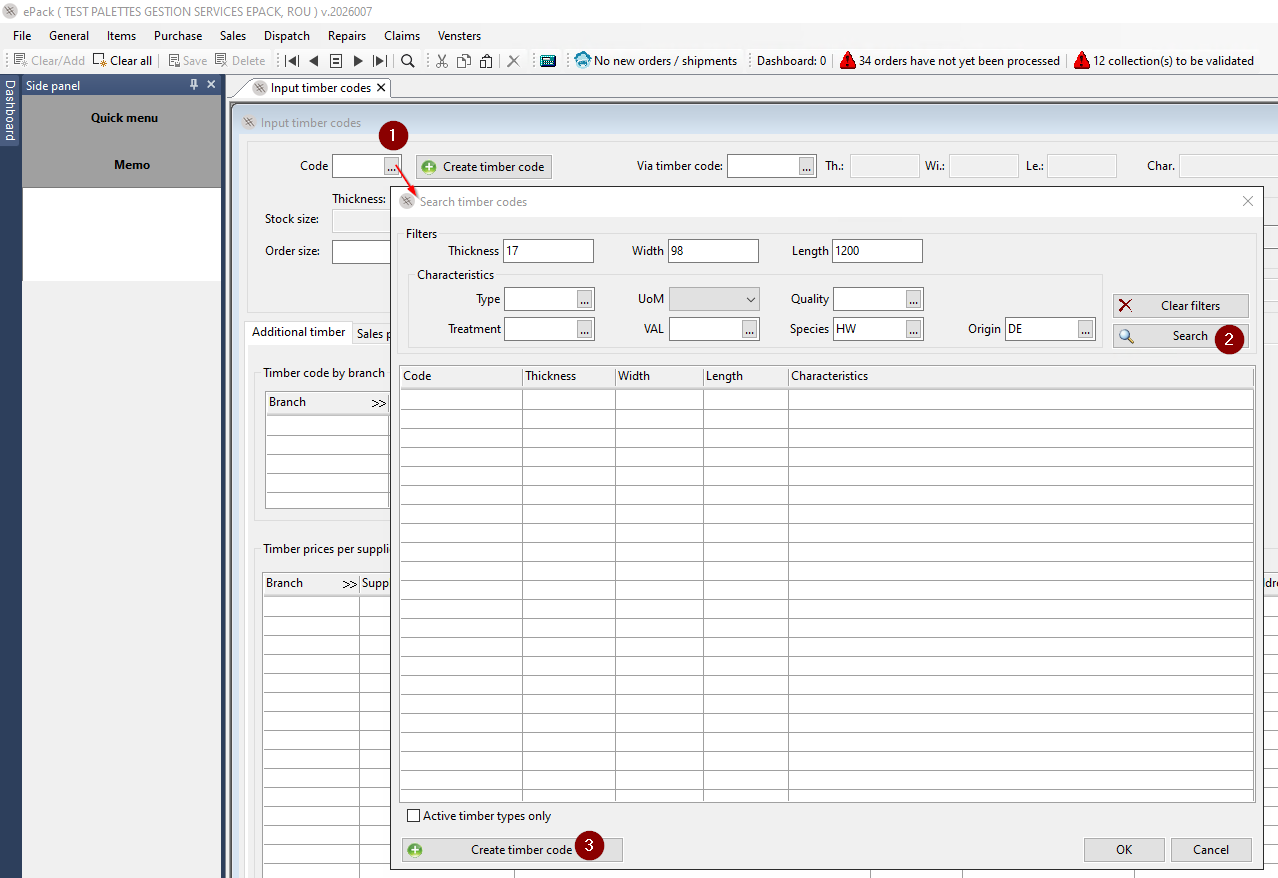
Create a new timber code
You can first go through the existing list to find what you are looking for. If you need to create a new code, click 'Create timber code' (3). Your search data will be pre-filled in the creation screen (4).
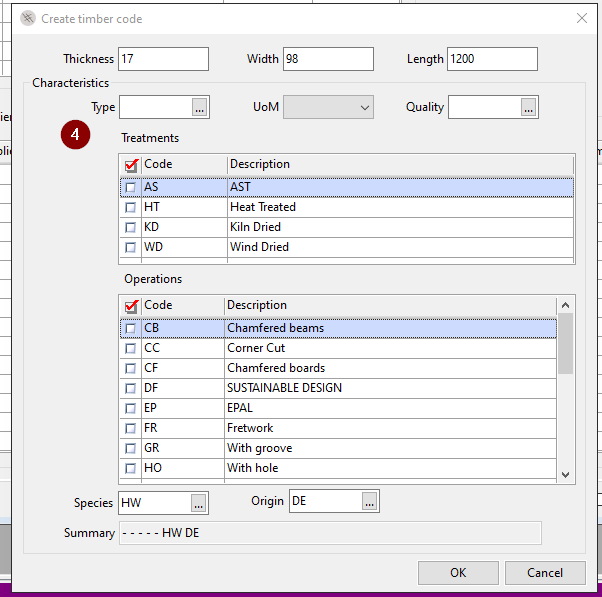
Alternatively, you can click the button to create a new timber code in the main screen. and fill in the minimum required data yourself: Thickness/width/length/type/UoP/quality
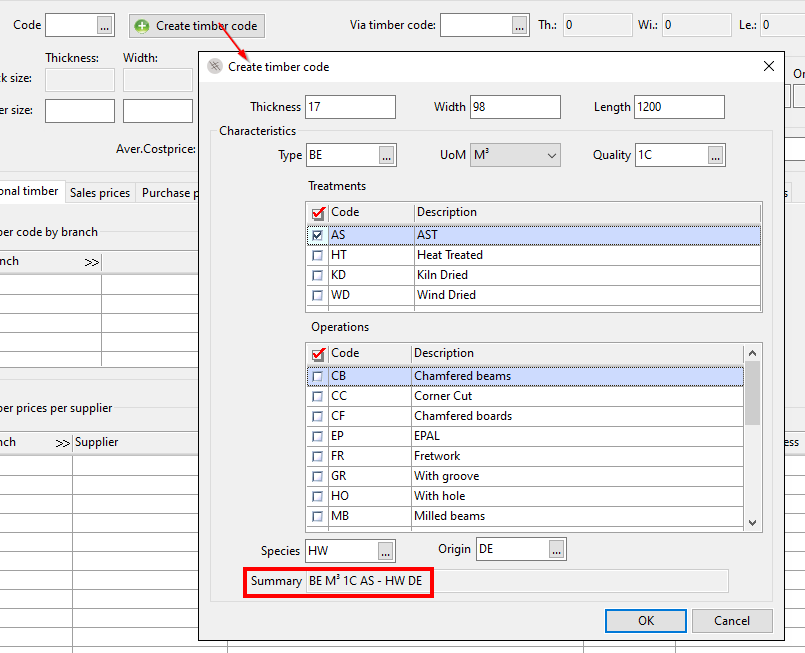
Additionally other features can be added. The summary is displayed below.
Every code is a unique combination.
Epack assigns the timber code automatically. In first instance the via timber code is the same. You can now release the code. This means that the code will be synchronised to all other ePack entities.

Once released, there is no longer any synchronisation between the PGS SAS and the other entities.
In all production entities, the timber codes can be (de)activated: see https://www.getitdone.be/knowledge/article/1209